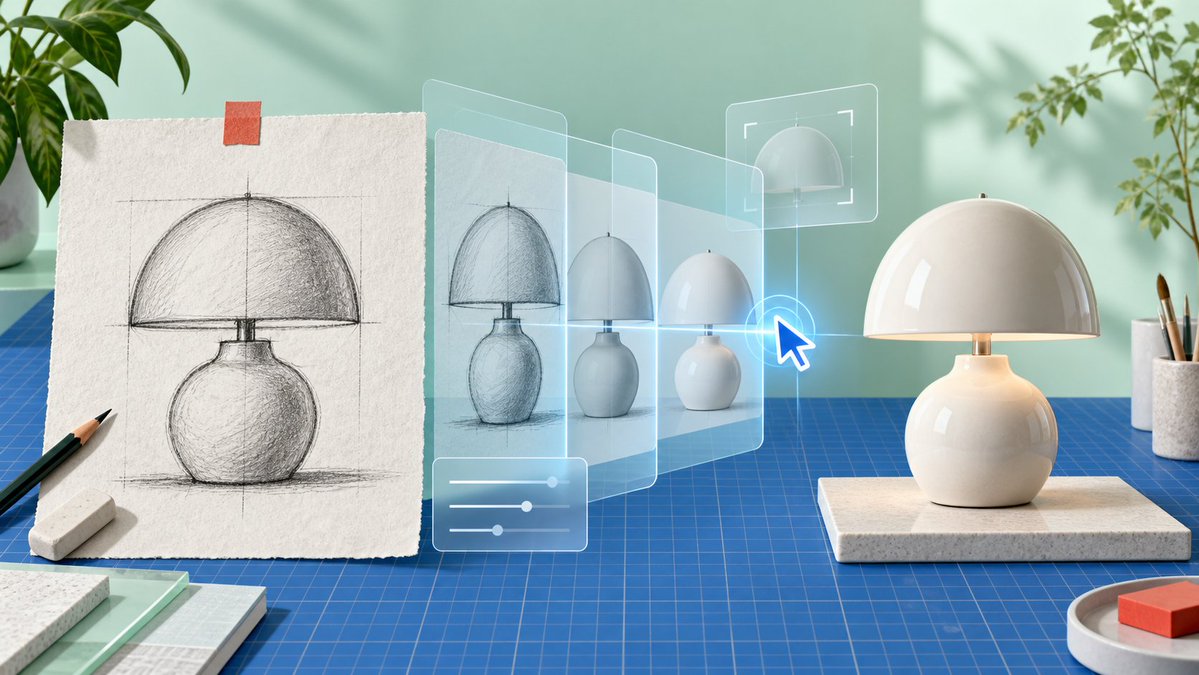
AI Product Sketch to Lamp Render
A photorealistic studio scene visualizing an AI workflow that transforms a hand-drawn product sketch into a finished ceramic table lamp.
To jest przykładowy przykład GPT Image 2 dla Produkt i handel . Skorzystaj z poniższego przykładu gotowego do skopiowania, aby wygenerować podobne materiały wizualne i sprawdź atrybucję Awesome GPT Image 2 Prompts oraz prawa do użytku komercyjnego przed ponownym wykorzystaniem.
Free 1K preview
Generate one preview image instantly, no sign-up required.
Free text preview doesn’t preserve reference-image consistency.
Opis
Monit o przygotowanie do kopiowania
Create a clean, photorealistic product-design workspace scene showing an AI-assisted transformation from sketch to finished object. Use a wide 16:9 canvas with soft natural daylight, pastel mint-green wall, realistic shadows from window light, and a modern maker-studio aesthetic. On the left, place a sheet of rough off-white textured drawing paper standing upright on a blue gridded cutting mat, held at the top with one small strip of orange tape; the paper shows a detailed graphite construction sketch of a {argument name="product type" default="mushroom-shaped ceramic table lamp"}, including vertical and horizontal guide lines, a domed shade, a short neck, rounded bulbous base, hatch shading, and a ground shadow. In front of the sketch are exactly 2 drawing tools: one black pencil angled diagonally and one white rectangular eraser. Across the center, add a translucent futuristic UI visualization: exactly 4 semi-transparent glass panels receding from left to right, each showing the lamp evolving from rough sketch to cleaner render to simplified 3D form, with pale cyan outlines and a subtle blue glow. Add exactly 3 interface overlays: one bottom-left rounded rectangle with three horizontal slider controls, one upper-right rectangular crop/selection frame around a dome preview, and one bright blue glowing cursor arrow pointing at the lamp evolution. On the right, place the final physical {argument name="product color and material" default="glossy warm-white ceramic"} lamp on a rectangular speckled stone platform: a smooth hemispherical dome shade, small brass stem, softly glowing warm light under the shade, and a round bulbous base matching the sketch. Surround the scene with studio props: leafy green plants partially visible at the upper left and upper right, a white cup holding paintbrushes at the far right, a small round tray with a red-orange block in the lower right, and stacked sample boards or notebooks in the lower left. The blue cutting mat should cover the tabletop with precise grid lines, reinforcing a design-prototyping environment. No visible text, no logos, no watermark; emphasize the concept of turning a hand sketch into a finished product through transparent AI editing layers.Zmienne monitujące
Edytowalne symbole zastępcze argumentów znalezione w monicie, wraz z ich wartościami domyślnymi.
Best for
- - Produkt i handel visual exploration
- - Image generation and reference-image edits
- - Reusable briefs that keep source attribution visible
Change these parts
- - Subject, product, character, or scene
- - Aspect ratio, camera, lighting, and background
- - Brand, text, color, and output constraints
Recommended model and settings
- - Model: gpt-image-2
- - Input mode: Obraz na obraz
- - Aspect ratio: source
- - Commercial status: review original source
How to use this prompt
- 1. Copy the prompt and preserve its structure for the first test.
- 2. Replace the subject, context, and publishing channel.
- 3. Change one camera, lighting, or style variable per iteration.
- 4. Inspect the output, source, text, and rights before reuse.
Limitations, source, and reuse cautions
- - Generated output is an editable draft, not factual, legal, or rights evidence.
- - Review the linked source, people, brands, logos, text, and third-party media before commercial use.
Więcej przypadków w tej kategorii
Priorytety według kategorii, zgodności trybu wprowadzania, jakości i niższego ryzyka.






Ponowne wykorzystanie i źródło notatek
Użyj tego monitu bezpiecznie po zapoznaniu się ze sprawą.
- 1.Skopiuj monit lub otwórz go bezpośrednio w Dovoo za pomocą przycisku generowania.
- 2.Dostosuj zmienne, proporcje obrazu i obrazy referencyjne do własnego przypadku użycia.
- 3.Przed publikacją lub płatnym wykorzystaniem należy sprawdzić prawa autorskie do źródła, wymogi dotyczące atrybucji oraz ryzyko związane z marką lub podobizną.