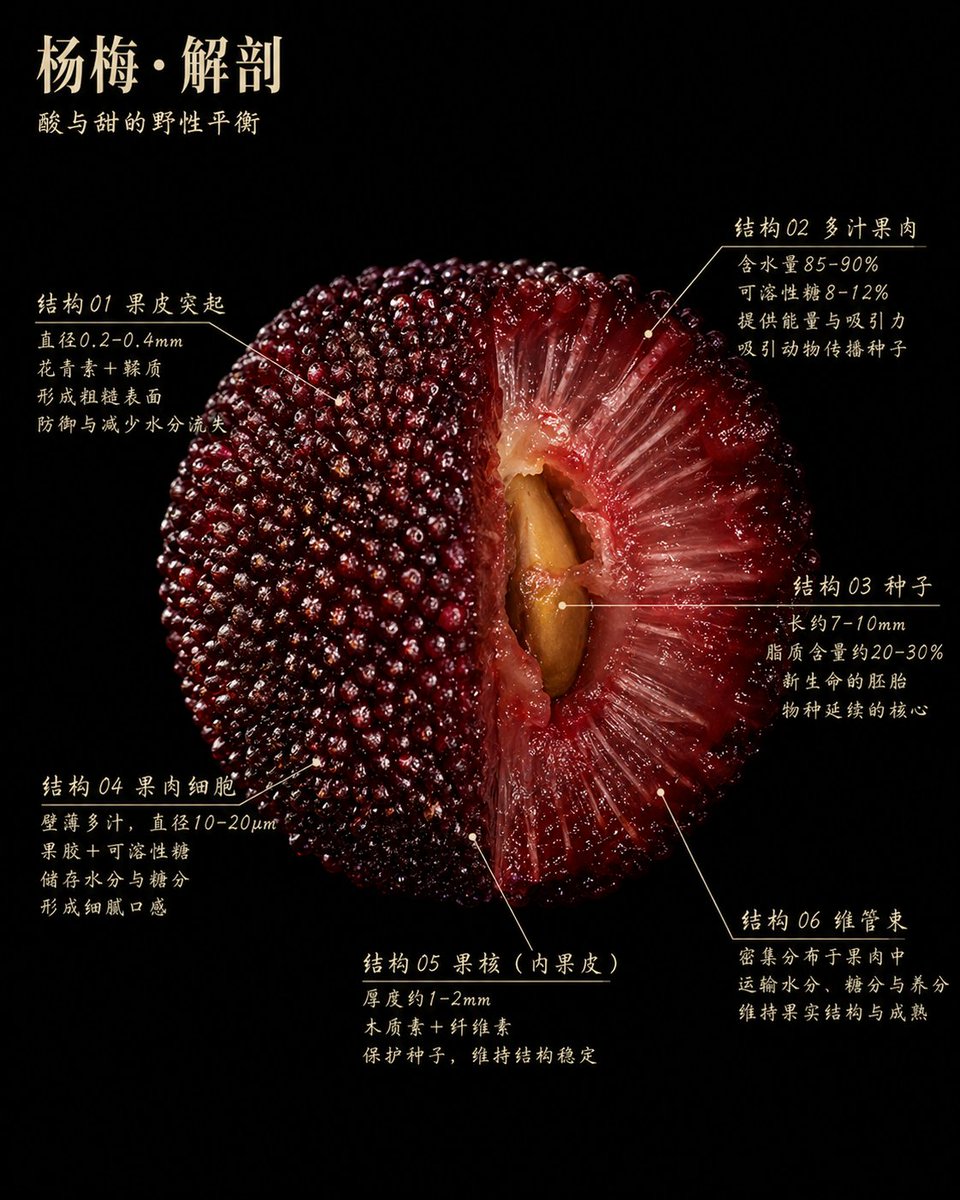
Wetenschappelijke poster over de anatomie van de wasbes
Dit genereert een luxe botanische infographic met zwarte achtergrond van een doorgesneden wasbessenstruik met zes gelabelde anatomische details, ideaal voor wetenschappelijke illustraties in tijdschriften of hoogwaardige educatieve posters.
Dit is een voorbeeld van een GPT Image 2 prompt voor Grafisch ontwerp & poster . Gebruik de onderstaande kant-en-klare prompt om vergelijkbare afbeeldingen te genereren en controleer de Awesome GPT Image 2 Prompts en de rechten voor commercieel gebruik voordat u de afbeeldingen hergebruikt.
Free 1K preview
Generate one preview image instantly, no sign-up required.
Snel
Schrijfklare prompt
An ultra-detailed scientific botanical poster with a pure black background. The central focus is a massive cross-section of a Yangmei fruit, utilizing dramatic studio lighting to achieve the realism of ultra-macro food photography. The surface is moist and glossy, with tones ranging from deep crimson to wine red. The fruit is presented as a half-cut anatomical specimen, occupying most of the frame. The left half shows the complete skin covered with countless closely arranged beaded protrusions, while the right half reveals translucent red flesh with fibrous, juicy textures radiating towards the brown large seed in the central cavity. In the upper left corner, there is elegant ivory-white Chinese text with the title {argument name="headline text" default="Yangmei · Anatomy"} and the subtitle {argument name="subtitle text" default="The wild balance of sour and sweet"} below. Around the fruit are 6 Chinese-labeled areas, each with slender ivory-white guide lines and small dots pointing to precise fruit structures. Area 1 is located in the upper left and labeled “Structure 01 Skin Protrusions” with 4 lines of explanatory text. Area 2 is located in the upper right and labeled “Structure 02 Juicy Flesh” with 4 lines of explanatory text. Area 3 is located in the middle right and labeled “Structure 03 Seed” with 4 lines of explanatory text. Area 4 is located in the lower left and labeled “Structure 04 Flesh Cells” with 4 lines of explanatory text. Area 5 is located in the lower center and labeled “Structure 05 Stone (Inner Peel)” with 3 lines of explanatory text. Area 6 is located in the lower right and labeled “Structure 06 Vascular Bundle” with 3 lines of explanatory text. The text style is refined, slightly calligraphic serif Chinese font, black background with white text, similar to museum exhibit labels or high-end editorial infographics. The composition is symmetrical and natural, with minimal negative space, luxurious texture, educational, tactile realism, rich detail, high contrast, no extraneous objects, no borders, no watermarks.Vraagvariabelen
Bewerkbare argumentplaceholders in de prompt, met hun standaardwaarden.
Best for
- - Grafisch ontwerp & poster visual exploration
- - Image generation and reference-image edits
- - Reusable briefs that keep source attribution visible
Change these parts
- - Subject, product, character, or scene
- - Aspect ratio, camera, lighting, and background
- - Brand, text, color, and output constraints
Recommended model and settings
- - Model: gpt-image-2
- - Input mode: Tekst naar afbeelding
- - Aspect ratio: source
- - Commercial status: review original source
How to use this prompt
- 1. Copy the prompt and preserve its structure for the first test.
- 2. Replace the subject, context, and publishing channel.
- 3. Change one camera, lighting, or style variable per iteration.
- 4. Inspect the output, source, text, and rights before reuse.
Limitations, source, and reuse cautions
- - Generated output is an editable draft, not factual, legal, or rights evidence.
- - Review the linked source, people, brands, logos, text, and third-party media before commercial use.
Meer gevallen in deze categorie
Geprioriteerd op basis van categorie, compatibiliteit met invoermodus, kwaliteit en lager risico.






Hergebruik en bronvermeldingen
Gebruik deze prompt veilig nadat u de casus hebt bekeken.
- 1.Kopieer de prompt of open deze direct in Dovoo met de knop 'Genereren'.
- 2.Pas de variabelen, beeldverhouding en referentieafbeeldingen aan uw eigen toepassing aan.
- 3.Controleer vóór publicatie of betaald gebruik de auteursrechten, de vereisten voor naamsvermelding en de risico's met betrekking tot merk of beeltenis.