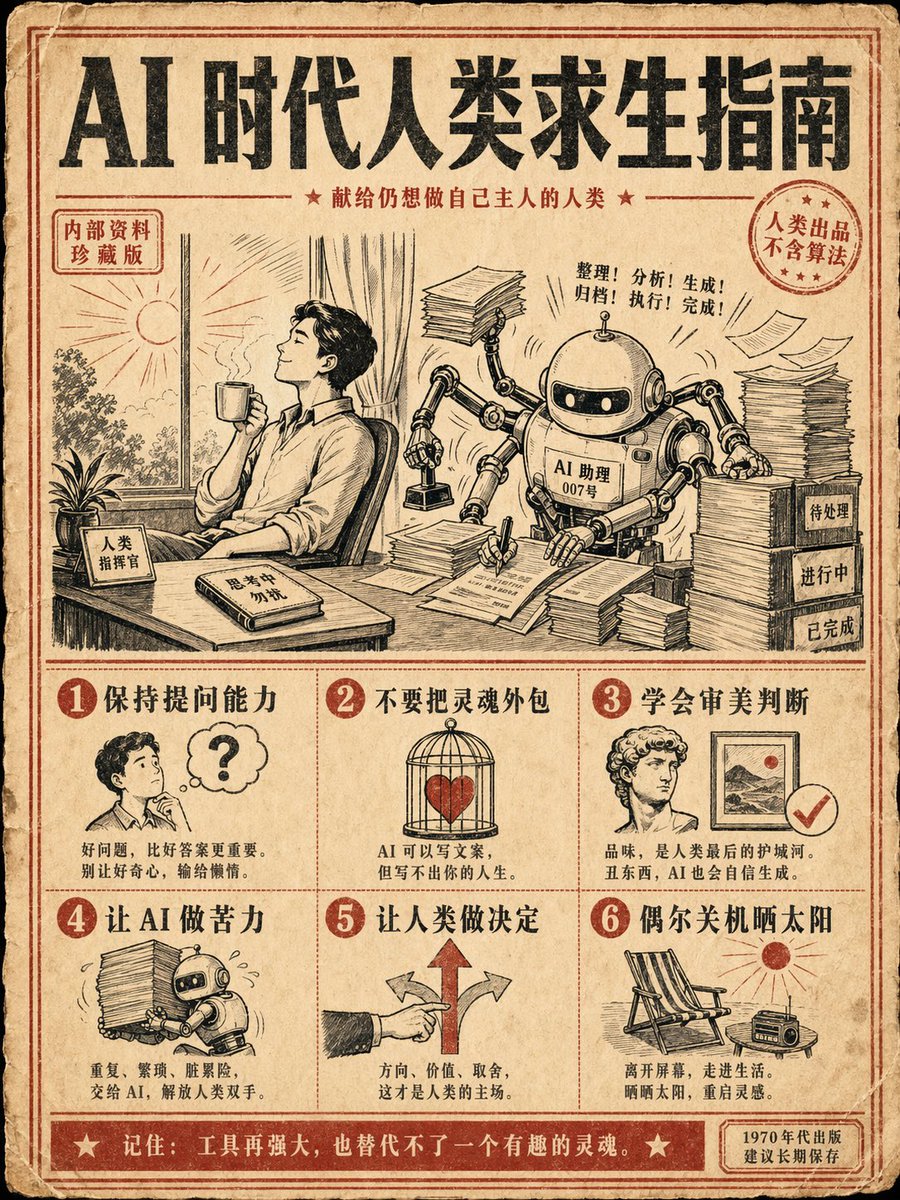
Retro AI Survival Guide Poster
Een opdracht voor een instructieposter in vintage stijl uit de jaren 70, met meerdere stappen en specifieke Chinese tekst over menselijk overleven in het AI-tijdperk.
Dit is een voorbeeld van een GPT Image 2 prompt voor Grafisch ontwerp & poster . Gebruik de onderstaande kant-en-klare prompt om vergelijkbare afbeeldingen te genereren en controleer de Awesome GPT Image 2 Prompts en de rechten voor commercieel gebruik voordat u de afbeeldingen hergebruikt.
Heb je de volledige set prompts nodig? Gebruik dan de Grafisch ontwerp & poster Ga naar het themacentrum voor meer gerelateerde voorbeelden, of open de GPT Image 2 prompt catalogus Voor de volledige voorbeeldenindex, herbruikbare structuren en bronvermelding.
Free 1K preview
Generate one preview image instantly, no sign-up required.
1040/4000
Snel
Schrijfklare prompt
Generate a 3:4 vertical retro instruction poster with the theme: "{argument name="topic" default="AI Survival Guide for Humans"}". Style: {argument name="style" default="1970s science popularization manual + modern internet memes"}, beige old paper, black and red dual-color printing, coarse grain texture, and retro illustration icons. The screen is divided into 6 steps, each with a small illustration and a clear Chinese title: 1. Maintain questioning ability 2. Do not outsource your soul 3. Learn aesthetic judgment 4. Let AI do the hard labor 5. Let humans make decisions 6. Occasionally shut down and enjoy the sun. {argument name="center illustration" default="Center illustration: a human sitting at a desk with a gentle robot assistant next to them, the robot is frantically processing documents while the human holds a coffee looking at the sunlight outside the window."} Requirements: accurate and readable Chinese text, layout like a real publication, humorous but thoughtful, suitable as a collectible poster for social media.Vraagvariabelen
Bewerkbare argumentplaceholders in de prompt, met hun standaardwaarden.
Variabele
topic
Standaard
AI Survival Guide for Humans
Variabele
style
Standaard
1970s science popularization manual + modern internet memes
Variabele
center illustration
Standaard
Center illustration: a human sitting at a desk with a gentle robot assistant next to them, the robot is frantically processing documents while the human holds a coffee looking at the sunlight outside the window.
Best for
- - Grafisch ontwerp & poster visual exploration
- - Image generation and reference-image edits
- - Reusable briefs that keep source attribution visible
Change these parts
- - Subject, product, character, or scene
- - Aspect ratio, camera, lighting, and background
- - Brand, text, color, and output constraints
Recommended model and settings
- - Model: gpt-image-2
- - Input mode: Tekst naar afbeelding
- - Aspect ratio: source
- - Commercial status: review original source
How to use this prompt
- 1. Copy the prompt and preserve its structure for the first test.
- 2. Replace the subject, context, and publishing channel.
- 3. Change one camera, lighting, or style variable per iteration.
- 4. Inspect the output, source, text, and rights before reuse.
Limitations, source, and reuse cautions
- - Generated output is an editable draft, not factual, legal, or rights evidence.
- - Review the linked source, people, brands, logos, text, and third-party media before commercial use.
Geïmporteerd van Awesome GPT Image 2 Prompts . Naamsvermelding is vereist. Commercieel gebruik is toegestaan volgens de status allowed ; controleer de rechten van de bron voordat u het tegen betaling gebruikt.
Meer gevallen in deze categorie
Geprioriteerd op basis van categorie, compatibiliteit met invoermodus, kwaliteit en lager risico.

Grumpy Rhino Storybook Illustration
Tekst naar afbeelding

Martial Arts Legend Character Bible Sheet
Tekst naar afbeelding

Manga Desert Radio Telescope Road Trip
Tekst naar afbeelding

Android Quantum Lab Workstation
Tekst naar afbeelding

Surreal 3D Chess Match Artwork
Tekst naar afbeelding

Pink Hijab Mirror Selfie Portrait
Tekst naar afbeelding
Hergebruik en bronvermeldingen
Gebruik deze prompt veilig nadat u de casus hebt bekeken.
- 1.Kopieer de prompt of open deze direct in Dovoo met de knop 'Genereren'.
- 2.Pas de variabelen, beeldverhouding en referentieafbeeldingen aan uw eigen toepassing aan.
- 3.Controleer vóór publicatie of betaald gebruik de auteursrechten, de vereisten voor naamsvermelding en de risico's met betrekking tot merk of beeltenis.