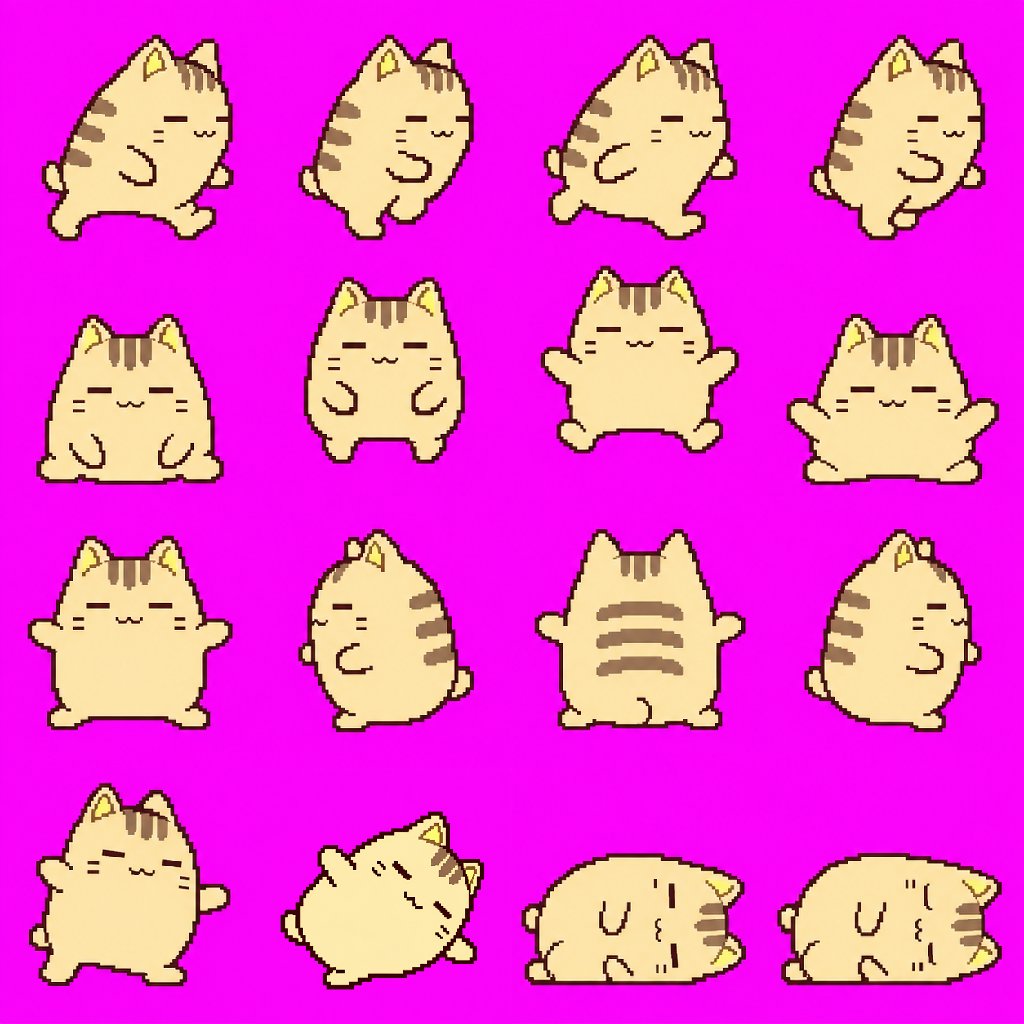
Pixel Art Animation Sprite Sheet
Generates a game-ready pixel art sprite sheet for a character, featuring four distinct motions: running, jumping, rotating attack, and falling, based on a reference image.
Dit is een voorbeeld van een GPT Image 2 prompt voor Anime & Game . Gebruik de onderstaande kant-en-klare prompt om vergelijkbare afbeeldingen te genereren en controleer de Awesome GPT Image 2 Prompts en de rechten voor commercieel gebruik voordat u de afbeeldingen hergebruikt.
Free 1K preview
Generate one preview image instantly, no sign-up required.
Free text preview doesn’t preserve reference-image consistency.
Snel
Schrijfklare prompt
Uniformly maintain the face, hairstyle, clothing, color scheme, and physique of the attached character, and generate a single sprite sheet image with 4 types of pixel art motions suitable for a game, with a maximum of 4 frames each. {argument name="frame size" default="Each frame size is 256x256px"}.
- {argument name="motion 1" default="Run: Lean the body forward and move arms and legs alternately in large motions."}
- {argument name="motion 2" default="Jump: Crouch -> Jump up -> Spread arms and legs in the air -> Land."}
- Spin Attack: Rotate the whole body once: front -> side -> back -> other side.
- Fall: Stumble -> Lean to the side -> Lie down -> Close eyes and stop moving.
Arrange one action per row in a horizontal line, keeping the size, feet placement, center, and scale consistent for all cells. The background must be a completely solid color. Do not use shadows, text, frames, numbers, UI, blurring, semi-transparency, gradients, or anti-aliasing. Ensure looping motions connect naturally from start to finish.
Vraagvariabelen
Bewerkbare argumentplaceholders in de prompt, met hun standaardwaarden.
Best for
- - Anime & Game visual exploration
- - Image generation and reference-image edits
- - Reusable briefs that keep source attribution visible
Change these parts
- - Subject, product, character, or scene
- - Aspect ratio, camera, lighting, and background
- - Brand, text, color, and output constraints
Recommended model and settings
- - Model: gpt-image-2
- - Input mode: Afbeelding naar afbeelding
- - Aspect ratio: source
- - Commercial status: review original source
How to use this prompt
- 1. Copy the prompt and preserve its structure for the first test.
- 2. Replace the subject, context, and publishing channel.
- 3. Change one camera, lighting, or style variable per iteration.
- 4. Inspect the output, source, text, and rights before reuse.
Limitations, source, and reuse cautions
- - Generated output is an editable draft, not factual, legal, or rights evidence.
- - Review the linked source, people, brands, logos, text, and third-party media before commercial use.
Meer gevallen in deze categorie
Geprioriteerd op basis van categorie, compatibiliteit met invoermodus, kwaliteit en lager risico.






Hergebruik en bronvermeldingen
Gebruik deze prompt veilig nadat u de casus hebt bekeken.
- 1.Kopieer de prompt of open deze direct in Dovoo met de knop 'Genereren'.
- 2.Pas de variabelen, beeldverhouding en referentieafbeeldingen aan uw eigen toepassing aan.
- 3.Controleer vóór publicatie of betaald gebruik de auteursrechten, de vereisten voor naamsvermelding en de risico's met betrekking tot merk of beeltenis.