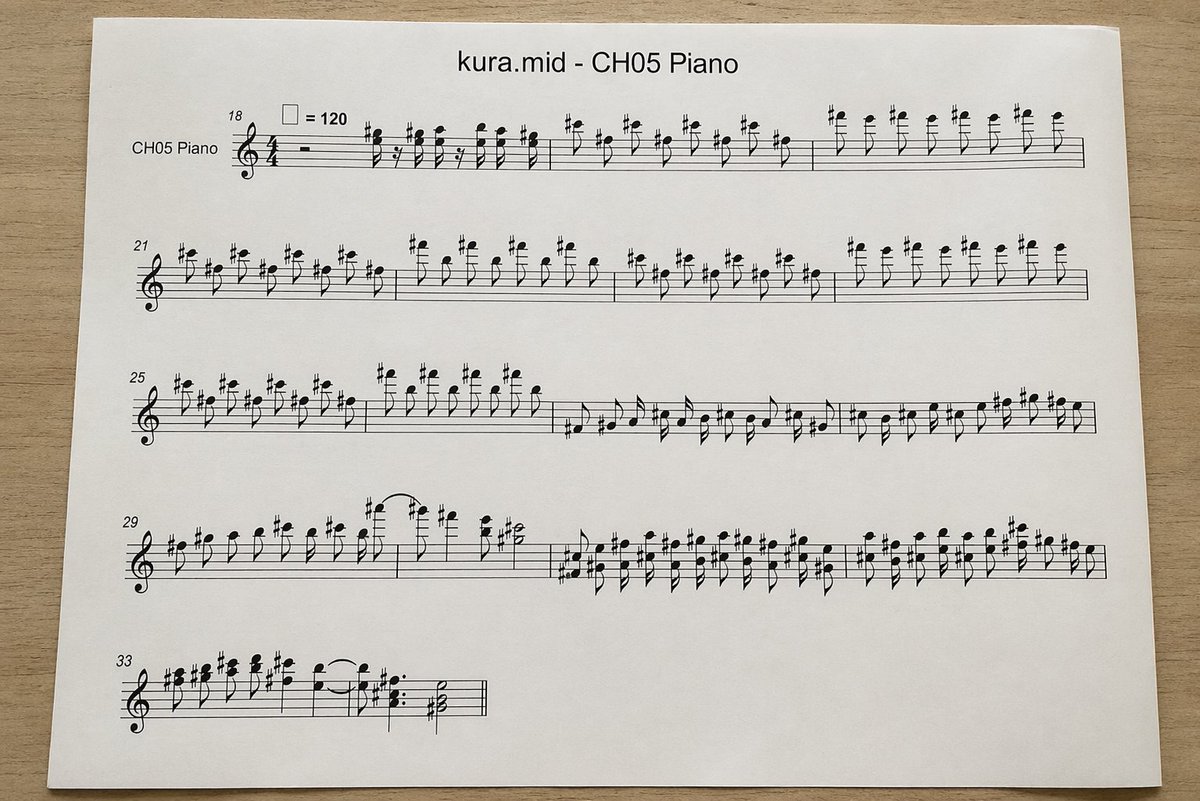
Gefotografeerde MIDI-pianopartituur
Dit genereert een realistische bovenaanzichtfoto van een gedrukte pianobladmuziekpagina, geconverteerd vanuit een MIDI-bestand. Dit is handig voor mockups, visualisaties voor muziektechnologie of illustraties in documentstijl.
Dit is een voorbeeld van een GPT Image 2 prompt voor Product & Commercieel . Gebruik de onderstaande kant-en-klare prompt om vergelijkbare afbeeldingen te genereren en controleer de Awesome GPT Image 2 Prompts en de rechten voor commercieel gebruik voordat u de afbeeldingen hergebruikt.
Free 1K preview
Generate one preview image instantly, no sign-up required.
Snel
Schrijfklare prompt
A top-down realistic photograph of a single white sheet of printer paper placed on a light wood desk, showing a computer-generated music score. The page is centered horizontally with slight perspective and soft natural indoor lighting, minimal shadows, and a clean document-print look. At the top center, print the title "{argument name="file name" default="kura.mid"} - {argument name="track name" default="CH05 Piano"}" in a plain sans-serif font. Below it is a piano staff system rendered in standard black music notation with a treble clef and 4/4 time signature, designed to look like an automatically converted MIDI excerpt rather than carefully engraved sheet music. On the far left of the first system, include the instrument label "CH05 Piano". Show exactly 5 horizontal systems of notation on the page, beginning with measure numbers 18, 21, 25, 29, and 33 at the left edges of the systems. Near the first system, include a tempo marking with a quarter-note symbol equals 120. Fill the staves with dense, slightly awkward but plausible black notes, accidentals, stems, slurs, and rests, with many sharp signs and repeated short-note figures in the upper register, visually resembling piano transcription from MIDI. The first 3 systems should be long and nearly full width; the 4th system should also be long; the 5th system should be short, occupying only the left portion of the page. Keep the notation legible but somewhat mechanically spaced. Use a clean white page with wide margins and no handwritten marks, no colored elements, no extra graphics, just the printed score sheet photographed on a desk.Vraagvariabelen
Bewerkbare argumentplaceholders in de prompt, met hun standaardwaarden.
Best for
- - Product & Commercieel visual exploration
- - Image generation and reference-image edits
- - Reusable briefs that keep source attribution visible
Change these parts
- - Subject, product, character, or scene
- - Aspect ratio, camera, lighting, and background
- - Brand, text, color, and output constraints
Recommended model and settings
- - Model: gpt-image-2
- - Input mode: Tekst naar afbeelding
- - Aspect ratio: source
- - Commercial status: review original source
How to use this prompt
- 1. Copy the prompt and preserve its structure for the first test.
- 2. Replace the subject, context, and publishing channel.
- 3. Change one camera, lighting, or style variable per iteration.
- 4. Inspect the output, source, text, and rights before reuse.
Limitations, source, and reuse cautions
- - Generated output is an editable draft, not factual, legal, or rights evidence.
- - Review the linked source, people, brands, logos, text, and third-party media before commercial use.
Meer gevallen in deze categorie
Geprioriteerd op basis van categorie, compatibiliteit met invoermodus, kwaliteit en lager risico.






Hergebruik en bronvermeldingen
Gebruik deze prompt veilig nadat u de casus hebt bekeken.
- 1.Kopieer de prompt of open deze direct in Dovoo met de knop 'Genereren'.
- 2.Pas de variabelen, beeldverhouding en referentieafbeeldingen aan uw eigen toepassing aan.
- 3.Controleer vóór publicatie of betaald gebruik de auteursrechten, de vereisten voor naamsvermelding en de risico's met betrekking tot merk of beeltenis.