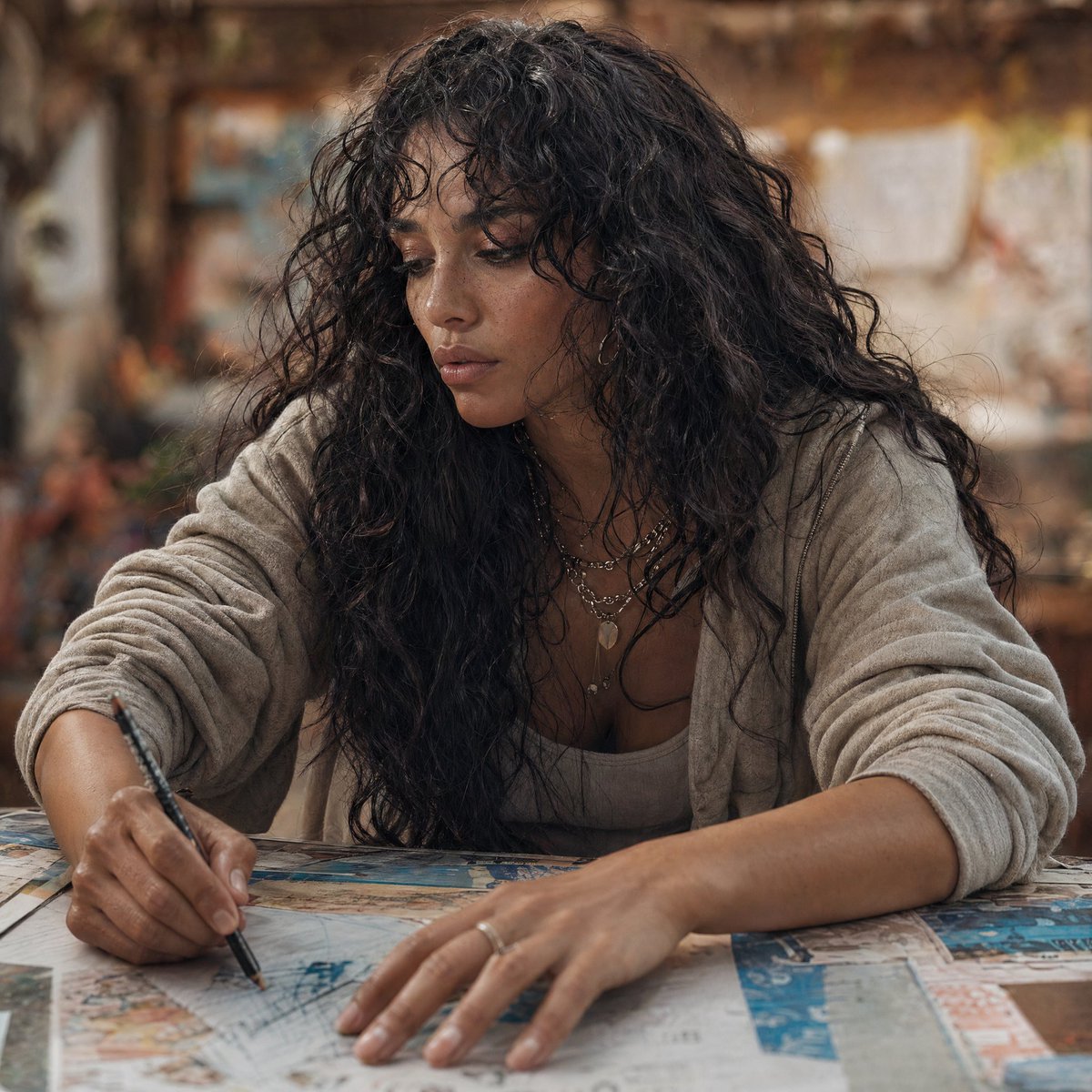
Moderne Esther schrijft aan een werktafel
Een warm, filmisch fotorealistisch portret van een moderne Esther die schetst aan een rommelige tafel, ideaal voor herinterpretaties van personages en hedendaagse, op de Bijbel geïnspireerde verhalen.
Dit is een voorbeeld van een GPT Image 2 prompt voor Portret & Karakter . Gebruik de onderstaande kant-en-klare prompt om vergelijkbare afbeeldingen te genereren en controleer de Awesome GPT Image 2 Prompts en de rechten voor commercieel gebruik voordat u de afbeeldingen hergebruikt.
Free 1K preview
Generate one preview image instantly, no sign-up required.
Free text preview doesn’t preserve reference-image consistency.
Snel
Schrijfklare prompt
A cinematic, photorealistic modern portrait of {argument name="character name" default="Esther"} reimagined in the present day, seated at a large worktable and leaning forward while sketching or annotating papers with a black pen. She has long, voluminous dark curly hair, medium olive-brown skin, and wears a soft light beige cardigan over a neutral tank top, layered delicate necklaces, and a simple ring. Her pose is candid and focused, with one hand writing and the other resting across a spread of maps, drawings, and printed pages on the table. Frame the image as a medium close-up from slightly above table height, centered on her upper body and hands. Use warm natural indoor lighting, shallow depth of field, and a softly blurred creative studio or workshop background with earthy brown and amber tones, giving the scene an intimate, thoughtful, contemporary storytelling mood. Emphasize realism, tactile skin and fabric texture, natural curls, documentary-style photography, subtle color grading, and a serious yet calm expression.Vraagvariabelen
Bewerkbare argumentplaceholders in de prompt, met hun standaardwaarden.
Best for
- - Portret & Karakter visual exploration
- - Image generation and reference-image edits
- - Reusable briefs that keep source attribution visible
Change these parts
- - Subject, product, character, or scene
- - Aspect ratio, camera, lighting, and background
- - Brand, text, color, and output constraints
Recommended model and settings
- - Model: gpt-image-2
- - Input mode: Afbeelding naar afbeelding
- - Aspect ratio: source
- - Commercial status: review original source
How to use this prompt
- 1. Copy the prompt and preserve its structure for the first test.
- 2. Replace the subject, context, and publishing channel.
- 3. Change one camera, lighting, or style variable per iteration.
- 4. Inspect the output, source, text, and rights before reuse.
Limitations, source, and reuse cautions
- - Generated output is an editable draft, not factual, legal, or rights evidence.
- - Review the linked source, people, brands, logos, text, and third-party media before commercial use.
Meer gevallen in deze categorie
Geprioriteerd op basis van categorie, compatibiliteit met invoermodus, kwaliteit en lager risico.






Hergebruik en bronvermeldingen
Gebruik deze prompt veilig nadat u de casus hebt bekeken.
- 1.Kopieer de prompt of open deze direct in Dovoo met de knop 'Genereren'.
- 2.Pas de variabelen, beeldverhouding en referentieafbeeldingen aan uw eigen toepassing aan.
- 3.Controleer vóór publicatie of betaald gebruik de auteursrechten, de vereisten voor naamsvermelding en de risico's met betrekking tot merk of beeltenis.