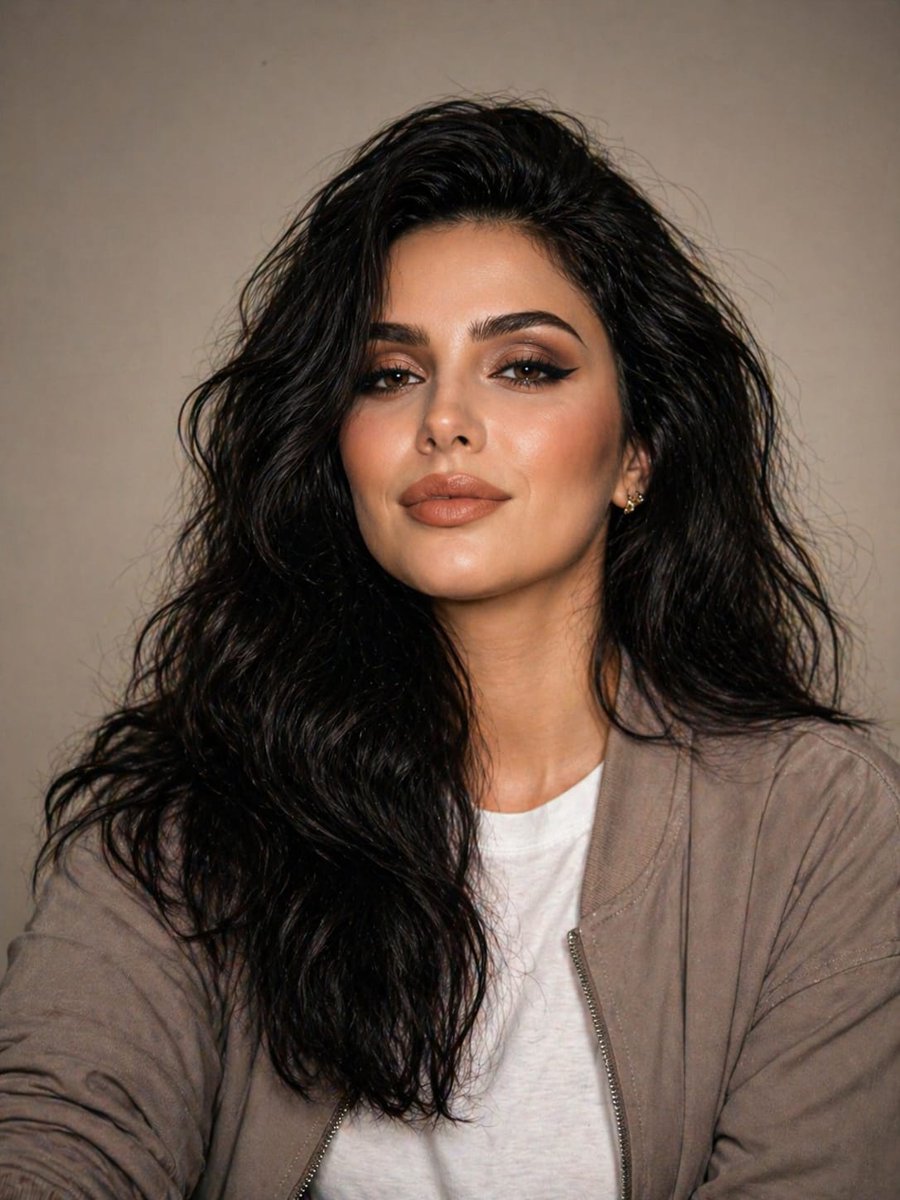
Minimalistisch studioportret in neutrale tinten
Deze prompt genereert een realistisch studioportret in redactionele stijl met zachte belichting, ingetogen, casual styling en een strakke, neutrale achtergrond, geschikt voor mode-, branding- of portretfotografie.
Dit is een voorbeeld van een GPT Image 2 prompt voor Portret & Karakter . Gebruik de onderstaande kant-en-klare prompt om vergelijkbare afbeeldingen te genereren en controleer de Awesome GPT Image 2 Prompts en de rechten voor commercieel gebruik voordat u de afbeeldingen hergebruikt.
Free 1K preview
Generate one preview image instantly, no sign-up required.
Snel
Schrijfklare prompt
A highly realistic studio portrait of a {argument name="subject gender" default="female"} in her mid-20s with a naturally fit build, framed from the chest up at eye level, centered against a smooth warm beige studio backdrop with no distractions. She has long, thick, dark {argument name="hair color" default="black"} hair styled in loose, slightly messy natural waves with strong volume and a soft center part, falling over both shoulders. Her pose is relaxed and confident, facing the camera straight on with a calm, neutral, self-assured expression. She wears 2 visible clothing layers: a plain white crew-neck T-shirt underneath a lightweight taupe-gray casual zip jacket worn open, with a minimal modern streetwear look in muted neutral tones. Include a small subtle earring visible on one ear. Use professional studio lighting with a soft frontal key light, gentle fill, soft natural shadows, accurate skin tones, and very light separation from the background. Shoot with an 85mm portrait lens look at f/2.8, tack-sharp on the subject with shallow depth of field, editorial fashion portrait style, natural balanced color grading, minimal retouching, ultra-detailed, no filters, no noise, no motion blur, no cartoonish features.Vraagvariabelen
Bewerkbare argumentplaceholders in de prompt, met hun standaardwaarden.
Best for
- - Portret & Karakter visual exploration
- - Image generation and reference-image edits
- - Reusable briefs that keep source attribution visible
Change these parts
- - Subject, product, character, or scene
- - Aspect ratio, camera, lighting, and background
- - Brand, text, color, and output constraints
Recommended model and settings
- - Model: gpt-image-2
- - Input mode: Tekst naar afbeelding
- - Aspect ratio: source
- - Commercial status: review original source
How to use this prompt
- 1. Copy the prompt and preserve its structure for the first test.
- 2. Replace the subject, context, and publishing channel.
- 3. Change one camera, lighting, or style variable per iteration.
- 4. Inspect the output, source, text, and rights before reuse.
Limitations, source, and reuse cautions
- - Generated output is an editable draft, not factual, legal, or rights evidence.
- - Review the linked source, people, brands, logos, text, and third-party media before commercial use.
Meer gevallen in deze categorie
Geprioriteerd op basis van categorie, compatibiliteit met invoermodus, kwaliteit en lager risico.






Hergebruik en bronvermeldingen
Gebruik deze prompt veilig nadat u de casus hebt bekeken.
- 1.Kopieer de prompt of open deze direct in Dovoo met de knop 'Genereren'.
- 2.Pas de variabelen, beeldverhouding en referentieafbeeldingen aan uw eigen toepassing aan.
- 3.Controleer vóór publicatie of betaald gebruik de auteursrechten, de vereisten voor naamsvermelding en de risico's met betrekking tot merk of beeltenis.