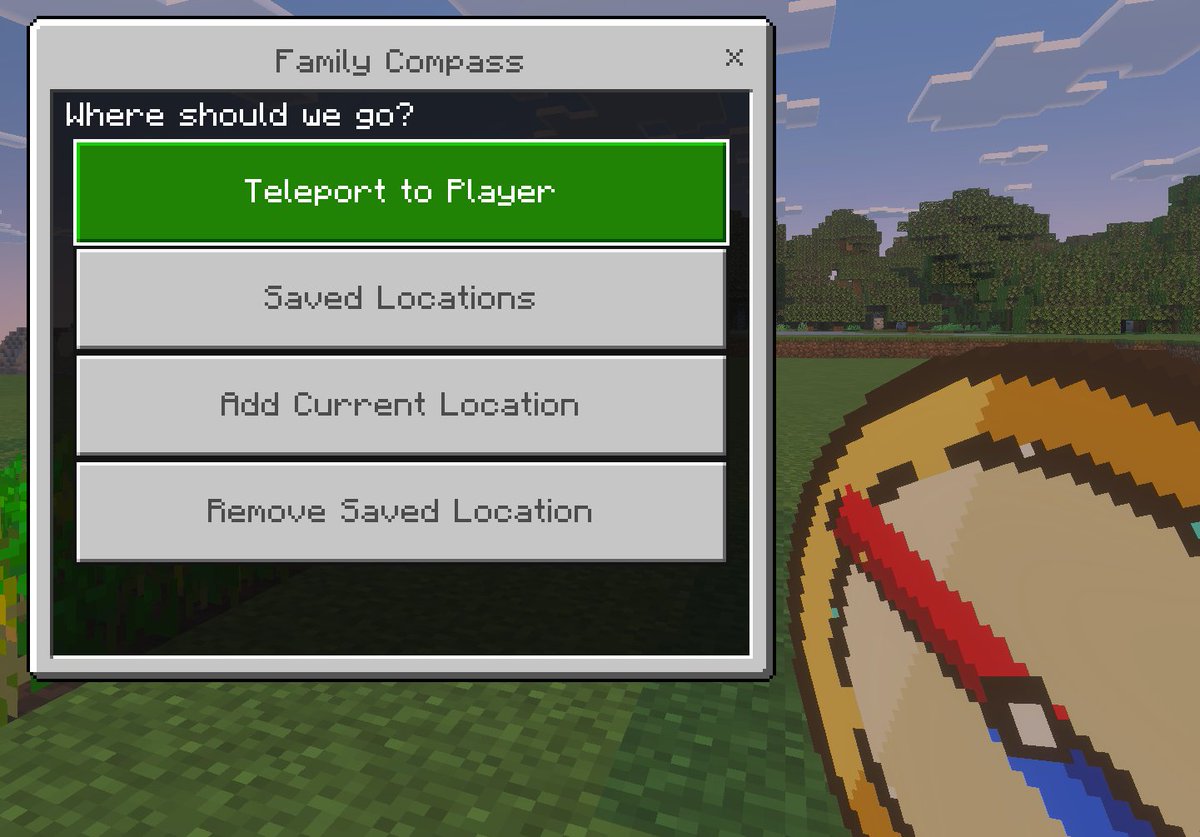
Minecraft Familie Kompas UI
Een Minecraft-screenshotmockup in Bedrock-stijl met een aangepast teleportatiemenu en een handkompas, ideaal om een gamemod, add-on of kindvriendelijke navigatietool te presenteren.
Dit is een voorbeeld van een GPT Image 2 prompt voor Anime & Game . Gebruik de onderstaande kant-en-klare prompt om vergelijkbare afbeeldingen te genereren en controleer de Awesome GPT Image 2 Prompts en de rechten voor commercieel gebruik voordat u de afbeeldingen hergebruikt.
Heb je de volledige set prompts nodig? Gebruik dan de Anime & Game Ga naar het themacentrum voor meer gerelateerde voorbeelden, of open de GPT Image 2 prompt catalogus Voor de volledige voorbeeldenindex, herbruikbare structuren en bronvermelding.
Free 1K preview
Generate one preview image instantly, no sign-up required.
1501/4000
Snel
Schrijfklare prompt
A clean in-game screenshot mockup in the visual style of Minecraft Bedrock Edition, showing a custom teleport menu overlay titled {argument name="window title" default="Family Compass"}. The background is a bright outdoor Minecraft scene with blocky grass in the foreground, a line of leafy trees in the middle distance, and a pale blue sky with rectangular clouds. On the left side, a large Bedrock-style UI window dominates the frame, with a light gray panel, darker gray border, and a small close X in the top-right corner. Centered at the top of the window is the title text. Inside the panel, a dark header bar asks {argument name="prompt text" default="Where should we go?"}. Below it are exactly 4 large horizontal rectangular buttons stacked vertically with even spacing. The first button is highlighted bright green with white pixel-style text reading {argument name="primary button" default="Teleport to Player"}. The next 3 buttons are light gray with medium gray pixel-style text reading, in order, "Saved Locations", "Add Current Location", and "Remove Saved Location". In the lower-right foreground, partially cropped and held as if by the player, is an oversized pixel-art compass item with a tan face, gold rim, and a red needle angled diagonally downward, rendered in chunky Minecraft item icon style. Use authentic Minecraft Bedrock UI proportions, pixelated font, crisp blocky edges, soft in-game lighting, and a polished game-screenshot composition with the menu as the main focus.Vraagvariabelen
Bewerkbare argumentplaceholders in de prompt, met hun standaardwaarden.
Variabele
window title
Standaard
Family Compass
Variabele
prompt text
Standaard
Where should we go?
Variabele
primary button
Standaard
Teleport to Player
Best for
- - Anime & Game visual exploration
- - Image generation and reference-image edits
- - Reusable briefs that keep source attribution visible
Change these parts
- - Subject, product, character, or scene
- - Aspect ratio, camera, lighting, and background
- - Brand, text, color, and output constraints
Recommended model and settings
- - Model: gpt-image-2
- - Input mode: Tekst naar afbeelding
- - Aspect ratio: source
- - Commercial status: review original source
How to use this prompt
- 1. Copy the prompt and preserve its structure for the first test.
- 2. Replace the subject, context, and publishing channel.
- 3. Change one camera, lighting, or style variable per iteration.
- 4. Inspect the output, source, text, and rights before reuse.
Limitations, source, and reuse cautions
- - Generated output is an editable draft, not factual, legal, or rights evidence.
- - Review the linked source, people, brands, logos, text, and third-party media before commercial use.
Geïmporteerd van Awesome GPT Image 2 Prompts . Naamsvermelding is vereist. Commercieel gebruik is toegestaan volgens de status allowed ; controleer de rechten van de bron voordat u het tegen betaling gebruikt.
Meer gevallen in deze categorie
Geprioriteerd op basis van categorie, compatibiliteit met invoermodus, kwaliteit en lager risico.

Manga Desert Radio Telescope Road Trip
Tekst naar afbeelding

Grumpy Rhino Storybook Illustration
Tekst naar afbeelding

Surreal 3D Chess Match Artwork
Tekst naar afbeelding

Female Clown Cyborg Portrait
Tekst naar afbeelding

Imperial Research Bunker on Volcanic Planet
Tekst naar afbeelding

Android Quantum Lab Workstation
Tekst naar afbeelding
Hergebruik en bronvermeldingen
Gebruik deze prompt veilig nadat u de casus hebt bekeken.
- 1.Kopieer de prompt of open deze direct in Dovoo met de knop 'Genereren'.
- 2.Pas de variabelen, beeldverhouding en referentieafbeeldingen aan uw eigen toepassing aan.
- 3.Controleer vóór publicatie of betaald gebruik de auteursrechten, de vereisten voor naamsvermelding en de risico's met betrekking tot merk of beeltenis.