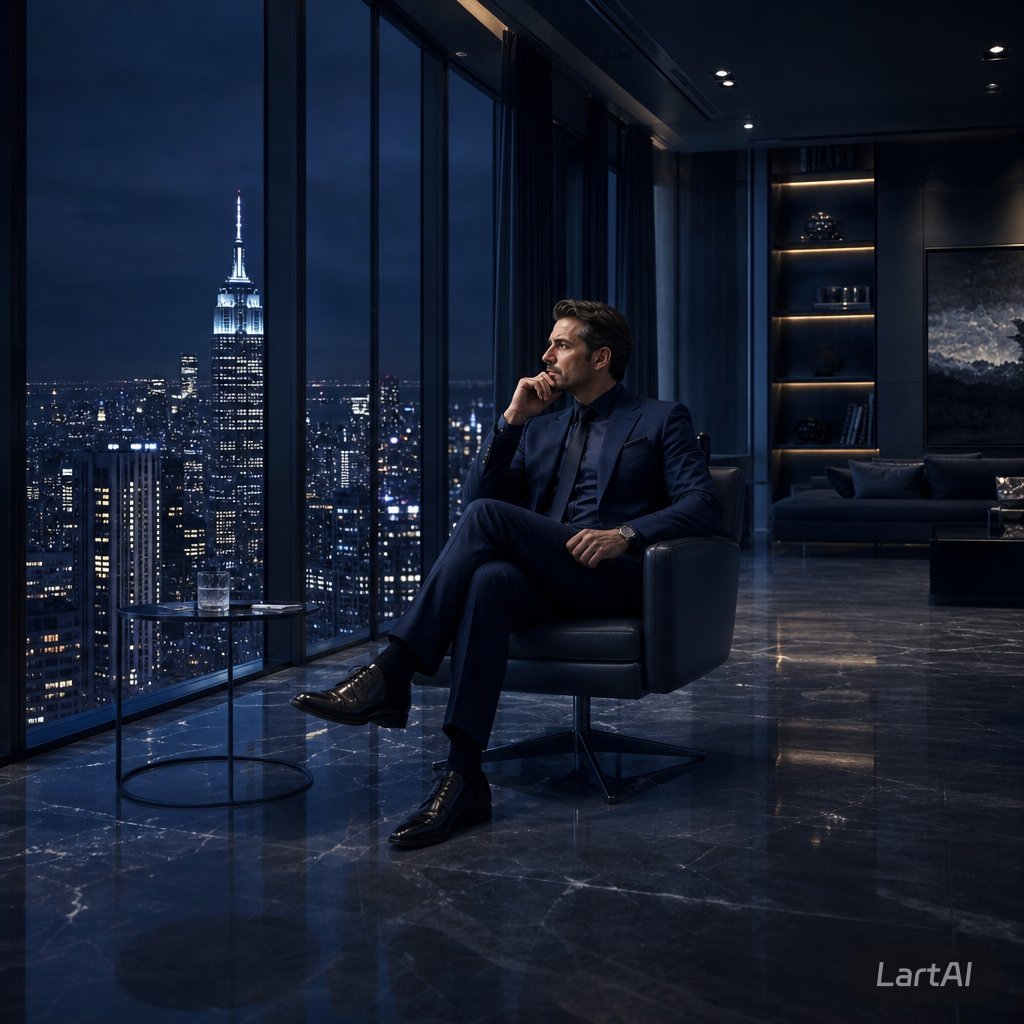
Luxe penthouse voor directieleden 's nachts
Genereert een filmisch, fotorealistisch beeld van een anonieme manager in een donker, luxe penthouse met uitzicht op de skyline van een stad 's nachts.
Dit is een voorbeeld van een GPT Image 2 prompt voor Interieur & Architectuur . Gebruik de onderstaande kant-en-klare prompt om vergelijkbare afbeeldingen te genereren en controleer de Awesome GPT Image 2 Prompts en de rechten voor commercieel gebruik voordat u de afbeeldingen hergebruikt.
Heb je de volledige set prompts nodig? Gebruik dan de Interieur & Architectuur Ga naar het themacentrum voor meer gerelateerde voorbeelden, of open de GPT Image 2 prompt catalogus Voor de volledige voorbeeldenindex, herbruikbare structuren en bronvermelding.
Free 1K preview
Generate one preview image instantly, no sign-up required.
1265/4000
Snel
Schrijfklare prompt
Create a cinematic photorealistic scene of {argument name="subject" default="a successful businessman"} sitting alone in a sleek black leather lounge chair inside a luxurious high-rise penthouse office at night. He wears a {argument name="suit color" default="deep navy tailored suit"}, dark dress shirt, polished black shoes, and a wristwatch, seated with legs crossed while holding a phone to his ear in a calm, focused pose. Show every face clearly with natural, detailed facial features. Floor-to-ceiling windows dominate the left side, revealing a dramatic nighttime {argument name="city skyline" default="New York City skyline with the Empire State Building brightly lit"} under a dark blue stormy sky. A small round glass side table with a tumbler of water sits beside him. The interior is dark, modern, and expensive, with glossy black marble floors reflecting the city lights, recessed ceiling spotlights, a sofa in the background, illuminated shelving, and a large moody abstract wall artwork. Use low-key lighting, deep blue and charcoal tones, crisp reflections, high contrast, realistic architectural photography, executive luxury atmosphere, quiet success, solitude, ambition, 16:9 square-cropped composition, ultra-detailed, GPT Image 2 photorealism.Vraagvariabelen
Bewerkbare argumentplaceholders in de prompt, met hun standaardwaarden.
Variabele
subject
Standaard
a successful businessman
Variabele
suit color
Standaard
deep navy tailored suit
Variabele
city skyline
Standaard
New York City skyline with the Empire State Building brightly lit
Best for
- - Interieur & Architectuur visual exploration
- - Image generation and reference-image edits
- - Reusable briefs that keep source attribution visible
Change these parts
- - Subject, product, character, or scene
- - Aspect ratio, camera, lighting, and background
- - Brand, text, color, and output constraints
Recommended model and settings
- - Model: gpt-image-2
- - Input mode: Tekst naar afbeelding
- - Aspect ratio: source
- - Commercial status: review original source
How to use this prompt
- 1. Copy the prompt and preserve its structure for the first test.
- 2. Replace the subject, context, and publishing channel.
- 3. Change one camera, lighting, or style variable per iteration.
- 4. Inspect the output, source, text, and rights before reuse.
Limitations, source, and reuse cautions
- - Generated output is an editable draft, not factual, legal, or rights evidence.
- - Review the linked source, people, brands, logos, text, and third-party media before commercial use.
Geïmporteerd van Awesome GPT Image 2 Prompts . Naamsvermelding is vereist. Commercieel gebruik is toegestaan volgens de status allowed ; controleer de rechten van de bron voordat u het tegen betaling gebruikt.
Meer gevallen in deze categorie
Geprioriteerd op basis van categorie, compatibiliteit met invoermodus, kwaliteit en lager risico.

Luxury Travel Fashion Portrait Prompt
Tekst naar afbeelding

Orange Rooftop Fashion Photo Prompt
Tekst naar afbeelding

Gray Denim Lace-Up Top Prompt for GPT Image 2
Tekst naar afbeelding

Hiker in Red Jacket
Tekst naar afbeelding

Cinematic Blue Backlit Portrait
Tekst naar afbeelding

Studio Portrait of Woman with Sunglasses
Tekst naar afbeelding
Hergebruik en bronvermeldingen
Gebruik deze prompt veilig nadat u de casus hebt bekeken.
- 1.Kopieer de prompt of open deze direct in Dovoo met de knop 'Genereren'.
- 2.Pas de variabelen, beeldverhouding en referentieafbeeldingen aan uw eigen toepassing aan.
- 3.Controleer vóór publicatie of betaald gebruik de auteursrechten, de vereisten voor naamsvermelding en de risico's met betrekking tot merk of beeltenis.