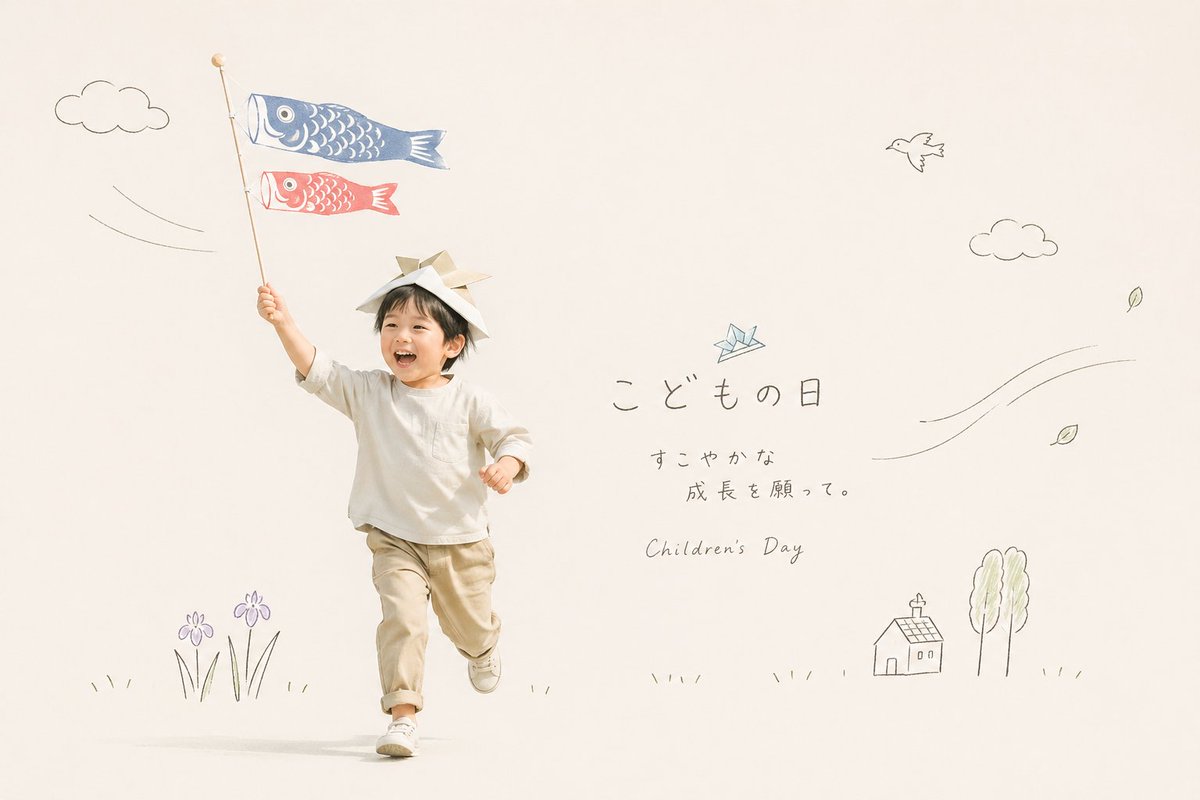
Japanse kinderdag fotokaart
Een minimalistische, lifestyle-achtige afbeelding voor Kinderdag met een rennend kind, koinobori (traditionele Japanse bloemenpatronen) en handgetekende seizoensdoodles, ideaal voor wenskaarten en feestelijke berichten op sociale media.
Dit is een voorbeeld van een GPT Image 2 prompt voor Grafisch ontwerp & poster . Gebruik de onderstaande kant-en-klare prompt om vergelijkbare afbeeldingen te genereren en controleer de Awesome GPT Image 2 Prompts en de rechten voor commercieel gebruik voordat u de afbeeldingen hergebruikt.
Free 1K preview
Generate one preview image instantly, no sign-up required.
Snel
Schrijfklare prompt
A soft, airy studio photograph on a warm off-white background with a minimalist Japanese greeting-card aesthetic. Show a small child, about toddler to preschool age, running joyfully toward the camera from left-center, with one arm raised high holding a tall pole with 2 carp streamers attached: 1 large blue koinobori on top and 1 smaller red koinobori below. The child wears a simple handmade samurai helmet folded from paper, a loose long-sleeve ivory shirt, light beige pants with rolled cuffs, and white sneakers. Keep the face unobtrusive and generic, with the focus on motion, innocence, and seasonal atmosphere. Surround the child with delicate hand-drawn doodle illustrations in thin gray pencil-like lines and faint pastel accents: 2 puffy clouds, 1 flying bird, 1 small origami crane near the text, 4 drifting leaves, 2 curved wind-line clusters, 1 small house, 2 tall trees, 2 purple iris flowers with grass at the bottom left, and sparse grass marks along the ground. On the right side, add elegant Japanese handwritten text reading {argument name="headline text" default="こどもの日"}, beneath it smaller Japanese text {argument name="subtext" default="すこやかな\n成長を願って。"}, and below that the English subtitle {argument name="english subtitle" default="Children's Day"} in a light handwritten script. Use a clean editorial layout with abundant negative space, natural soft lighting, muted cream and beige tones, subtle pastel blue and red accents, gentle shadows, and a calm premium lifestyle-photography look suitable for a seasonal holiday card or social media post.Vraagvariabelen
Bewerkbare argumentplaceholders in de prompt, met hun standaardwaarden.
Best for
- - Grafisch ontwerp & poster visual exploration
- - Image generation and reference-image edits
- - Reusable briefs that keep source attribution visible
Change these parts
- - Subject, product, character, or scene
- - Aspect ratio, camera, lighting, and background
- - Brand, text, color, and output constraints
Recommended model and settings
- - Model: gpt-image-2
- - Input mode: Tekst naar afbeelding
- - Aspect ratio: source
- - Commercial status: review original source
How to use this prompt
- 1. Copy the prompt and preserve its structure for the first test.
- 2. Replace the subject, context, and publishing channel.
- 3. Change one camera, lighting, or style variable per iteration.
- 4. Inspect the output, source, text, and rights before reuse.
Limitations, source, and reuse cautions
- - Generated output is an editable draft, not factual, legal, or rights evidence.
- - Review the linked source, people, brands, logos, text, and third-party media before commercial use.
Meer gevallen in deze categorie
Geprioriteerd op basis van categorie, compatibiliteit met invoermodus, kwaliteit en lager risico.






Hergebruik en bronvermeldingen
Gebruik deze prompt veilig nadat u de casus hebt bekeken.
- 1.Kopieer de prompt of open deze direct in Dovoo met de knop 'Genereren'.
- 2.Pas de variabelen, beeldverhouding en referentieafbeeldingen aan uw eigen toepassing aan.
- 3.Controleer vóór publicatie of betaald gebruik de auteursrechten, de vereisten voor naamsvermelding en de risico's met betrekking tot merk of beeltenis.