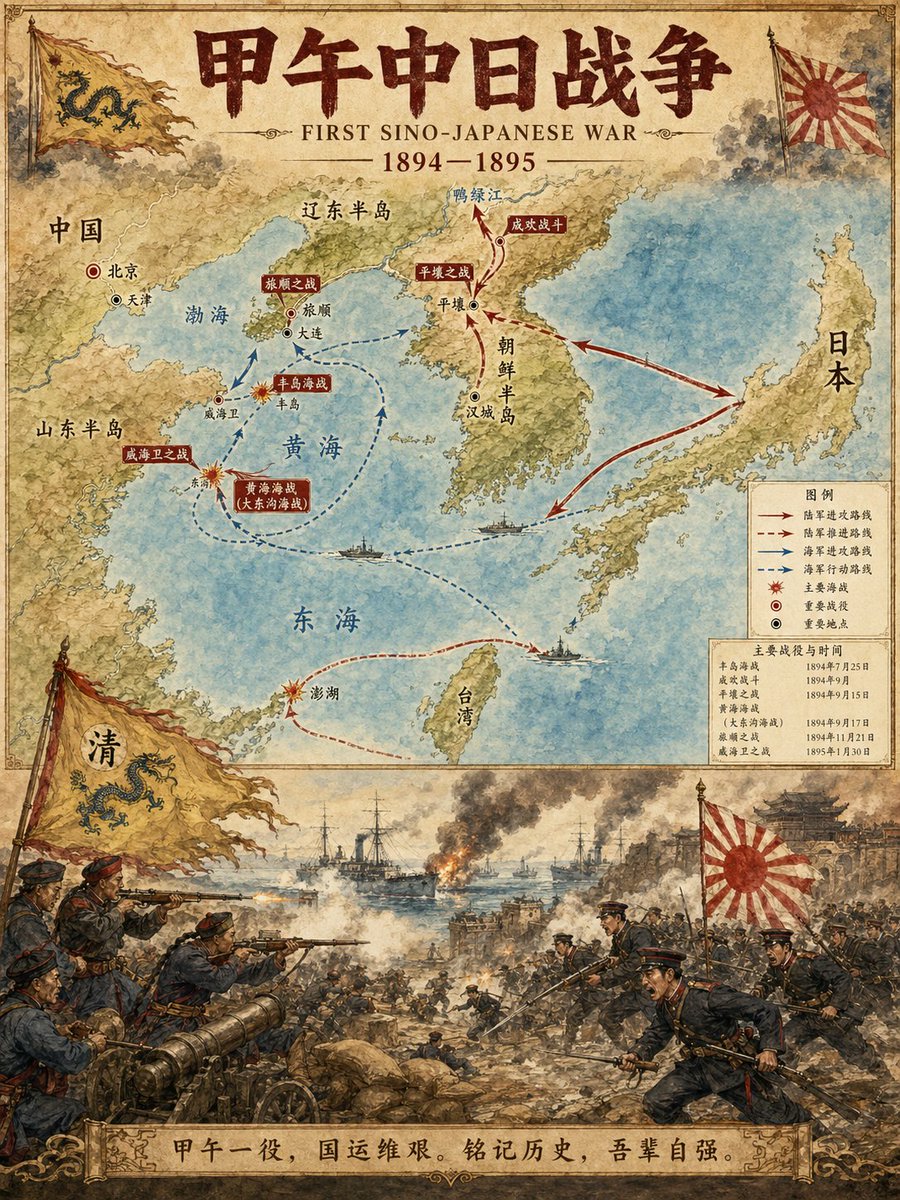
Illustratie van een kaart met historische gebeurtenissen
Een speciaal ontworpen prompt voor het genereren van professionele historische infographics. Het creëert een verticale lay-out in twee delen: de bovenste helft toont een gedetailleerde kaart met routes en belangrijke locaties, terwijl de onderste helft een dramatische illustratie van de gebeurtenis in aquarel-stijl weergeeft.
Dit is een voorbeeld van een GPT Image 2 prompt voor Illustratie & Kunst . Gebruik de onderstaande kant-en-klare prompt om vergelijkbare afbeeldingen te genereren en controleer de Awesome GPT Image 2 Prompts en de rechten voor commercieel gebruik voordat u de afbeeldingen hergebruikt.
Free 1K preview
Generate one preview image instantly, no sign-up required.
Free text preview doesn’t preserve reference-image consistency.
Snel
Schrijfklare prompt
Historical Event Map Illustrator

You are a professional historical infographic designer. Based on the historical [Subject] specified by the user, generate a vertical, two-part map and scene illustration that matches the watercolor/illustrative style of the reference image.

Layout Structure:
1. Top Half:
Detailed map showing routes of the historical event, key locations, and directional arrows.
Clear labeling of cities, regions, and water bodies.
Marking of major battle sites and important stations.
2. Bottom Half:
Vivid, dramatic scene illustration.
Depicting key moments of the historical event (battles, marches, significant events, etc.).
3. Title/Header:
Bold title displaying "{argument name="historical event" default="FIRST SINO-JAPANESE WAR"}"
Includes subtitles and dates.
Visual Style Requirements:
Warm watercolor illustration texture.
Accurate historical details.
Clear typographic design.
Vertical format.
4K Ultra HD resolution.
Direct image generation.

Subject: {argument name="subject" default="FIRST SINO-JAPANESE WAR"}
Ratio: {argument name="aspect ratio" default="3:4"}
Vraagvariabelen
Bewerkbare argumentplaceholders in de prompt, met hun standaardwaarden.
Best for
- - Illustratie & Kunst visual exploration
- - Image generation and reference-image edits
- - Reusable briefs that keep source attribution visible
Change these parts
- - Subject, product, character, or scene
- - Aspect ratio, camera, lighting, and background
- - Brand, text, color, and output constraints
Recommended model and settings
- - Model: gpt-image-2
- - Input mode: Afbeelding naar afbeelding
- - Aspect ratio: source
- - Commercial status: review original source
How to use this prompt
- 1. Copy the prompt and preserve its structure for the first test.
- 2. Replace the subject, context, and publishing channel.
- 3. Change one camera, lighting, or style variable per iteration.
- 4. Inspect the output, source, text, and rights before reuse.
Limitations, source, and reuse cautions
- - Generated output is an editable draft, not factual, legal, or rights evidence.
- - Review the linked source, people, brands, logos, text, and third-party media before commercial use.
Meer gevallen in deze categorie
Geprioriteerd op basis van categorie, compatibiliteit met invoermodus, kwaliteit en lager risico.






Hergebruik en bronvermeldingen
Gebruik deze prompt veilig nadat u de casus hebt bekeken.
- 1.Kopieer de prompt of open deze direct in Dovoo met de knop 'Genereren'.
- 2.Pas de variabelen, beeldverhouding en referentieafbeeldingen aan uw eigen toepassing aan.
- 3.Controleer vóór publicatie of betaald gebruik de auteursrechten, de vereisten voor naamsvermelding en de risico's met betrekking tot merk of beeltenis.