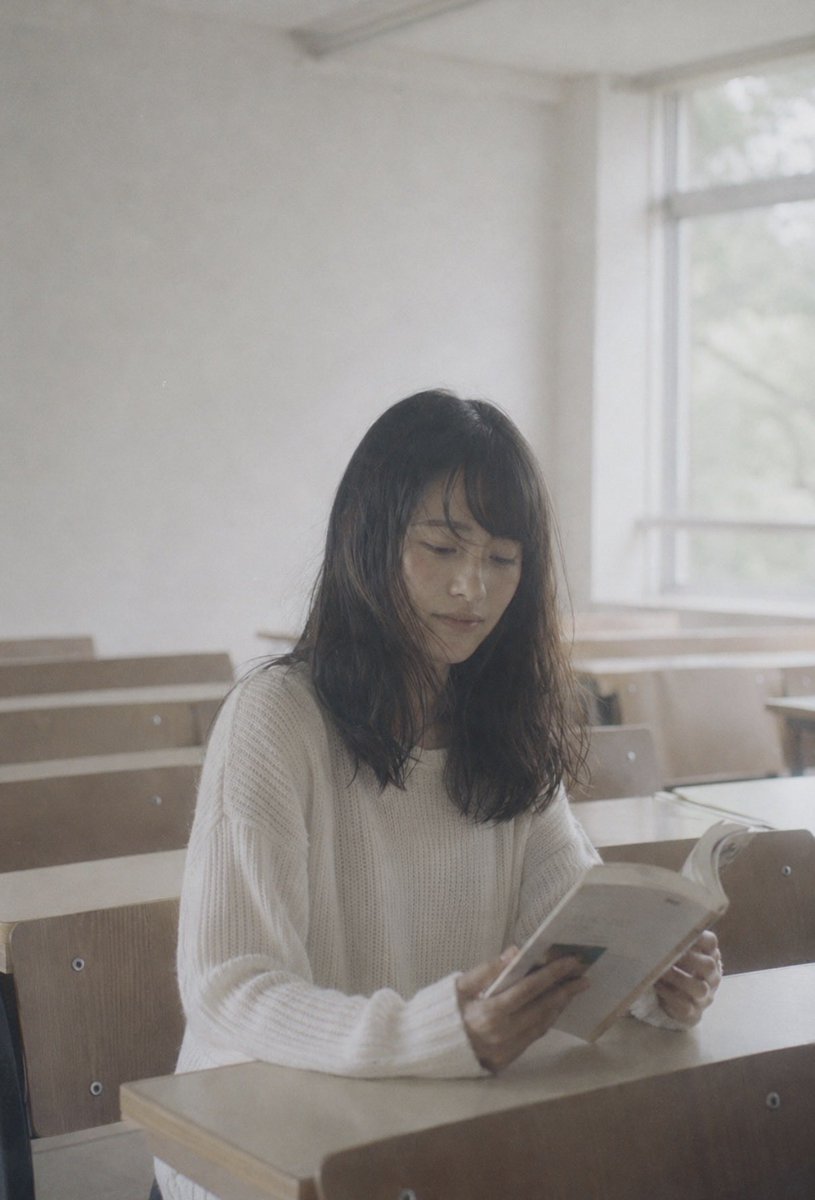
Faceless Student Reading in Classroom
A soft analog-style classroom portrait of a faceless young woman reading a book, useful for privacy-conscious editorial or mood imagery.
Dit is een voorbeeld van een GPT Image 2 prompt voor Portret & Karakter . Gebruik de onderstaande kant-en-klare prompt om vergelijkbare afbeeldingen te genereren en controleer de Awesome GPT Image 2 Prompts en de rechten voor commercieel gebruik voordat u de afbeeldingen hergebruikt.
Heb je de volledige set prompts nodig? Gebruik dan de Portret & Karakter Ga naar het themacentrum voor meer gerelateerde voorbeelden, of open de GPT Image 2 prompt catalogus Voor de volledige voorbeeldenindex, herbruikbare structuren en bronvermelding.
Free 1K preview
Generate one preview image instantly, no sign-up required.
1035/4000
Snel
Schrijfklare prompt
Create a soft, nostalgic film photograph in a vertical 2:3 frame. A young woman with {argument name="hair color" default="dark brown shoulder-length hair"} sits alone at a wooden classroom desk, reading an open paperback book held in both hands. She wears a cozy oversized {argument name="sweater color" default="cream white"} ribbed knit sweater with long sleeves. Show every face clearly with natural, detailed facial features, covering the facial features but leaving her hair and body visible. The setting is a quiet, empty classroom with pale beige wooden desks and chairs arranged in rows, softly out of focus behind her. Place the subject slightly right of center, seated near a large window on the right side; daylight streams in through the window, creating a hazy, overexposed, dreamy atmosphere with low contrast and gentle shadows. Use natural muted colors, visible film grain, slight blur, shallow depth of field, and the look of a candid 35mm analog photo. No readable text, no logos, no extra people, no dramatic posing.Vraagvariabelen
Bewerkbare argumentplaceholders in de prompt, met hun standaardwaarden.
Variabele
hair color
Standaard
dark brown shoulder-length hair
Variabele
sweater color
Standaard
cream white
Best for
- - Portret & Karakter visual exploration
- - Image generation and reference-image edits
- - Reusable briefs that keep source attribution visible
Change these parts
- - Subject, product, character, or scene
- - Aspect ratio, camera, lighting, and background
- - Brand, text, color, and output constraints
Recommended model and settings
- - Model: gpt-image-2
- - Input mode: Tekst naar afbeelding
- - Aspect ratio: source
- - Commercial status: review original source
How to use this prompt
- 1. Copy the prompt and preserve its structure for the first test.
- 2. Replace the subject, context, and publishing channel.
- 3. Change one camera, lighting, or style variable per iteration.
- 4. Inspect the output, source, text, and rights before reuse.
Limitations, source, and reuse cautions
- - Generated output is an editable draft, not factual, legal, or rights evidence.
- - Review the linked source, people, brands, logos, text, and third-party media before commercial use.
Geïmporteerd van Awesome GPT Image 2 Prompts . Naamsvermelding is vereist. Commercieel gebruik is toegestaan volgens de status allowed ; controleer de rechten van de bron voordat u het tegen betaling gebruikt.
Meer gevallen in deze categorie
Geprioriteerd op basis van categorie, compatibiliteit met invoermodus, kwaliteit en lager risico.

GPT Image 2 Prompt: Garden Dappled Light
Tekst naar afbeelding

GPT Image 2 Real-Life Character Street Snap
Tekst naar afbeelding

Studio Portrait of Woman with Sunglasses
Tekst naar afbeelding

Morning Bed Stretching Legs Prompt
Tekst naar afbeelding

Cinematic Blue Backlit Portrait
Tekst naar afbeelding

Playful Morning Selfie Portrait
Tekst naar afbeelding
Hergebruik en bronvermeldingen
Gebruik deze prompt veilig nadat u de casus hebt bekeken.
- 1.Kopieer de prompt of open deze direct in Dovoo met de knop 'Genereren'.
- 2.Pas de variabelen, beeldverhouding en referentieafbeeldingen aan uw eigen toepassing aan.
- 3.Controleer vóór publicatie of betaald gebruik de auteursrechten, de vereisten voor naamsvermelding en de risico's met betrekking tot merk of beeltenis.