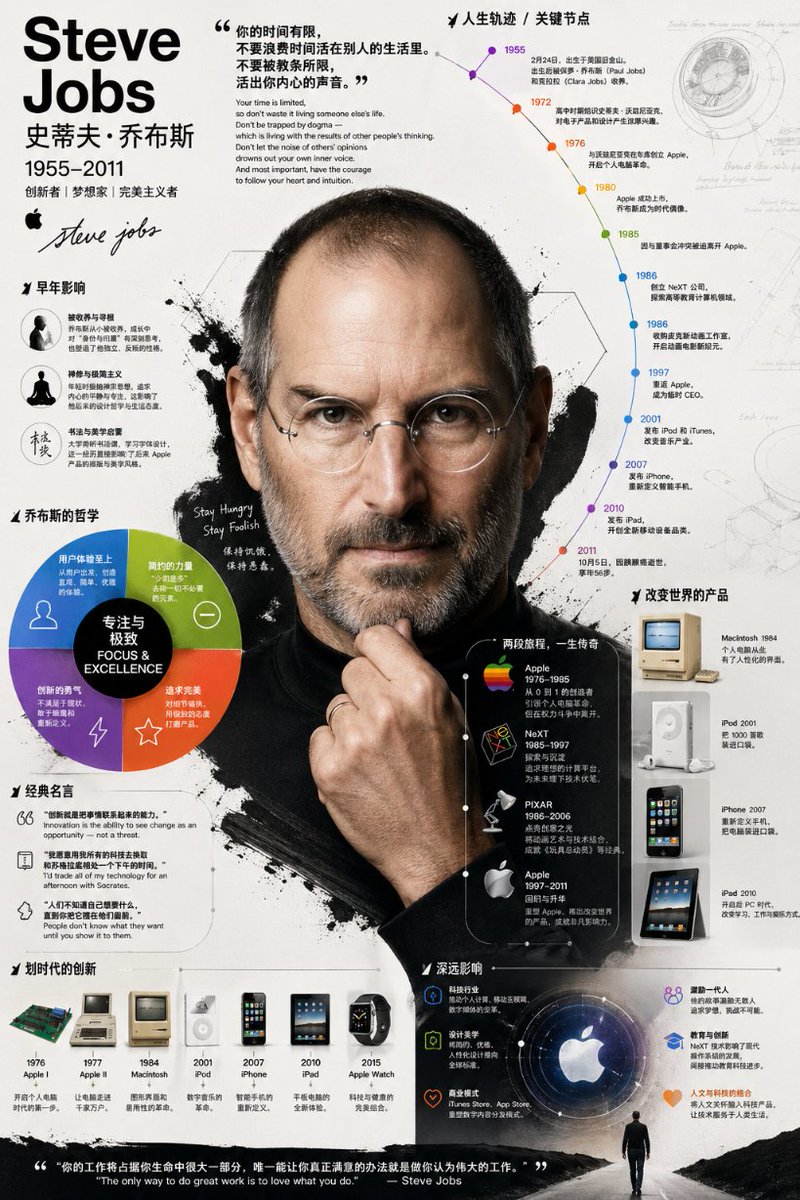
Gedetailleerde biografische infographicposter
Een geavanceerde opdracht voor het maken van een uitgebreide biografische infographic die een realistisch portret combineert met grafieken, tijdlijnen en annotaties in een professionele illustratiestijl.
Dit is een voorbeeld van een GPT Image 2 prompt voor Grafisch ontwerp & poster . Gebruik de onderstaande kant-en-klare prompt om vergelijkbare afbeeldingen te genereren en controleer de Awesome GPT Image 2 Prompts en de rechten voor commercieel gebruik voordat u de afbeeldingen hergebruikt.
Free 1K preview
Generate one preview image instantly, no sign-up required.
Free text preview doesn’t preserve reference-image consistency.
Snel
Schrijfklare prompt
Please create an infographic about {argument name="subject name" default="[Name]"} with very rich and deep visual effects. It shouldn't just list information: I need you to dig deep into their life, major achievements, key career milestones, philosophical thoughts, and their unique impact on technology and design. Avoid a rigid block-by-block layout; use diagrams, annotations, and lead lines to organically combine this information. Visual style: Go for a bold, strong, and highly graphical illustration style. Specifically, it should look like this: the central focus is a highly realistic, photo-like portrait of the person. Surrounding this core are elements like timelines, analytical charts, classic products, famous quotes, and concise text. Composition: Keep the background clean. Use layered composition to perfectly mix the realistic portrait with strong graphical elements (like various shapes, icons, large color blocks). The entire image should look full of content, textured, and very professional.Vraagvariabelen
Bewerkbare argumentplaceholders in de prompt, met hun standaardwaarden.
Best for
- - Grafisch ontwerp & poster visual exploration
- - Image generation and reference-image edits
- - Reusable briefs that keep source attribution visible
Change these parts
- - Subject, product, character, or scene
- - Aspect ratio, camera, lighting, and background
- - Brand, text, color, and output constraints
Recommended model and settings
- - Model: gpt-image-2
- - Input mode: Afbeelding naar afbeelding
- - Aspect ratio: source
- - Commercial status: review original source
How to use this prompt
- 1. Copy the prompt and preserve its structure for the first test.
- 2. Replace the subject, context, and publishing channel.
- 3. Change one camera, lighting, or style variable per iteration.
- 4. Inspect the output, source, text, and rights before reuse.
Limitations, source, and reuse cautions
- - Generated output is an editable draft, not factual, legal, or rights evidence.
- - Review the linked source, people, brands, logos, text, and third-party media before commercial use.
Meer gevallen in deze categorie
Geprioriteerd op basis van categorie, compatibiliteit met invoermodus, kwaliteit en lager risico.






Hergebruik en bronvermeldingen
Gebruik deze prompt veilig nadat u de casus hebt bekeken.
- 1.Kopieer de prompt of open deze direct in Dovoo met de knop 'Genereren'.
- 2.Pas de variabelen, beeldverhouding en referentieafbeeldingen aan uw eigen toepassing aan.
- 3.Controleer vóór publicatie of betaald gebruik de auteursrechten, de vereisten voor naamsvermelding en de risico's met betrekking tot merk of beeltenis.