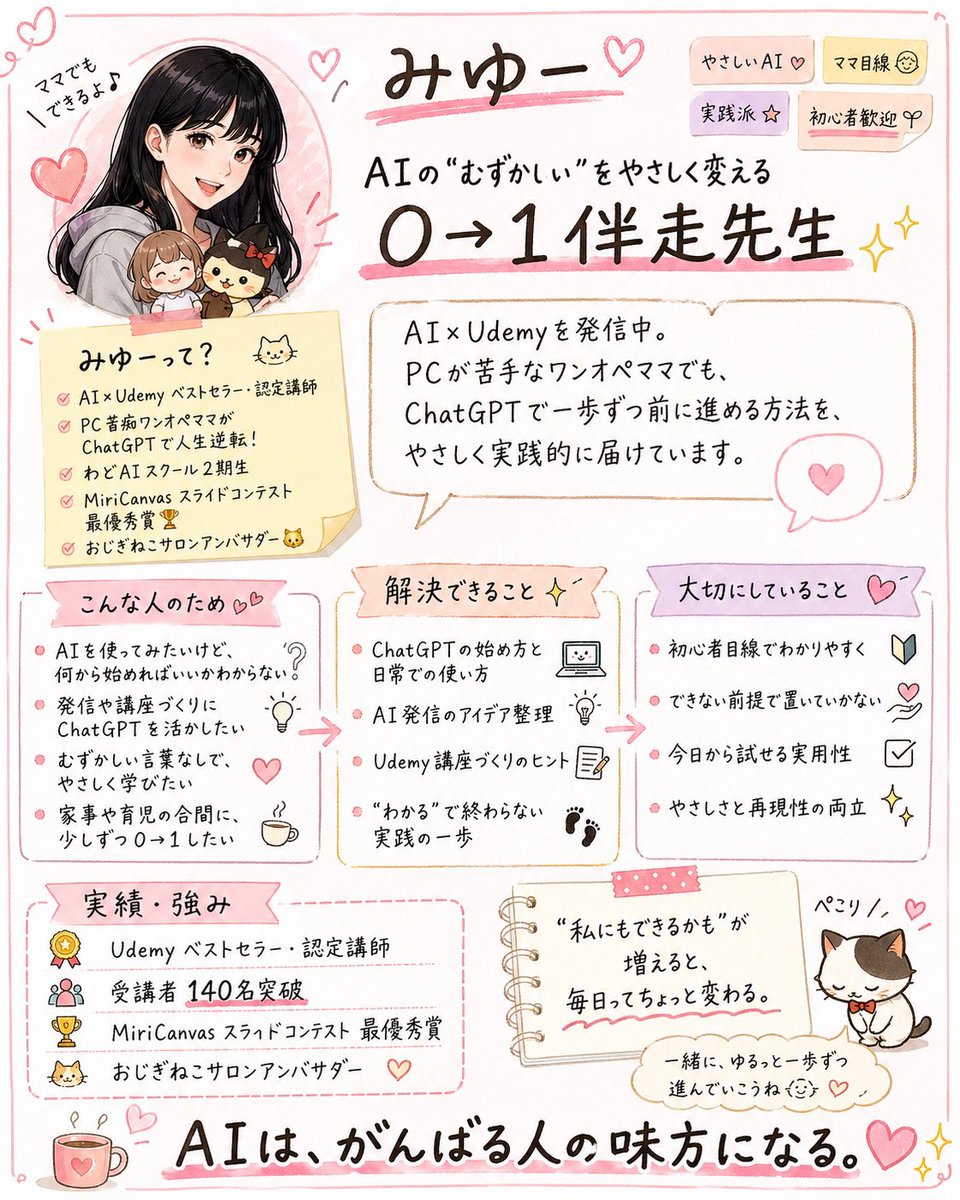
Leuke handgeschreven profielsamenvatting poster
Deze opdracht transformeert een screenshot van een sociaal profiel in een stijlvolle Japanse infographic-flyer die het merk, de doelgroep, de sterke punten en de prestaties van de maker samenvat voor promotie op sociale media.
Dit is een voorbeeld van een GPT Image 2 prompt voor Grafisch ontwerp & poster . Gebruik de onderstaande kant-en-klare prompt om vergelijkbare afbeeldingen te genereren en controleer de Awesome GPT Image 2 Prompts en de rechten voor commercieel gebruik voordat u de afbeeldingen hergebruikt.
Free 1K preview
Generate one preview image instantly, no sign-up required.
Free text preview doesn’t preserve reference-image consistency.
Snel
Schrijfklare prompt
Using the provided reference image, turn the X/Twitter profile screenshot into a cute handwritten Japanese infographic poster that summarizes the account’s personal brand and offerings. Keep the same person identity, pink feminine tone, AI/Udemy theme, cat motif, and the key achievement of 140 students, but replace the screenshot UI with an illustrated one-page flyer on a clean white background with soft pink doodle borders, hearts, sparkles, and sticky-note styling. Recreate the person as a friendly manga-style portrait in the upper left, still paired with the small chibi companions from the reference. Add a large handwritten headline with the account name and a subheadline about making difficult AI easy and helping beginners go from 0 to 1. Organize the content into 7 clearly separated sections: 1) top title area with short tag stickers, 2) a self-introduction memo card, 3) a speech-bubble profile summary, 4) “who this is for” with 4 bullet points, 5) “what problems can be solved” with 4 bullet points, 6) “core values” with 4 bullet points, 7) “achievements and strengths” with 4 bullet points. Also add 1 small notebook-style motivational quote card near the bottom center and 1 cute cat illustration with a name label at the bottom right. Include a large closing slogan across the bottom stating that AI supports people who are doing their best. Preserve the Japanese language throughout, use legible hand-drawn typography, warm pastel colors, and a polished social-media-friendly layout that feels approachable, practical, and beginner-friendly.
Best for
- - Grafisch ontwerp & poster visual exploration
- - Image generation and reference-image edits
- - Reusable briefs that keep source attribution visible
Change these parts
- - Subject, product, character, or scene
- - Aspect ratio, camera, lighting, and background
- - Brand, text, color, and output constraints
Recommended model and settings
- - Model: gpt-image-2
- - Input mode: Afbeelding naar afbeelding
- - Aspect ratio: source
- - Commercial status: review original source
How to use this prompt
- 1. Copy the prompt and preserve its structure for the first test.
- 2. Replace the subject, context, and publishing channel.
- 3. Change one camera, lighting, or style variable per iteration.
- 4. Inspect the output, source, text, and rights before reuse.
Limitations, source, and reuse cautions
- - Generated output is an editable draft, not factual, legal, or rights evidence.
- - Review the linked source, people, brands, logos, text, and third-party media before commercial use.
Meer gevallen in deze categorie
Geprioriteerd op basis van categorie, compatibiliteit met invoermodus, kwaliteit en lager risico.






Hergebruik en bronvermeldingen
Gebruik deze prompt veilig nadat u de casus hebt bekeken.
- 1.Kopieer de prompt of open deze direct in Dovoo met de knop 'Genereren'.
- 2.Pas de variabelen, beeldverhouding en referentieafbeeldingen aan uw eigen toepassing aan.
- 3.Controleer vóór publicatie of betaald gebruik de auteursrechten, de vereisten voor naamsvermelding en de risico's met betrekking tot merk of beeltenis.