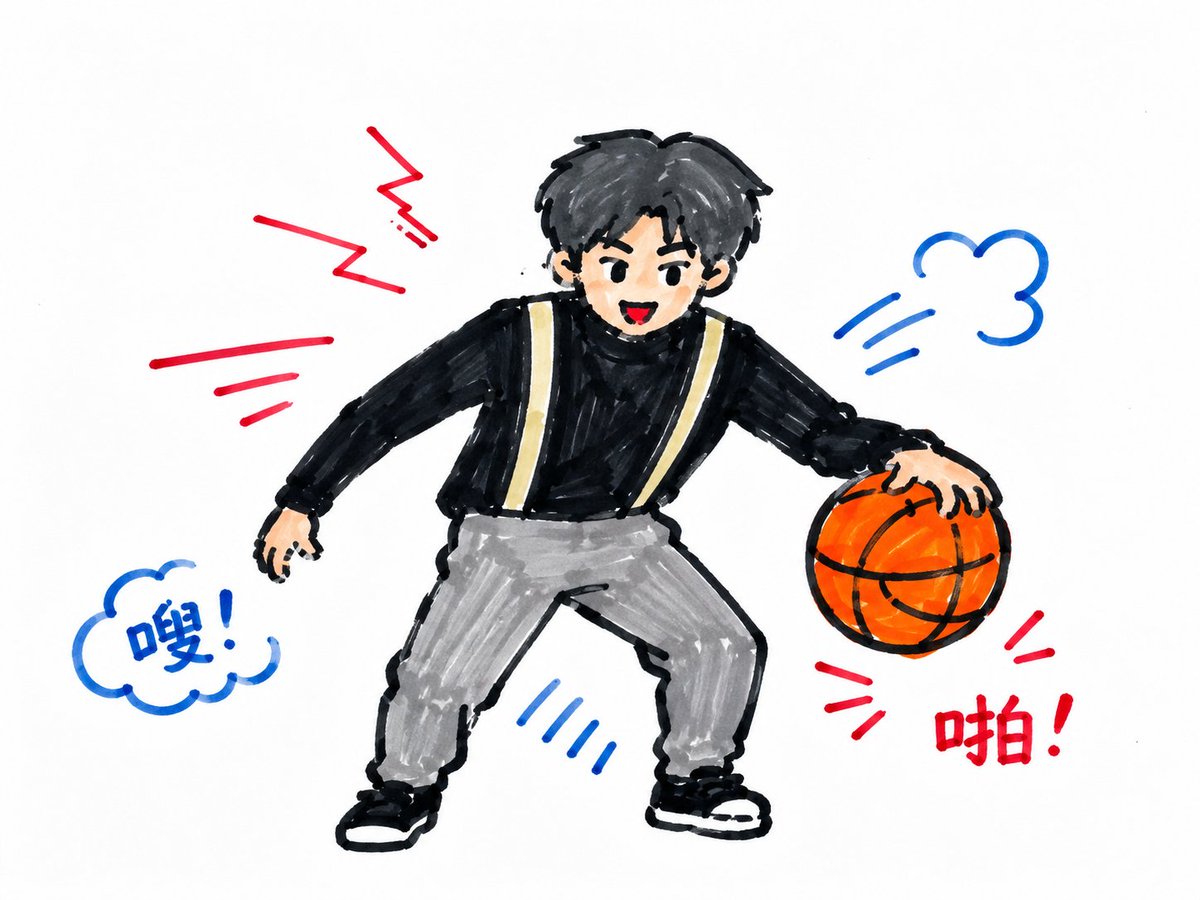
Children's Marker Drawing Style Transfer
A style transfer prompt that converts any input image subject into a handcrafted children's drawing style using markers on white paper.
Dit is een voorbeeld van een GPT Image 2 prompt voor Illustratie & Kunst . Gebruik de onderstaande kant-en-klare prompt om vergelijkbare afbeeldingen te genereren en controleer de Awesome GPT Image 2 Prompts en de rechten voor commercieel gebruik voordat u de afbeeldingen hergebruikt.
Heb je de volledige set prompts nodig? Gebruik dan de Illustratie & Kunst Ga naar het themacentrum voor meer gerelateerde voorbeelden, of open de GPT Image 2 prompt catalogus Voor de volledige voorbeeldenindex, herbruikbare structuren en bronvermelding.
Free 1K preview
Generate one preview image instantly, no sign-up required.
Free text preview doesn’t preserve reference-image consistency.
2676/4000
Snel
Schrijfklare prompt
Focusing on the specific thematic content in the user-input image, redraw the subject as a children's marker drawing on a horizontal white sheet of paper. First extract the most identifiable outer contours, pose direction, local symbols, functional parts, and identity colors from the input content, and compress complex details into a few clear large shapes. The subject does not pursue realistic proportions or precise structure, but is established with thick black hand-drawn outer contours, loose internal structure lines, and childish but recognizable deformations. The main weight of the image is placed in the center or lower middle, with wide and clean white paper surface reserved around it, making the subject look like a protagonist symbol carefully drawn by a child. Color uses limited high-saturation marker blocks: one strong primary color derived from the thematic identity carries the main mass, one auxiliary strong color divides structure and motion, and small areas of bright colors point out the most important identifiable parts; black is responsible for holding down the contours, and the white paper surface serves as the background, highlights, and negative space. All color blocks must have rough manual traces, retaining short dry brush marks, unfilled gaps, slight crossovers, color bleeding, and line-color misalignment, without using realistic light and shadow, delicate gradients, or polished materials. The background remains a white paper action field without establishing a complete environment, only placing sparse red, blue, and black hand-drawn speed lines, wavy lines, lightning-style broken lines, cloud lines, short vertical lines, or exclamation marks around the subject's movement direction, line of sight, and emotional pressure, letting the background carry air, sound, speed, and information prompts. Complex materials, textures, and small decorations in the input image are converted into short lines, blocks, negative space, and children's memory-style symbols; key identity parts must be drawn clearly, while non-key parts remain sketchy, skewed, and not completely symmetrical. If text is needed, use only short handwritten onomatopoeia, exclamations, or edge annotations, with handwriting like action lines drawn casually with a thick pen, without formal typesetting. The overall completion stops at a clear but unrefined position; the image should look like a childlike action diagram drawn on real paper with thick black markers and high-saturation colored pens, both recognizing the input subject at a glance and retaining the jitter, negative space, overdrawing, and innocent inaccuracies brought by a child's hand control.
Best for
- - Illustratie & Kunst visual exploration
- - Image generation and reference-image edits
- - Reusable briefs that keep source attribution visible
Change these parts
- - Subject, product, character, or scene
- - Aspect ratio, camera, lighting, and background
- - Brand, text, color, and output constraints
Recommended model and settings
- - Model: gpt-image-2
- - Input mode: Afbeelding naar afbeelding
- - Aspect ratio: source
- - Commercial status: review original source
How to use this prompt
- 1. Copy the prompt and preserve its structure for the first test.
- 2. Replace the subject, context, and publishing channel.
- 3. Change one camera, lighting, or style variable per iteration.
- 4. Inspect the output, source, text, and rights before reuse.
Limitations, source, and reuse cautions
- - Generated output is an editable draft, not factual, legal, or rights evidence.
- - Review the linked source, people, brands, logos, text, and third-party media before commercial use.
Geïmporteerd van Awesome GPT Image 2 Prompts . Naamsvermelding is vereist. Commercieel gebruik is toegestaan volgens de status allowed ; controleer de rechten van de bron voordat u het tegen betaling gebruikt.
Meer gevallen in deze categorie
Geprioriteerd op basis van categorie, compatibiliteit met invoermodus, kwaliteit en lager risico.

Oversized Head Cartoon Caricature Prompt
Afbeelding naar afbeeldingGemiddeld risico

Cute Focus Desk Flat Lay and Kawaii Illustration
Tekst naar afbeelding

Sci-Fi Cyan Lighting Effect
Afbeelding naar afbeelding

Stylish Man Street Lamp Portrait
Afbeelding naar afbeelding

Tuxedo Cat Photo and Line Art Diptych
Tekst naar afbeelding

Boisterous Shrimpers Entering Pub
Tekst naar afbeelding
Hergebruik en bronvermeldingen
Gebruik deze prompt veilig nadat u de casus hebt bekeken.
- 1.Kopieer de prompt of open deze direct in Dovoo met de knop 'Genereren'.
- 2.Pas de variabelen, beeldverhouding en referentieafbeeldingen aan uw eigen toepassing aan.
- 3.Controleer vóór publicatie of betaald gebruik de auteursrechten, de vereisten voor naamsvermelding en de risico's met betrekking tot merk of beeltenis.