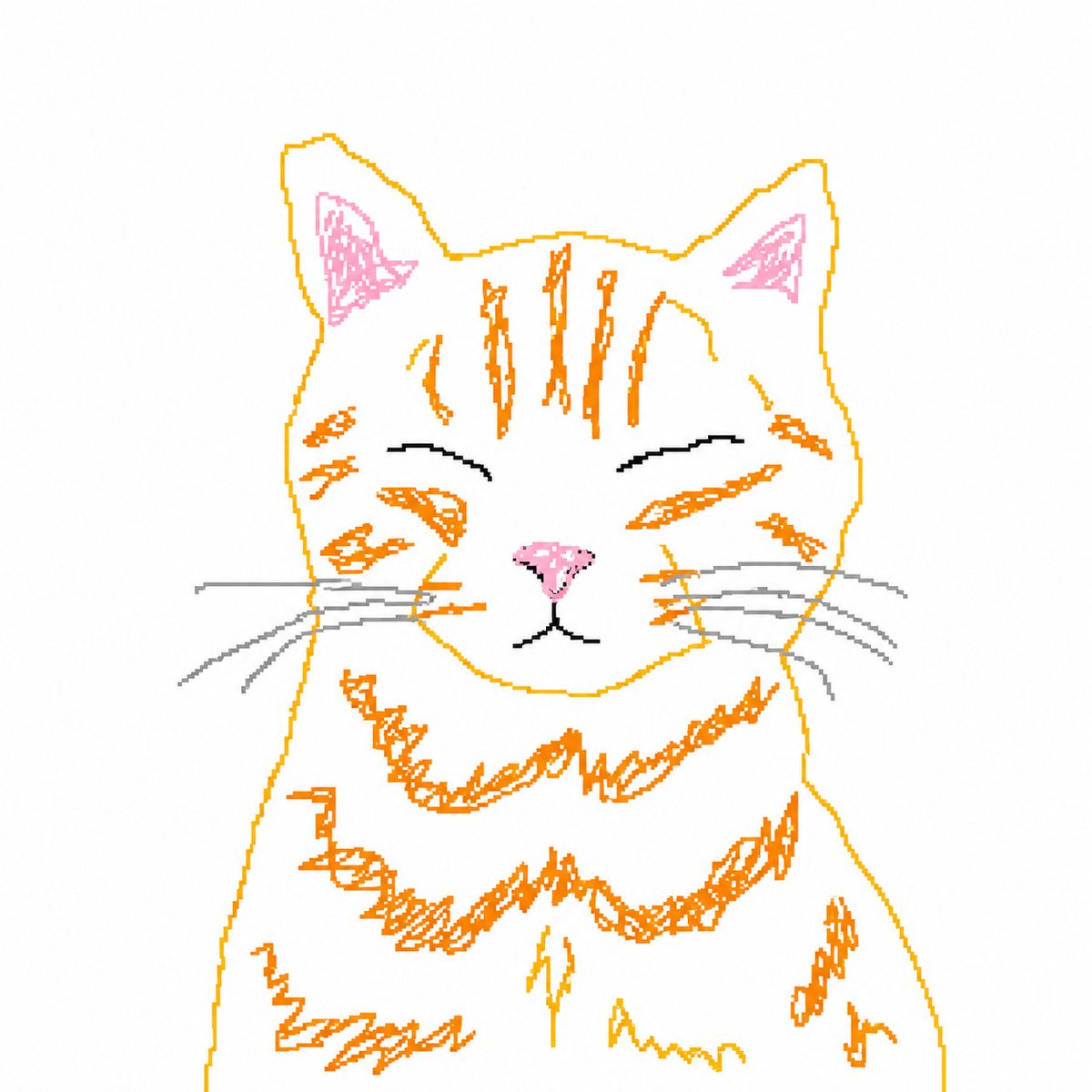
Slechte MS Paint kat hertekening
Deze opdracht transformeert een referentiefoto van een kat in een ruwe, opzettelijk amateuristische MS Paint-tekening, perfect voor meme-achtige bewerkingen en speelse beeldtransformaties.
Dit is een voorbeeld van een GPT Image 2 prompt voor Portret & Karakter . Gebruik de onderstaande kant-en-klare prompt om vergelijkbare afbeeldingen te genereren en controleer de Awesome GPT Image 2 Prompts en de rechten voor commercieel gebruik voordat u de afbeeldingen hergebruikt.
Free 1K preview
Generate one preview image instantly, no sign-up required.
Free text preview doesn’t preserve reference-image consistency.
Snel
Schrijfklare prompt
A deliberately rough hand-drawn digital sketch, with {argument name="animal" default="Tabby cat"} as the main subject, centered on a pure white background, appearing as if drawn with a computer mouse in a basic drawing program. Front-facing seated pose, symmetrical composition, large head, simplified body, closed eyes smiling, with a small pink triangular nose, tiny black mouth, long gray whiskers, pink inner ears, and orange tabby stripes on the forehead, cheeks, chest, legs, and sides. Use thin, uneven golden-orange outlines, with shaky and wobbly lines, messy scribbled fur texture, imperfect proportions, and a sense of amateurish doodle randomness. The image should look both cute and clumsy, like casual mouse handwriting art, containing 1 cat, 2 ears, 2 closed eyes, 1 nose, 1 mouth, and 6 visible whiskers. Minimalist composition, no props, no shadows, no background, clean white canvas, simple flat colors, full of playful and clumsy charm.Vraagvariabelen
Bewerkbare argumentplaceholders in de prompt, met hun standaardwaarden.
Best for
- - Portret & Karakter visual exploration
- - Image generation and reference-image edits
- - Reusable briefs that keep source attribution visible
Change these parts
- - Subject, product, character, or scene
- - Aspect ratio, camera, lighting, and background
- - Brand, text, color, and output constraints
Recommended model and settings
- - Model: gpt-image-2
- - Input mode: Afbeelding naar afbeelding
- - Aspect ratio: source
- - Commercial status: review original source
How to use this prompt
- 1. Copy the prompt and preserve its structure for the first test.
- 2. Replace the subject, context, and publishing channel.
- 3. Change one camera, lighting, or style variable per iteration.
- 4. Inspect the output, source, text, and rights before reuse.
Limitations, source, and reuse cautions
- - Generated output is an editable draft, not factual, legal, or rights evidence.
- - Review the linked source, people, brands, logos, text, and third-party media before commercial use.
Meer gevallen in deze categorie
Geprioriteerd op basis van categorie, compatibiliteit met invoermodus, kwaliteit en lager risico.






Hergebruik en bronvermeldingen
Gebruik deze prompt veilig nadat u de casus hebt bekeken.
- 1.Kopieer de prompt of open deze direct in Dovoo met de knop 'Genereren'.
- 2.Pas de variabelen, beeldverhouding en referentieafbeeldingen aan uw eigen toepassing aan.
- 3.Controleer vóór publicatie of betaald gebruik de auteursrechten, de vereisten voor naamsvermelding en de risico's met betrekking tot merk of beeltenis.