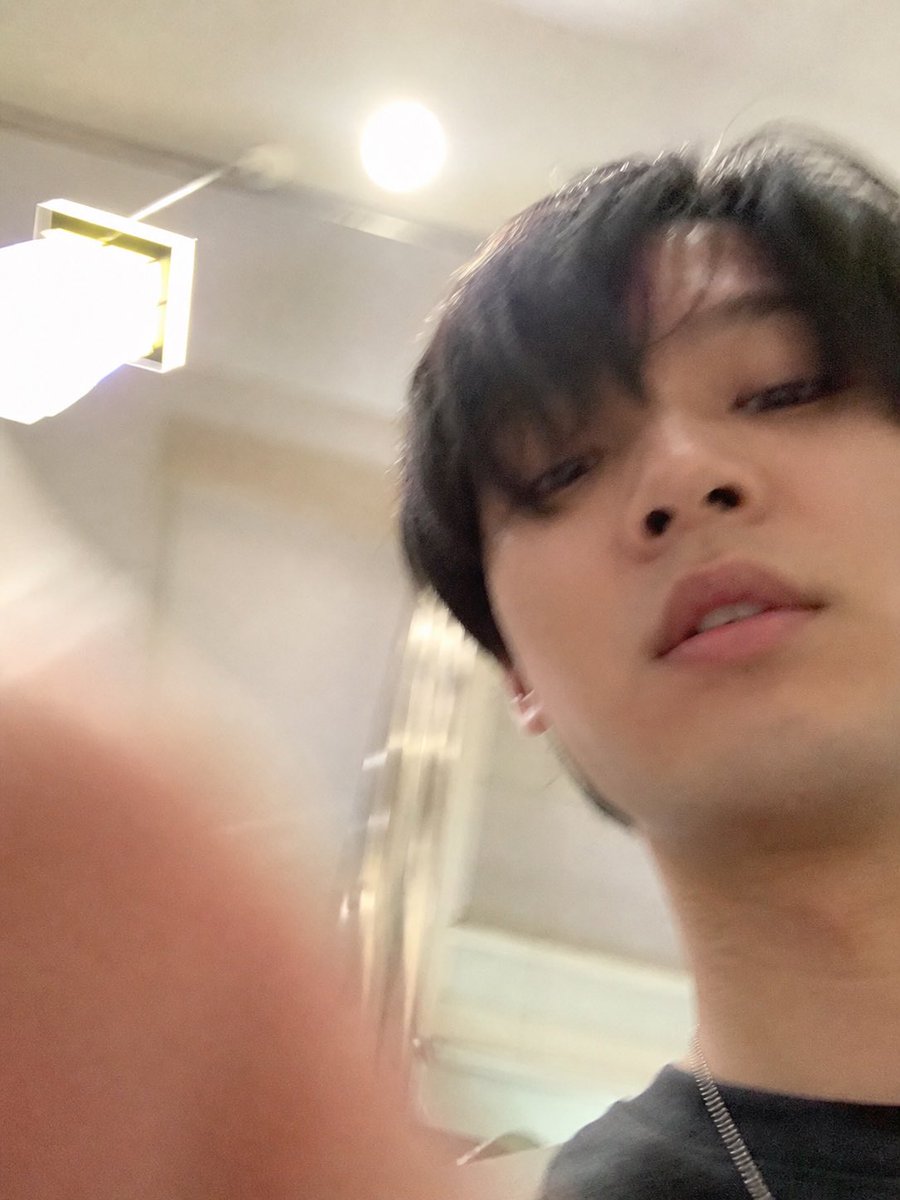
Per ongeluk geëxtraheerde iPhone-selfie
Genereert een op zichzelf staande, realistische mislukte selfie door de onderste foto uit een ChatGPT-screenshot te extraheren en uit te breiden, terwijl alle UI-elementen worden verwijderd.
Dit is een voorbeeld van een GPT Image 2 prompt voor Portret & Karakter . Gebruik de onderstaande kant-en-klare prompt om vergelijkbare afbeeldingen te genereren en controleer de Awesome GPT Image 2 Prompts en de rechten voor commercieel gebruik voordat u de afbeeldingen hergebruikt.
Heb je de volledige set prompts nodig? Gebruik dan de Portret & Karakter Ga naar het themacentrum voor meer gerelateerde voorbeelden, of open de GPT Image 2 prompt catalogus Voor de volledige voorbeeldenindex, herbruikbare structuren en bronvermelding.
Free 1K preview
Generate one preview image instantly, no sign-up required.
Free text preview doesn’t preserve reference-image consistency.
915/4000
Snel
Schrijfklare prompt
Using REFERENCE_1 as the source, isolate the lower accidental selfie photo and turn it into the final standalone image: remove the ChatGPT interface, text bubble, download icon, and input bar completely, then uncrop/extend the snapshot so it fills the frame as a vertical iPhone-style photo. Follow the intent described in REFERENCE_0: make it look like an ordinary, slightly failed, unplanned selfie taken while pulling a phone from a pocket, with a careless low angle, messy composition, slight motion blur, uneven lighting, mild overexposure from the room lights, and a very realistic casual phone-camera feel. Keep the same indoor room, ceiling light, wall lamp, and subject from the lower photo, but show more of the face, neck, dark shirt, and a thin chain necklace, with a blurry finger partially covering the lower-left foreground. Avoid making it look posed, polished, cinematic, or intentionally composed.
Best for
- - Portret & Karakter visual exploration
- - Image generation and reference-image edits
- - Reusable briefs that keep source attribution visible
Change these parts
- - Subject, product, character, or scene
- - Aspect ratio, camera, lighting, and background
- - Brand, text, color, and output constraints
Recommended model and settings
- - Model: gpt-image-2
- - Input mode: Afbeelding naar afbeelding
- - Aspect ratio: source
- - Commercial status: review original source
How to use this prompt
- 1. Copy the prompt and preserve its structure for the first test.
- 2. Replace the subject, context, and publishing channel.
- 3. Change one camera, lighting, or style variable per iteration.
- 4. Inspect the output, source, text, and rights before reuse.
Limitations, source, and reuse cautions
- - Generated output is an editable draft, not factual, legal, or rights evidence.
- - Review the linked source, people, brands, logos, text, and third-party media before commercial use.
Geïmporteerd van Awesome GPT Image 2 Prompts . Naamsvermelding is vereist. Commercieel gebruik is toegestaan volgens de status allowed ; controleer de rechten van de bron voordat u het tegen betaling gebruikt.
Meer gevallen in deze categorie
Geprioriteerd op basis van categorie, compatibiliteit met invoermodus, kwaliteit en lager risico.

Sci-Fi Cyan Lighting Effect
Afbeelding naar afbeelding

Stylish Man Street Lamp Portrait
Afbeelding naar afbeelding

Playful Morning Selfie Portrait
Tekst naar afbeelding

Oversized Head Cartoon Caricature Prompt
Afbeelding naar afbeeldingGemiddeld risico

Street Selfie with Cat in Matching Cap
Tekst naar afbeelding

Morning Bed Stretching Legs Prompt
Tekst naar afbeelding
Hergebruik en bronvermeldingen
Gebruik deze prompt veilig nadat u de casus hebt bekeken.
- 1.Kopieer de prompt of open deze direct in Dovoo met de knop 'Genereren'.
- 2.Pas de variabelen, beeldverhouding en referentieafbeeldingen aan uw eigen toepassing aan.
- 3.Controleer vóór publicatie of betaald gebruik de auteursrechten, de vereisten voor naamsvermelding en de risico's met betrekking tot merk of beeltenis.