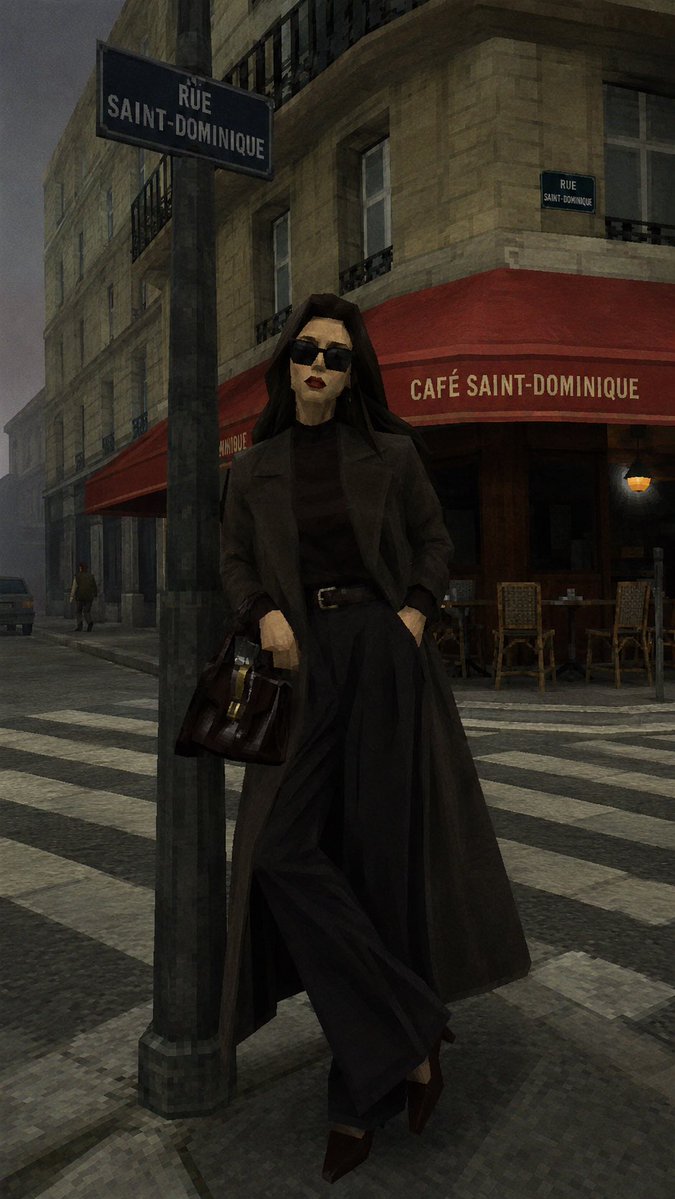
Retro Source Engine 3D Game Style
A prompt that transforms real photos into early 2000s Source Engine 3D game screenshots, capturing the distinct low-poly and low-res aesthetic of titles like Half-Life 2.
Dette er et tilfelle av en GPT Image 2 -ledetekst for Anime og spill . Bruk den kopieringsklare ledeteksten nedenfor for å generere lignende visuelle elementer, og gjennomgå Awesome GPT Image 2 Prompts -attribusjonen pluss kommersielle bruksrettigheter før gjenbruk.
Free 1K preview
Generate one preview image instantly, no sign-up required.
Free text preview doesn’t preserve reference-image consistency.
Spørsmål
Klar til kopiering
Remake this photo into a 3D game screenshot in the style of {argument name="game engine" default="early Source Engine (the original Source Engine)"}. Keep the subject, composition, perspective, and layout of the original image, but reinterpret the entire scene as being in {argument name="game scene" default="Half-Life 2 or early Garry’s Mod maps"}. This is not just a filter; it's like 're-modeling' a real photo into an old game screenshot. The characters' features should clearly show low-poly edges; do not use any rounded shapes for the facial features, replacing them with sharp angles or polygons. Add noise to the image, extremely fine low-pixel grids, and a slight chromatic aberration effect. Style requirements: 3D Modeling: All objects, characters, trees, rocks, and buildings should have a distinct **Low-Poly** feel with slightly hard edges and clear geometry. Imitate the early visual texture of Half-Life or Garry's Mod. Texture Mapping: Use low-resolution (Low-Res) textures that are slightly blurry, repetitive, and have limited detail, carrying the rough feel of early game assets. Lighting Effects: Simulate the unique chaotic, harsh, and slightly unnatural lighting of early game engines.Promptvariabler
Redigerbare argumentplassholdere funnet i ledeteksten, med standardverdiene.
Best for
- - Anime og spill visual exploration
- - Image generation and reference-image edits
- - Reusable briefs that keep source attribution visible
Change these parts
- - Subject, product, character, or scene
- - Aspect ratio, camera, lighting, and background
- - Brand, text, color, and output constraints
Recommended model and settings
- - Model: gpt-image-2
- - Input mode: Bilde til bilde
- - Aspect ratio: source
- - Commercial status: review original source
How to use this prompt
- 1. Copy the prompt and preserve its structure for the first test.
- 2. Replace the subject, context, and publishing channel.
- 3. Change one camera, lighting, or style variable per iteration.
- 4. Inspect the output, source, text, and rights before reuse.
Limitations, source, and reuse cautions
- - Generated output is an editable draft, not factual, legal, or rights evidence.
- - Review the linked source, people, brands, logos, text, and third-party media before commercial use.
Flere saker i denne kategorien
Prioritert etter kategori, kompatibilitet med inndatamodus, kvalitet og lavere risiko.






Gjenbruk og kildenotater
Bruk denne ledeteksten på en trygg måte etter at du har forhåndsvist saken.
- 1.Kopier ledeteksten eller åpne den direkte i Dovoo med genereringsknappen.
- 2.Juster variabler, sideforhold og referansebilder for ditt eget brukstilfelle.
- 3.Før publisering eller betalt bruk, kontroller kilderettigheter, krav til kreditering og risikoer knyttet til merkevare eller likhet.