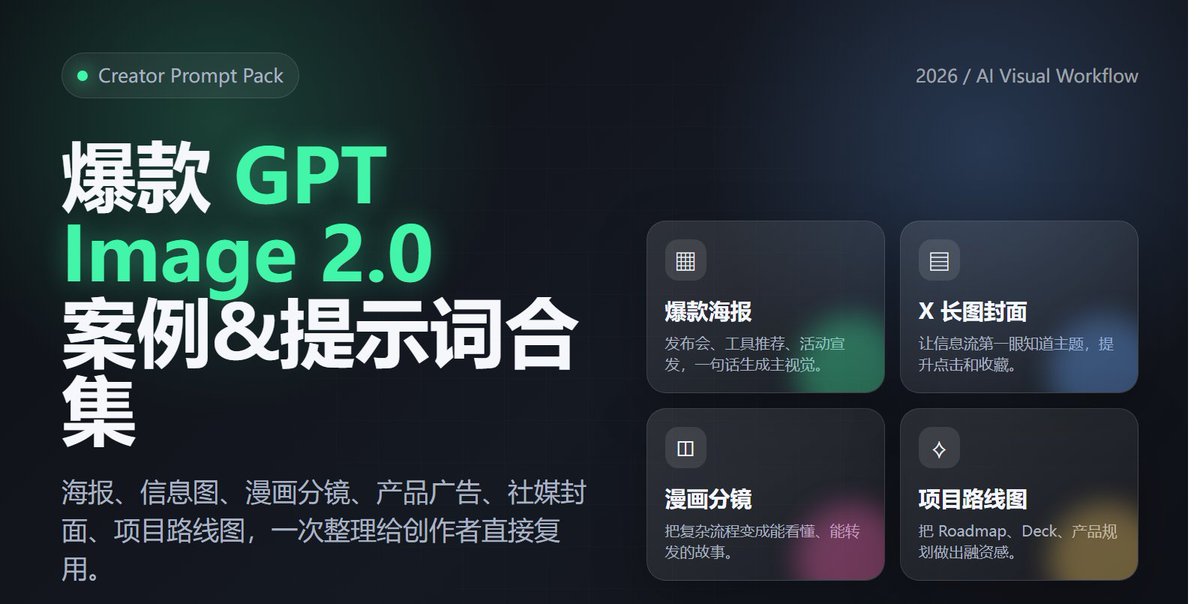
Lanseringsplakat for profesjonelle verktøy
En profesjonell SaaS-stil plakatprompt for å annonsere verktøy, med vekt på lesbar tekst og moderne teknologiestetikk.
Dette er et tilfelle av en GPT Image 2 -ledetekst for Grafikk og plakat . Bruk den kopieringsklare ledeteksten nedenfor for å generere lignende visuelle elementer, og gjennomgå Awesome GPT Image 2 Prompts -attribusjonen pluss kommersielle bruksrettigheter før gjenbruk.
Trenger du hele settet med ledetekster? Bruk Grafikk og plakat emnehub for flere relaterte eksempler, eller åpne GPT Image 2 rask katalog for den fullstendige eksempelindeksen, gjenbrukbare strukturer og kildeattribusjon.
Free 1K preview
Generate one preview image instantly, no sign-up required.
2055/4000
Spørsmål
Klar til kopiering
1. Design a modern tech-style poster for an "AI Agent tool launch," vertical 4:5 aspect ratio, with a clear and eye-catching main title and a subtitle explaining product value. Use a black, white, and gray color palette with fluorescent green accents. Include abstract networks, code windows, and agent nodes. The overall look should resemble a high-end SaaS launch poster, and text must be accurate and readable. 2. Generate a cover image suitable for an X/Twitter long-form post titled "2026 AI Tool Trends," horizontal 16:9 aspect ratio, with a clean and sophisticated style. Include the title and 3 keywords: Agent / Workflow / Automation. The background should be a combination of desktop workflows, browsers, terminals, and data panels, with a layout like a tech media header. 3. Generate an advertisement for a Web3 wallet security tool. The center of the image shows a phone displaying the wallet interface, surrounded by on-chain addresses, risk alerts, shield icons, and transaction path visualizations. The style should be professional and trustworthy, with the Chinese title: "Making every on-chain operation safer." 4. Create a Chinese infographic titled "The 5 Layers of AI Agent Capabilities," including: understanding tasks, calling tools, reading data, executing operations, and reviewing/optimizing. Show this in a clear hierarchical structure, each layer with a small icon, white background, and tech-blue accents. 5. Generate a one-page 4-panel comic strip about a creator going from manually searching for info, writing copy, and making images to completing the workflow automatically with an AI Agent. The style should be lighthearted and humorous, with consistent characters and short, clear Chinese dialogue. The last panel should highlight "double the efficiency." 6. Generate a roadmap visual for an AI x Crypto project, including three phases: Q2, Q3, and Q4: MVP, Agent Marketplace, and Onchain Automation. The style should look like a product page in a funding deck—clean, credible, futuristic, and with clearly readable text.
Best for
- - Grafikk og plakat visual exploration
- - Image generation and reference-image edits
- - Reusable briefs that keep source attribution visible
Change these parts
- - Subject, product, character, or scene
- - Aspect ratio, camera, lighting, and background
- - Brand, text, color, and output constraints
Recommended model and settings
- - Model: gpt-image-2
- - Input mode: Tekst til bilde
- - Aspect ratio: source
- - Commercial status: review original source
How to use this prompt
- 1. Copy the prompt and preserve its structure for the first test.
- 2. Replace the subject, context, and publishing channel.
- 3. Change one camera, lighting, or style variable per iteration.
- 4. Inspect the output, source, text, and rights before reuse.
Limitations, source, and reuse cautions
- - Generated output is an editable draft, not factual, legal, or rights evidence.
- - Review the linked source, people, brands, logos, text, and third-party media before commercial use.
Importert fra Awesome GPT Image 2 Prompts . Attribusjon kreves. Status for kommersiell bruk er allowed ; sjekk kilderettighetene før betalt bruk.
Flere saker i denne kategorien
Prioritert etter kategori, kompatibilitet med inndatamodus, kvalitet og lavere risiko.






Gjenbruk og kildenotater
Bruk denne ledeteksten på en trygg måte etter at du har forhåndsvist saken.
- 1.Kopier ledeteksten eller åpne den direkte i Dovoo med genereringsknappen.
- 2.Juster variabler, sideforhold og referansebilder for ditt eget brukstilfelle.
- 3.Før publisering eller betalt bruk, kontroller kilderettigheter, krav til kreditering og risikoer knyttet til merkevare eller likhet.