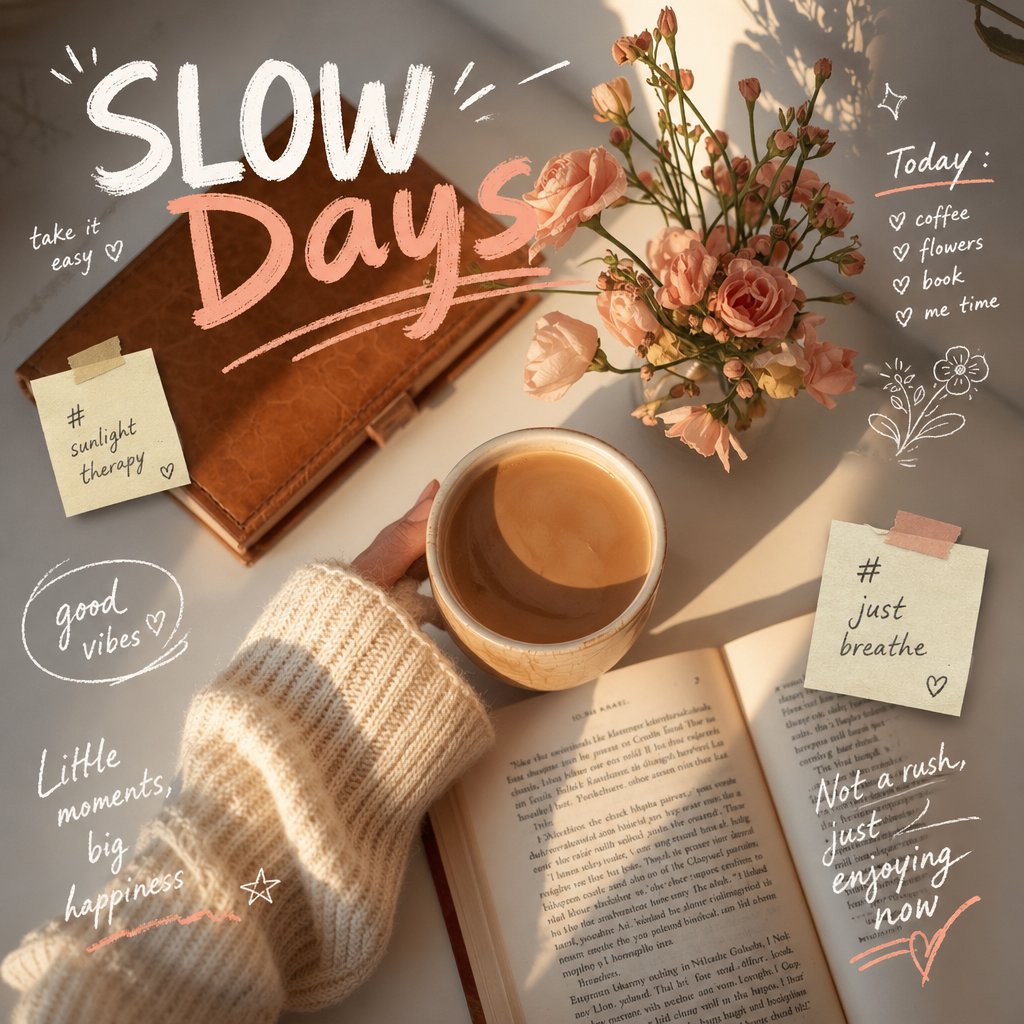
Lekne håndtegnede doodle-overlegg
Et instruksjonssett for å legge til interaktive, skisseaktige kruseduller og finurlig tekst til et eksisterende bilde, samtidig som det opprinnelige motivets identitet bevares.
Dette er et tilfelle av en GPT Image 2 -ledetekst for Illustrasjon og kunst . Bruk den kopieringsklare ledeteksten nedenfor for å generere lignende visuelle elementer, og gjennomgå Awesome GPT Image 2 Prompts -attribusjonen pluss kommersielle bruksrettigheter før gjenbruk.
Free 1K preview
Generate one preview image instantly, no sign-up required.
Free text preview doesn’t preserve reference-image consistency.
Spørsmål
Klar til kopiering
Analyze the uploaded image, preserving the original subject, composition, and lighting. Do not alter the subject's identity or structure. Add {argument name="doodle style" default="playful, hand-drawn doodles"} to create direct interaction with the subject in the image. The doodle should mimic, follow, or exaggerate the shapes, poses, or movements presented in the image, such as outlining the pose, extending limbs, adding motion lines, or creating creative elements that “interact” with the subject.

Ensure the doodle blends naturally into the scene, as if intentionally drawn on the photo.

Adopt a sketch-like, imperfect hand-drawn style with organic lines, slightly uneven strokes, and a casual illustration feel.

Incorporate dynamic handwritten text elements around the image. The text should align with the atmosphere or implied context of the scene, with a tone set to {argument name="text tone" default="playful and spontaneous"}.

Avoid using fixed phrases; instead, generate contextual, creative, and humorous text for each unique image. Maintain compositional balance so that the doodle enhances the image's expressiveness without overshadowing it. The overall aesthetic style should be fun, expressive, and suitable for social media sharing. High resolution, clear overlay effects, and vibrant, natural color coordination are required.
Promptvariabler
Redigerbare argumentplassholdere funnet i ledeteksten, med standardverdiene.
Best for
- - Illustrasjon og kunst visual exploration
- - Image generation and reference-image edits
- - Reusable briefs that keep source attribution visible
Change these parts
- - Subject, product, character, or scene
- - Aspect ratio, camera, lighting, and background
- - Brand, text, color, and output constraints
Recommended model and settings
- - Model: gpt-image-2
- - Input mode: Bilde til bilde
- - Aspect ratio: source
- - Commercial status: review original source
How to use this prompt
- 1. Copy the prompt and preserve its structure for the first test.
- 2. Replace the subject, context, and publishing channel.
- 3. Change one camera, lighting, or style variable per iteration.
- 4. Inspect the output, source, text, and rights before reuse.
Limitations, source, and reuse cautions
- - Generated output is an editable draft, not factual, legal, or rights evidence.
- - Review the linked source, people, brands, logos, text, and third-party media before commercial use.
Flere saker i denne kategorien
Prioritert etter kategori, kompatibilitet med inndatamodus, kvalitet og lavere risiko.






Gjenbruk og kildenotater
Bruk denne ledeteksten på en trygg måte etter at du har forhåndsvist saken.
- 1.Kopier ledeteksten eller åpne den direkte i Dovoo med genereringsknappen.
- 2.Juster variabler, sideforhold og referansebilder for ditt eget brukstilfelle.
- 3.Før publisering eller betalt bruk, kontroller kilderettigheter, krav til kreditering og risikoer knyttet til merkevare eller likhet.