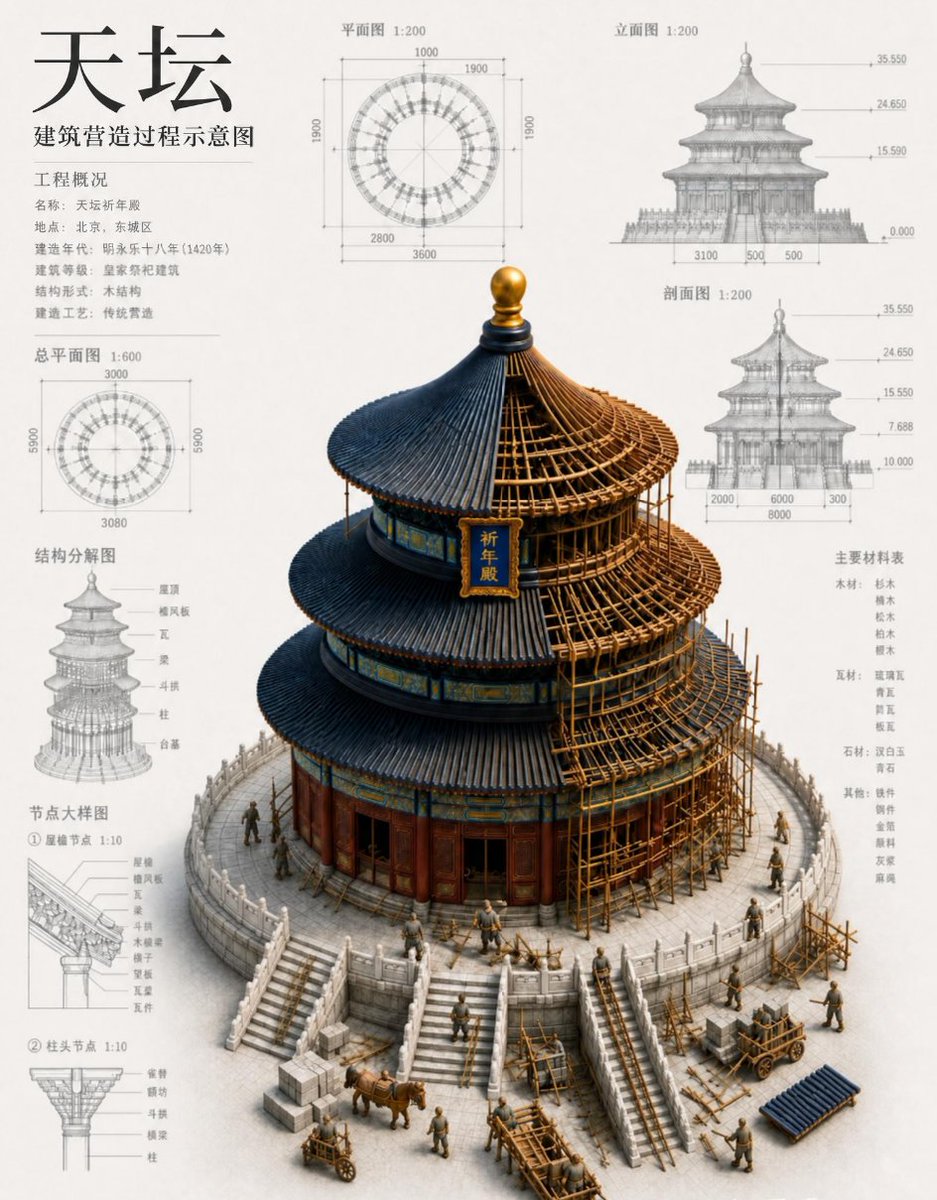
Plan for bygging av kinesisk tempel
Genererer en tett arkitektonisk infografikk som viser en bygning i Himmelens Tempel-stil under bygging med kinesiske plantegninger og tekniske diagrammer.
Dette er et tilfelle av en GPT Image 2 -ledetekst for Grafikk og plakat . Bruk den kopieringsklare ledeteksten nedenfor for å generere lignende visuelle elementer, og gjennomgå Awesome GPT Image 2 Prompts -attribusjonen pluss kommersielle bruksrettigheter før gjenbruk.
Trenger du hele settet med ledetekster? Bruk Grafikk og plakat emnehub for flere relaterte eksempler, eller åpne GPT Image 2 rask katalog for den fullstendige eksempelindeksen, gjenbrukbare strukturer og kildeattribusjon.
Free 1K preview
Generate one preview image instantly, no sign-up required.
4000/4000
Spørsmål
Klar til kopiering
Objective: To create a detailed architectural infographic for a reconstruction project of a historic Chinese circular temple, combining precise blueprint annotations with a realistic sectional construction model.

Canvas: 4:5 portrait architectural presentation, warm off-white paper, high resolution, clean margins, fine gray technical lines with subtle paper texture, no borders or watermarks.

Main Body: The center features a large 3D isometric rendering of a circular wooden hall in the style of the Temple of Heaven, currently under construction, with a vertical plaque displaying {argument name="plaque text" default="Temple of Heaven"}. The building has a 3-tiered overlapping dark gray-blue tiled roof with upturned eaves and a golden finial on top. Red-brown wooden walls and pillars are decorated with blue, green, and gold painted ornamentation. To the right, bamboo and wood scaffolding frames showcase the construction process. The building is placed on a circular white stone base with 4 steps. Add small construction scenes around it: 15 miniature workers wearing plain gray-brown clothing, 1 ox-drawn cart, 2 wheelbarrows, 1 wooden handcart, 1 pile of blue tiles, and multiple wooden beams and stones, all scaled to match the building model.

Layout: Employ a balanced blueprint poster composition. The central 3D building is located in the lower-center and right portion. Surround it with 8 technical information panels: the upper-left corner for the title/project overview block, the top-center for a top view, the upper-right for a front elevation, the left-center for a site plan, the right-center for a section, the lower-left for an exploded structural diagram, and the bottom-left for 2 detail drawings, with the right side listing the main material specifications. All diagrams should be monochrome light gray, resembling pencil/CAD drawings, with fine dimension lines, arrows, scale annotations, and small Chinese captions.

Text Content: The large title in the upper-left corner: {argument name="main title" default="Temple of Heaven"}. Subtitle below: {argument name="subtitle" default="Schematic diagram of the architectural construction process"}. Project overview title: Keep in Chinese {argument name="overview heading" default="Project Overview"}, followed by small Chinese columns for name, location, year, building type, structure, and construction techniques. Use scale labels such as “Plan 1:200,” “Elevation 1:200,” “Section 1:200,” “Site Plan 1:600,” “Exploded Structural Diagram,” and “Detail Drawings.” The right-side column title is “Main Material Specifications,” listing wood, tiles, stone, and other material categories. Ensure Chinese characters are clear, correctly shaped, and easy to read.

Diagram Details: The top view panel shows a circular radial plan with concentric rings, with dimensions labeled as 1000, 1900, 2800, and 3600. The site plan shows a smaller circular plan with a square dimension frame, with values around 3000, 5000, and 3080. The elevation and section panels show the three-story building outline, with horizontal height markings around 0.000, 7.680, 15.590, 24.650, and 35.550, and annotations for the base width dimensions. The exploded structural diagram panel shows a tower-like stacked framework, labeling the roof, project, tiles, beams, pillars, and platform. The two detail drawings show close-ups of the eaves mortise and tenon joints and the column capital bracket structure, both at a scale of 1:10.

Visual Style: A combination of museum architectural drawings, Chinese cultural heritage preservation blueprints, and realistic miniature construction models. Restrained color palette: ivory white background, graphite gray drawings, dark slate blue tiles, warm ocher scaffolding, red-lacquered wood, golden finial, and white stone base. Light source from the upper-left, with soft shadows under the model. Maintain a professional, information-dense technical poster appearance.

Constraints: Retain the 8 surrounding technical information panels and the 3-tiered roof. Do not add modern machinery, English titles, people wearing modern hard hats, logos, or decorative borders. Prioritize clear Chinese typography and clean diagram alignment.
Promptvariabler
Redigerbare argumentplassholdere funnet i ledeteksten, med standardverdiene.
Variabel
plaque text
Misligholde
Temple of Heaven
Variabel
main title
Misligholde
Temple of Heaven
Variabel
subtitle
Misligholde
Schematic diagram of the architectural construction process
Variabel
overview heading
Misligholde
Project Overview
Best for
- - Grafikk og plakat visual exploration
- - Image generation and reference-image edits
- - Reusable briefs that keep source attribution visible
Change these parts
- - Subject, product, character, or scene
- - Aspect ratio, camera, lighting, and background
- - Brand, text, color, and output constraints
Recommended model and settings
- - Model: gpt-image-2
- - Input mode: Tekst til bilde
- - Aspect ratio: source
- - Commercial status: review original source
How to use this prompt
- 1. Copy the prompt and preserve its structure for the first test.
- 2. Replace the subject, context, and publishing channel.
- 3. Change one camera, lighting, or style variable per iteration.
- 4. Inspect the output, source, text, and rights before reuse.
Limitations, source, and reuse cautions
- - Generated output is an editable draft, not factual, legal, or rights evidence.
- - Review the linked source, people, brands, logos, text, and third-party media before commercial use.
Importert fra Awesome GPT Image 2 Prompts . Attribusjon kreves. Status for kommersiell bruk er allowed ; sjekk kilderettighetene før betalt bruk.
Flere saker i denne kategorien
Prioritert etter kategori, kompatibilitet med inndatamodus, kvalitet og lavere risiko.

Cute Focus Desk Flat Lay and Kawaii Illustration
Tekst til bilde

Boisterous Shrimpers Entering Pub
Tekst til bilde

Luxury Travel Fashion Portrait Prompt
Tekst til bilde

Studio Portrait of Woman with Sunglasses
Tekst til bilde

Matte Black B.AI Keyboard Keycap
Tekst til bilde

Tuxedo Cat Photo and Line Art Diptych
Tekst til bilde
Gjenbruk og kildenotater
Bruk denne ledeteksten på en trygg måte etter at du har forhåndsvist saken.
- 1.Kopier ledeteksten eller åpne den direkte i Dovoo med genereringsknappen.
- 2.Juster variabler, sideforhold og referansebilder for ditt eget brukstilfelle.
- 3.Før publisering eller betalt bruk, kontroller kilderettigheter, krav til kreditering og risikoer knyttet til merkevare eller likhet.