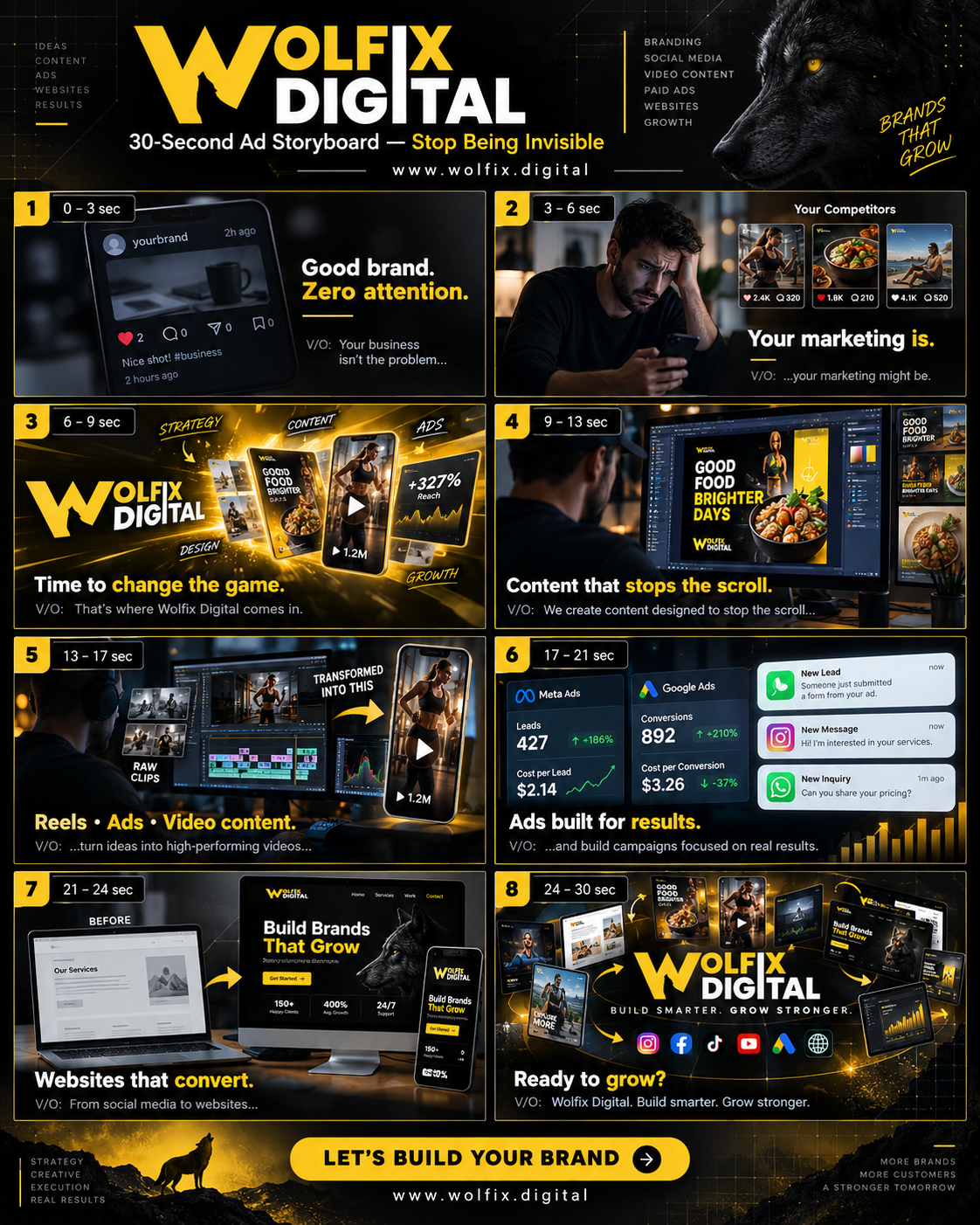
wolfix digital
출처가 명시된 Nano Banana Pro 이미지 프롬프트는 Awesome Nano Banana Pro Pro Pro 프롬프트 저장소에서 가져온 것으로, 미리보기 이미지와 재사용 검토 메모가 포함되어 있습니다.
이것은 제품 및 상업 에 대한 Nano Banana Pro 프롬프트 사례입니다. 아래의 복사 가능한 프롬프트를 사용하여 유사한 시각 자료를 생성하고, 재사용하기 전에 Awesome Nano Banana Pro Prompts 의 저작자 표시 및 상업적 사용 권한을 검토하십시오.
전체 프롬프트 세트가 필요하신가요? 다음을 사용하세요. 제품 및 상업 더 많은 관련 예시를 보려면 주제 허브를 열거나 다음을 열어보세요. Nano Banana Pro 프롬프트 카탈로그 전체 예제 색인, 재사용 가능한 구조 및 출처 표기는 다음을 참조하십시오.
프롬프트
복사 준비 프롬프트
{"metadata":{"title":"SaaS Product Demo - Modern Business Platform","model_target":"sora-2","duration_seconds":30,"fps":24,"resolution":"1920x1080","aspect_ratio":"16:9","seed":null,"notes":"Professional SaaS explainer showcasing dashboard features, collaboration, and analytics."},"style":{"look":"cinematic","palette":"cool neutrals with accent blues and teals","tone":"innovative, confident, modern","references":["Apple keynote visuals","Slack brand videos"]},"camera":{"lenses":"35mm","framing":"medium and wide shots with macro UI inserts","movement":"smooth dolly and screen push-ins","frame_rate":"24","stabilization":"gimbal-like"},"lighting":{"scheme":"bright tech-office with balanced key and soft fill","time_of_day":"daytime","effects":["soft bloom","screen reflections"]},"environment":{"location":"modern coworking office and digital workspace interfaces","set_design":"minimalist workspace with large monitor displays","atmosphere":"clean and airy with subtle depth of field","weather":"indoor controlled"},"subjects":[{"name":"Team Members","description":"diverse professionals collaborating on digital dashboards","props":["laptops","tablets","smartphone"],"wardrobe":"smart-casual office wear","attributes":["focused","collaborative","tech-savvy"]},{"name":"SaaS Dashboard","description":"interactive interface with charts, metrics, and workflow cards","props":["floating UI elements"],"attributes":["intuitive","data-driven","responsive design"]}],"effects":{"vfx":["animated UI overlays","data visualizations"],"practical":["screen light glows"],"transitions":["smooth dissolve","UI swipe transitions","push zoom"]},"audio":{"music":"uplifting tech soundtrack with evolving energy arc","ambience":["office background hum"],"sfx":["clicks","swipes","notification pings"],"mix":"clean, bright, motivational"},"shots":[{"scene_number":1,"duration":4,"description":"Wide shot of modern office, camera dolly forward toward a team gathered around a glowing laptop screen.","framing":"wide","action":"team discusses analytics dashboard","motion":"slow dolly-in","lighting":"natural daylight with soft key","effects":["subtle bokeh"],"sound":["ambience","click"],"text_overlay":"Empower your workflow."},{"scene_number":2,"duration":5,"description":"Close-up of sleek SaaS interface animating key metrics and charts.","framing":"macro UI close-up","action":"numbers animate and data updates in real time","motion":"slight parallax move","lighting":"bright screen light reflections","effects":["UI motion blur"],"sound":["sfx: data ping"]},{"scene_number":3,"duration":6,"description":"Medium shot of user interacting with tablet; camera tracks as she swipes through project views.","framing":"medium tracking","action":"gestural interaction with intuitive interface","motion":"camera follow with subtle tilt","lighting":"balanced key with warm accent light","effects":["UI overlays glow"],"sound":["sfx: swipe"]},{"scene_number":4,"duration":5,"description":"Screen transitions to full analytics view — charts expanding, KPI highlights appear.","framing":"UI focus","action":"graph grows and trend lines animate upward","motion":"smooth zoom-in","lighting":"digital light emphasis","effects":["data particle effects"],"sound":["sfx: data load"]},{"scene_number":5,"duration":5,"description":"Team celebrates small win, smiling at the dashboard results.","framing":"medium group shot","action":"light laughter and success gestures","motion":"static with subtle push-in","lighting":"warm, balanced","effects":["soft bloom"],"sound":["ambience","music swell"]},{"scene_number":6,"duration":5,"description":"End card with product logo and tagline over clean gradient background.","framing":"graphic overlay","action":"text fade-in with logo motion reveal","motion":"fade and scale up slightly","lighting":"studio gradient","effects":["subtle shine"],"sound":["music resolve"]}],"coherence":{"continuity":"consistent office setting and UI style across shots","lighting_consistency":"maintain same daylight tone and color temperature","motion_logic":"smooth, plausible digital and physical motion transitions"},"brand_safety":{"restricted_content":["no third-party logos","no personal data visible"],"claims":"demonstrates capability visually without performance claims"},"delivery":{"file_hint":"mp4","safe_area":"title-safe text margins maintained","end_card":"product logo + call to action"}}Best for
- - 제품 및 상업 visual exploration
- - Image generation and reference-image edits
- - Reusable briefs that keep source attribution visible
Change these parts
- - Subject, product, character, or scene
- - Aspect ratio, camera, lighting, and background
- - Brand, text, color, and output constraints
Recommended model and settings
- - Model: nano-banana-pro
- - Input mode: 텍스트 to 이미지
- - Aspect ratio: square
- - Commercial status: restricted
How to use this prompt
- 1. Copy the prompt and preserve its structure for the first test.
- 2. Replace the subject, context, and publishing channel.
- 3. Change one camera, lighting, or style variable per iteration.
- 4. Inspect the output, source, text, and rights before reuse.
Limitations, source, and reuse cautions
- - Generated output is an editable draft, not factual, legal, or rights evidence.
- - Review the linked source, people, brands, logos, text, and third-party media before commercial use.
Awesome Nano Banana Pro Prompts 에서 가져왔습니다. 출처 표기가 필요합니다. 상업적 이용 가능 여부는 restricted 입니다. 유료 사용 전에 원저작권 정보를 확인하세요.
이 범주에 속하는 더 많은 사례
범주, 입력 방식 호환성, 품질 및 위험도에 따라 우선순위가 정해집니다.


재사용 및 출처 참고 사항
사례를 미리 확인한 후 이 안내 메시지를 안전하게 사용하십시오.
- 1.프롬프트를 복사하거나 Dovoo의 생성 버튼을 사용하여 직접 엽니다.
- 2.사용 사례에 맞게 변수, 화면 비율 및 참조 이미지를 조정하십시오.
- 3.출판 또는 유료 사용 전에 저작권, 출처 표기 요건 및 브랜드 또는 초상권 관련 위험을 확인하십시오.