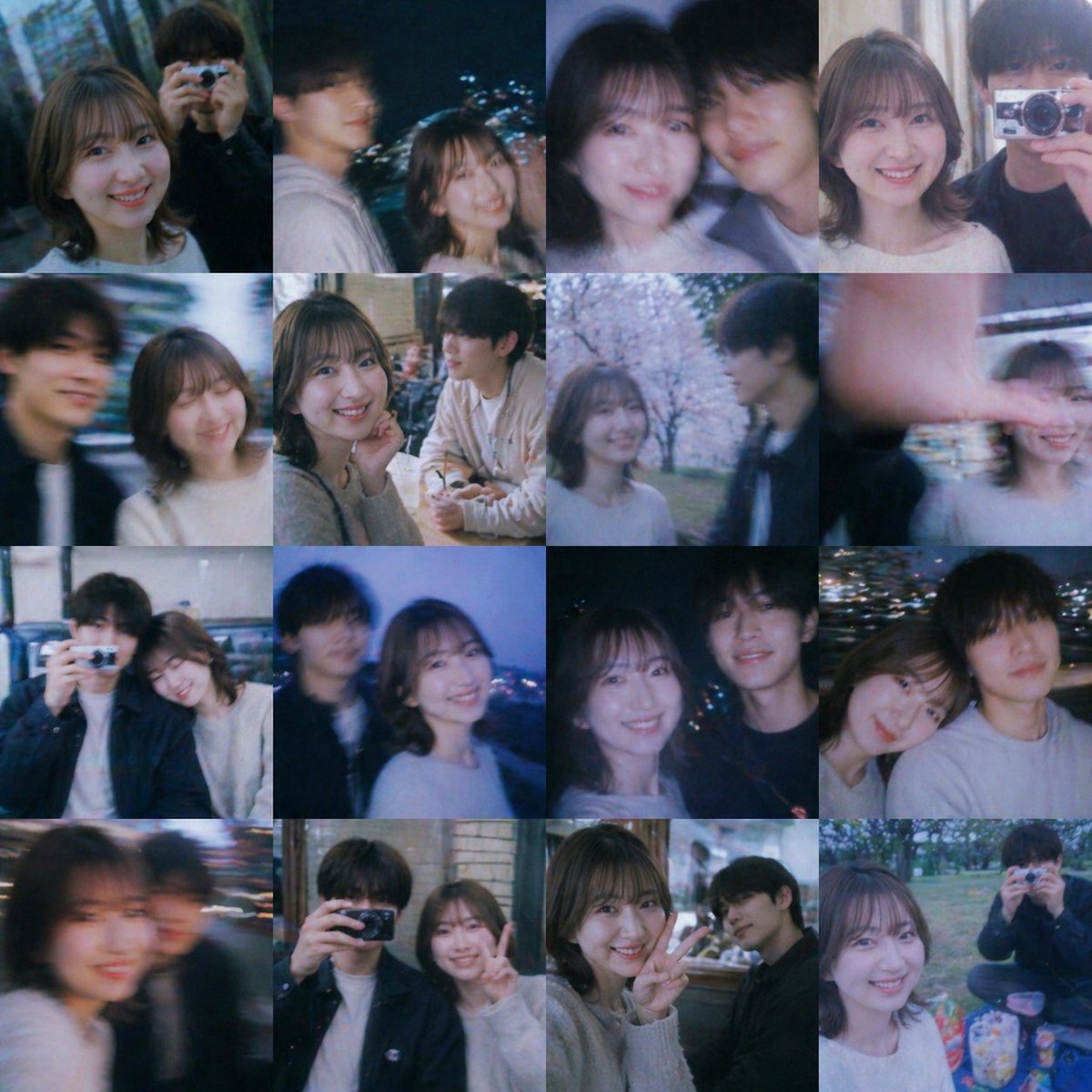
향수를 불러일으키는 청춘 추억 사진 모음
이 프롬프트는 얼굴이 흐릿하게 처리된 자연스러운 우정과 풋풋한 로맨스 사진들을 4x4 크기의 영화 같은 콜라주로 만들어주며, 가상의 감성적인 추억 보드를 만드는 데 이상적입니다.
이것은 인물과 캐릭터 에 대한 GPT Image 2 프롬프트 사례입니다. 아래의 복사 가능한 프롬프트를 사용하여 유사한 시각 자료를 생성하고, 재사용하기 전에 Awesome GPT Image 2 Prompts 의 저작자 표시 및 상업적 사용 권한을 검토하십시오.
전체 프롬프트 세트가 필요하신가요? 다음을 사용하세요. 인물과 캐릭터 더 많은 관련 예시를 보려면 주제 허브를 열거나 다음을 열어보세요. GPT Image 2 프롬프트 카탈로그 전체 예제 색인, 재사용 가능한 구조 및 출처 표기는 다음을 참조하십시오.
Free 1K preview
Generate one preview image instantly, no sign-up required.
2105/4000
프롬프트
복사 준비 프롬프트
A nostalgic collage of 16 candid youth snapshots arranged in a clean 4x4 photo grid, square format, styled like nonexistent memories from a Japanese coming-of-age film. Show a pair or small group of college-age friends spending time together through day and night, with a dreamy sentimental mood, soft blue and pink color cast, slight film grain, low-light bloom, motion blur, shallow focus, and the imperfect texture of casual phone photos. The main recurring subjects are a young woman with {argument name="hair style" default="short wavy bob"} wearing a {argument name="top color" default="white or light gray knit top"}, and a young man with dark hair in casual dark outerwear or a pale hoodie, appearing as close friends or a shy couple. Show every face clearly with natural, detailed facial features, but body language remains warm, intimate, and natural. Include exactly 16 tiles: 1) night street portrait of the woman alone, 2) nighttime two-shot outdoors with the man and woman side by side, city lights behind them, 3) close indoor selfie of two friends shoulder to shoulder, 4) indoor two-shot near curtains, 5) blurred moving street selfie of the pair, 6) cozy cafe table scene with drinks, the woman touching her face while the man sits across, 7) spring park scene under blooming cherry blossoms, 8) playful outdoor shot with a hand partially covering the lens, 9) indoor couch or booth snapshot with one person holding a compact camera, 10) blue-hour overlook or rooftop shot with city lights and the pair standing together, 11) nighttime waterfront or city-light background portrait of two friends, 12) close side-by-side night snapshot of the pair, 13) heavily blurred close selfie with one figure in motion, 14) indoor mirror-area or restaurant snapshot with one person raising a camera, 15) indoor casual peace-sign pose beside a brick or tiled wall, 16) picnic-in-the-park scene with snacks and one friend holding a camera toward the viewer. Overall feeling: wistful, cinematic, intimate, youthful, spontaneous, and bittersweet, like a scrapbook of memories that never really happened.프롬프트 변수
프롬프트에 있는 편집 가능한 인수 자리 표시자와 해당 기본값입니다.
변하기 쉬운
hair style
기본
short wavy bob
변하기 쉬운
top color
기본
white or light gray knit top
Best for
- - 인물과 캐릭터 visual exploration
- - Image generation and reference-image edits
- - Reusable briefs that keep source attribution visible
Change these parts
- - Subject, product, character, or scene
- - Aspect ratio, camera, lighting, and background
- - Brand, text, color, and output constraints
Recommended model and settings
- - Model: gpt-image-2
- - Input mode: 텍스트 to 이미지
- - Aspect ratio: source
- - Commercial status: review original source
How to use this prompt
- 1. Copy the prompt and preserve its structure for the first test.
- 2. Replace the subject, context, and publishing channel.
- 3. Change one camera, lighting, or style variable per iteration.
- 4. Inspect the output, source, text, and rights before reuse.
Limitations, source, and reuse cautions
- - Generated output is an editable draft, not factual, legal, or rights evidence.
- - Review the linked source, people, brands, logos, text, and third-party media before commercial use.
Awesome GPT Image 2 Prompts 에서 가져왔습니다. 출처 표기가 필요합니다. 상업적 이용 가능 여부는 allowed 입니다. 유료 사용 전에 원저작권 정보를 확인하세요.
이 범주에 속하는 더 많은 사례
범주, 입력 방식 호환성, 품질 및 위험도에 따라 우선순위가 정해집니다.






재사용 및 출처 참고 사항
사례를 미리 확인한 후 이 안내 메시지를 안전하게 사용하십시오.
- 1.프롬프트를 복사하거나 Dovoo의 생성 버튼을 사용하여 직접 엽니다.
- 2.사용 사례에 맞게 변수, 화면 비율 및 참조 이미지를 조정하십시오.
- 3.출판 또는 유료 사용 전에 저작권, 출처 표기 요건 및 브랜드 또는 초상권 관련 위험을 확인하십시오.