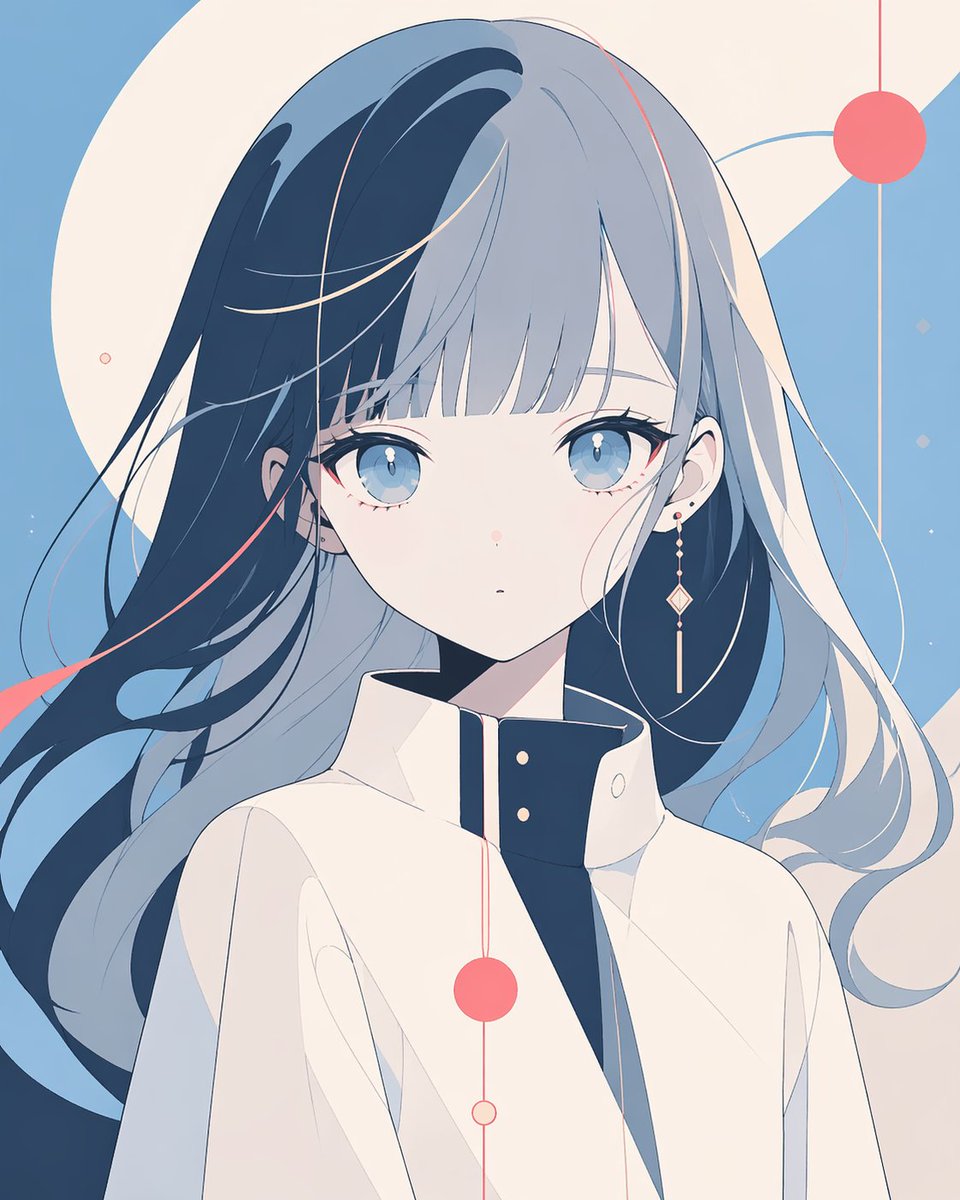
얼굴이 가려진 미니멀리즘 애니메이션 초상화
이 프롬프트는 편집 아트, 아바타 및 현대적인 캐릭터 키 비주얼에 유용한 추상적인 기하학적 디자인의 세련된 단색 애니메이션 캐릭터 포스터를 생성합니다.
이것은 인물과 캐릭터 에 대한 GPT Image 2 프롬프트 사례입니다. 아래의 복사 가능한 프롬프트를 사용하여 유사한 시각 자료를 생성하고, 재사용하기 전에 Awesome GPT Image 2 Prompts 의 저작자 표시 및 상업적 사용 권한을 검토하십시오.
전체 프롬프트 세트가 필요하신가요? 다음을 사용하세요. 인물과 캐릭터 더 많은 관련 예시를 보려면 주제 허브를 열거나 다음을 열어보세요. GPT Image 2 프롬프트 카탈로그 전체 예제 색인, 재사용 가능한 구조 및 출처 표기는 다음을 참조하십시오.
Free 1K preview
Generate one preview image instantly, no sign-up required.
1229/4000
프롬프트
복사 준비 프롬프트
A clean minimalist anime portrait of a young woman from the chest up, centered in frame, Show every face clearly with natural, detailed facial features. She has very long flowing hair split into two tones, with deep navy blue on one side and pale silver-gray on the other, the strands sweeping outward as if moved by a gentle breeze. Add a few thin coral-pink accent streaks in the hair. She wears a high-collared, structured off-white coat or uniform jacket with a dark navy inner collar panel and two small gold buttons, giving a sleek modern sci-fi fashion feel. Her visible skin is pale, and one ear shows a tiny stud earring. Use a flat, elegant illustration style with smooth vector-like shading, no heavy texture, and a restrained pastel palette dominated by powder blue, cream, navy, and coral pink. The background should be an abstract geometric composition rather than a real setting: large cream circular and diagonal shapes over a sky-blue field, plus exactly 5 coral circular graphic accents connected by thin vertical or curved lines, arranged decoratively around the character. Keep the composition airy, balanced, and contemporary, with soft linework, subtle negative space, and a calm editorial poster aesthetic.
Best for
- - 인물과 캐릭터 visual exploration
- - Image generation and reference-image edits
- - Reusable briefs that keep source attribution visible
Change these parts
- - Subject, product, character, or scene
- - Aspect ratio, camera, lighting, and background
- - Brand, text, color, and output constraints
Recommended model and settings
- - Model: gpt-image-2
- - Input mode: 텍스트 to 이미지
- - Aspect ratio: source
- - Commercial status: review original source
How to use this prompt
- 1. Copy the prompt and preserve its structure for the first test.
- 2. Replace the subject, context, and publishing channel.
- 3. Change one camera, lighting, or style variable per iteration.
- 4. Inspect the output, source, text, and rights before reuse.
Limitations, source, and reuse cautions
- - Generated output is an editable draft, not factual, legal, or rights evidence.
- - Review the linked source, people, brands, logos, text, and third-party media before commercial use.
Awesome GPT Image 2 Prompts 에서 가져왔습니다. 출처 표기가 필요합니다. 상업적 이용 가능 여부는 allowed 입니다. 유료 사용 전에 원저작권 정보를 확인하세요.
이 범주에 속하는 더 많은 사례
범주, 입력 방식 호환성, 품질 및 위험도에 따라 우선순위가 정해집니다.






재사용 및 출처 참고 사항
사례를 미리 확인한 후 이 안내 메시지를 안전하게 사용하십시오.
- 1.프롬프트를 복사하거나 Dovoo의 생성 버튼을 사용하여 직접 엽니다.
- 2.사용 사례에 맞게 변수, 화면 비율 및 참조 이미지를 조정하십시오.
- 3.출판 또는 유료 사용 전에 저작권, 출처 표기 요건 및 브랜드 또는 초상권 관련 위험을 확인하십시오.