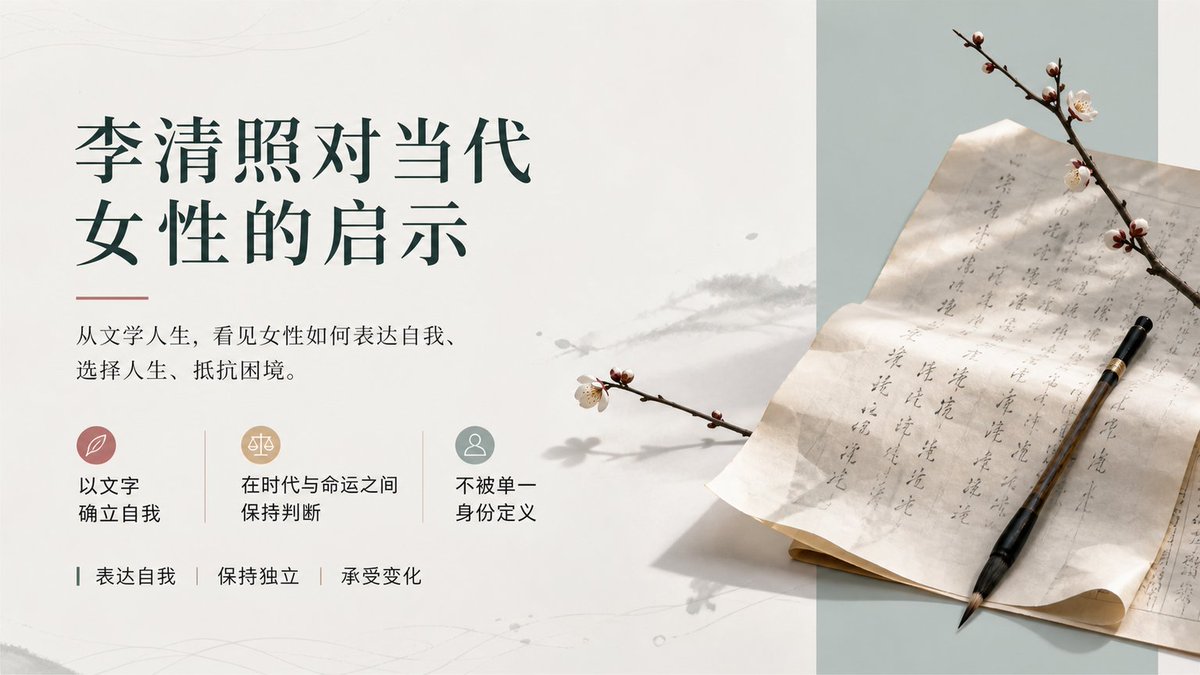
Li Qingzhao Literary Slide
Creates an elegant Chinese literature cover slide with refined typography, icon cards, and a poetic plum-blossom manuscript still life.
이것은 그래픽 및 포스터 에 대한 GPT Image 2 프롬프트 사례입니다. 아래의 복사 가능한 프롬프트를 사용하여 유사한 시각 자료를 생성하고, 재사용하기 전에 Awesome GPT Image 2 Prompts 의 저작자 표시 및 상업적 사용 권한을 검토하십시오.
전체 프롬프트 세트가 필요하신가요? 다음을 사용하세요. 그래픽 및 포스터 더 많은 관련 예시를 보려면 주제 허브를 열거나 다음을 열어보세요. GPT Image 2 프롬프트 카탈로그 전체 예제 색인, 재사용 가능한 구조 및 출처 표기는 다음을 참조하십시오.
Free 1K preview
Generate one preview image instantly, no sign-up required.
2968/4000
프롬프트
복사 준비 프롬프트
Objective: Create an elegant Chinese literature presentation cover slide about {argument name="topic" default="Li Qingzhao's inspiration for contemporary women"}, combining the poetic atmosphere of the Song Dynasty with modern editing design.

Canvas: 16:9 horizontal slides, clean off-white background, with a pale sage green vertical panel on the right third. Use a lot of white space, exquisite margins, soft paper texture, faint ink stains, and subtle gray plant shadows spanning the middle.

Layout: The left two-thirds is the text area; the right one-third is the still life photography area. Place the main title in the upper left corner, formatted in two lines of dark forest green Chinese font: the first line “Li Qingzhao to Contemporary”, and the second line “Inspiration for Women”. Add a thin soft red horizontal decorative line below the title. Place a smaller black Chinese serif font subtitle below the title: {argument name="subtitle text" default="From literary life, see how women express themselves, choose their lives, and resist adversity."}

Middle-left function row: Contains 3 horizontally arranged small icon cards, separated by two thin vertical lines. Card 1 has a soft rose-colored circular icon containing a white leaf symbol, labeled “Establish oneself with literature”. Card 2 has a warm beige circular icon containing a white balance symbol, labeled “Maintain judgment between era and fate”. Card 3 has a low-saturation cyan circular icon containing a white figure silhouette, labeled “Not defined by a single identity”.

Bottom-left keyword row: Contains 3 keywords separated by vertical lines, with small dark green guide marks: “Express oneself | Maintain independence | Endure change”.

Right-side still life details: Display an ancient Chinese letter or manuscript paper placed diagonally on a desk, with vertical Chinese calligraphy visible in gray ink on the paper. A black-brown calligraphy brush is placed diagonally on the paper, with the tip pointing to the lower right. Add 2 branches of plum blossoms: one spanning the upper right corner, with several pale pink-white flowers and buds; and a smaller one extending from the middle left to the right, casting a soft shadow. The right panel background is pale sage green; the paper is warm ivory, with slightly curled edges and soft creases.

Visual style: Elegant, literary, minimalist in the style of a museum catalog; serene Song Dynasty aesthetics; natural light from the upper left; soft shadows; soft tones of ivory, forest green, sage green, rose, beige, and ink gray; high-resolution editing composition, combining realistic still life photography with concise graphic layout.

Constraints: Keep all visible text in Chinese, completely consistent with the specified content, and do not add any additional explanations or watermarks. Strictly retain the 3 icon cards and 3 bottom keywords. Avoid clutter, bright colors, cartoon styles, or modern technology UI effects.
프롬프트 변수
프롬프트에 있는 편집 가능한 인수 자리 표시자와 해당 기본값입니다.
변하기 쉬운
topic
기본
Li Qingzhao's inspiration for contemporary women
변하기 쉬운
subtitle text
기본
From literary life, see how women express themselves, choose their lives, and resist adversity.
Best for
- - 그래픽 및 포스터 visual exploration
- - Image generation and reference-image edits
- - Reusable briefs that keep source attribution visible
Change these parts
- - Subject, product, character, or scene
- - Aspect ratio, camera, lighting, and background
- - Brand, text, color, and output constraints
Recommended model and settings
- - Model: gpt-image-2
- - Input mode: 텍스트 to 이미지
- - Aspect ratio: source
- - Commercial status: review original source
How to use this prompt
- 1. Copy the prompt and preserve its structure for the first test.
- 2. Replace the subject, context, and publishing channel.
- 3. Change one camera, lighting, or style variable per iteration.
- 4. Inspect the output, source, text, and rights before reuse.
Limitations, source, and reuse cautions
- - Generated output is an editable draft, not factual, legal, or rights evidence.
- - Review the linked source, people, brands, logos, text, and third-party media before commercial use.
Awesome GPT Image 2 Prompts 에서 가져왔습니다. 출처 표기가 필요합니다. 상업적 이용 가능 여부는 allowed 입니다. 유료 사용 전에 원저작권 정보를 확인하세요.
이 범주에 속하는 더 많은 사례
범주, 입력 방식 호환성, 품질 및 위험도에 따라 우선순위가 정해집니다.






재사용 및 출처 참고 사항
사례를 미리 확인한 후 이 안내 메시지를 안전하게 사용하십시오.
- 1.프롬프트를 복사하거나 Dovoo의 생성 버튼을 사용하여 직접 엽니다.
- 2.사용 사례에 맞게 변수, 화면 비율 및 참조 이미지를 조정하십시오.
- 3.출판 또는 유료 사용 전에 저작권, 출처 표기 요건 및 브랜드 또는 초상권 관련 위험을 확인하십시오.