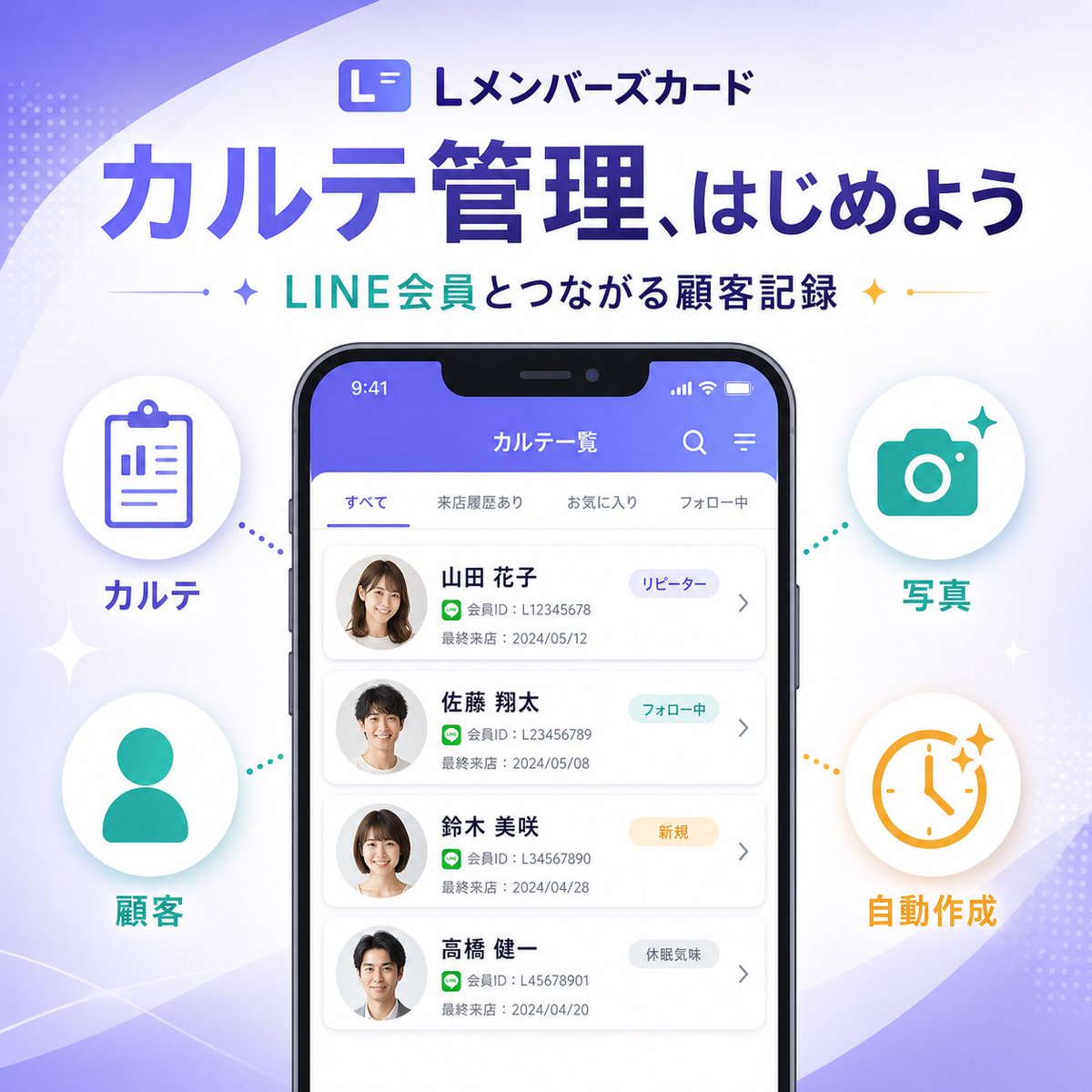
일본 SaaS 특집 배너
스마트폰 UI 목업과 4개의 인포그래픽 기능 아이콘이 포함된 세련된 정사각형 일본 SaaS 마케팅 배너로, 소셜 미디어 또는 랜딩 페이지에서 새로운 제품 기능을 알리는 데 이상적입니다.
이것은 그래픽 및 포스터 에 대한 GPT Image 2 프롬프트 사례입니다. 아래의 복사 가능한 프롬프트를 사용하여 유사한 시각 자료를 생성하고, 재사용하기 전에 Awesome GPT Image 2 Prompts 의 저작자 표시 및 상업적 사용 권한을 검토하십시오.
전체 프롬프트 세트가 필요하신가요? 다음을 사용하세요. 그래픽 및 포스터 더 많은 관련 예시를 보려면 주제 허브를 열거나 다음을 열어보세요. GPT Image 2 프롬프트 카탈로그 전체 예제 색인, 재사용 가능한 구조 및 출처 표기는 다음을 참조하십시오.
Free 1K preview
Generate one preview image instantly, no sign-up required.
4000/4000
프롬프트
복사 준비 프롬프트
{
  "type": "SaaS feature update promotional infographic banner",
  "style": "clean modern Japanese tech marketing, high-quality infographic, soft gradient background, polished UI mockup, minimal and trustworthy",
  "canvas": {
    "aspect_ratio": "1:1",
    "background": "white base with flowing lavender and pale purple abstract wave shapes in the corners, faint dotted halftone textures, subtle sparkle accents"
  },
  "branding": {
    "top_logo": {
      "icon": "rounded square app icon with a stylized white L on a purple gradient background",
      "text": "Lメンバーズカード"
    },
    "headline": "{argument name=\"headline text\" default=\"カルテ管理、はじめよう\"}",
    "subheadline": "{argument name=\"subheadline text\" default=\"LINE会員とつながる顧客記録\"}",
    "headline_style": "large bold Japanese sans-serif in deep purple",
    "subheadline_style": "medium bold Japanese sans-serif with teal and dark navy emphasis, small star icons and thin divider lines on both sides"
  },
  "layout": {
    "centerpiece": "large front-facing smartphone mockup centered vertically, slightly lower than the headline",
    "sections": [
      {
        "title": "left features",
        "position": "left side of phone",
        "count": 2,
        "labels": [
          "カルテ",
          "Customer"
        ],
        "items": [
          {
            "shape": "white circular badge with soft shadow",
            "icon": "purple clipboard line icon",
            "label": "カルテ",
            "accent": "purple dotted connector pointing toward phone"
          },
          {
            "shape": "white circular badge with soft shadow",
            "icon": "teal person silhouette icon",
            "label": "Customer",
            "accent": "teal dotted connector pointing toward phone"
          }
        ]
      },
      {
        "title": "right features",
        "position": "right side of phone",
        "count": 2,
        "labels": [
          "Photo",
          "Automatically generated"
        ],
        "items": [
          {
            "shape": "white circular badge with soft shadow",
            "icon": "teal camera icon",
            "label": "Photo",
            "accent": "teal dotted connector pointing toward phone"
          },
          {
            "shape": "white circular badge with soft shadow",
            "icon": "orange clock icon with sparkles",
            "label": "Automatically generated",
            "accent": "orange dotted connector pointing toward phone"
          }
        ]
      }
    ],
    "decorations_count": 6
  },
  "app_screen": {
    "screen_title": "カルテ一覧",
    "status_bar": {
      "time": "9:41",
      "battery": true,
      "signal": true
    },
    "top_icons_count": 2,
    "top_icons": [
      "search",
      "menu"
    ],
    "tabs": {
      "count": 4,
      "labels": [
        "すべて",
        "来店履歴あり",
        "お気に入り",
        "フォロー中"
      ],
      "active": "すべて"
    },
    "customer_cards": {
      "count": 4,
      "items": [
        {
          "name": "{argument name=\"customer name 1\" default=\"Yamada Hanako\"}",
          "member_id": "L12345678",
          "last_visit": "2024/05/12",
          "tag": "リピーター",
          "avatar": "blurred female headshot"
        },
        {
          "name": "Sato Shota",
          "member_id": "L123456789",
          "last_visit": "2024/05/08",
          "tag": "フォロー中",
          "avatar": "blurred male headshot"
        },
        {
          "name": "Suzuki Misaki",
          "member_id": "L34567890",
          "last_visit": "2024/04/28",
          "tag": "New User",
          "avatar": "blurred female headshot"
        },
        {
          "name": "Takahashi Kenichi",
          "member_id": "L45678901",
          "last_visit": "2024/04/20",
          "tag": "Inactive User",
          "avatar": "blurred male headshot"
        }
      ]
    },
    "ui_style": "rounded white list cards on a very light gray background, purple app header, subtle shadows, Japanese sans-serif typography"
  },
  "color_palette": {
    "primary": "#5B5CEB to #6C63FF",
    "secondary": "#22C7B8",
    "accent": "#F4B23A",
    "text_dark": "#2B2E5B",
    "white": "#FFFFFF"
  },
  "rendering": "crisp vector-like marketing graphic with realistic smartphone frame, centered balanced composition, premium SaaS launch banner aesthetic"
}
프롬프트 변수
프롬프트에 있는 편집 가능한 인수 자리 표시자와 해당 기본값입니다.
변하기 쉬운
headline text
기본
カルテ管理、はじめよう
변하기 쉬운
subheadline text
기본
LINE会員とつながる顧客記録
변하기 쉬운
customer name 1
기본
Yamada Hanako
Best for
- - 그래픽 및 포스터 visual exploration
- - Image generation and reference-image edits
- - Reusable briefs that keep source attribution visible
Change these parts
- - Subject, product, character, or scene
- - Aspect ratio, camera, lighting, and background
- - Brand, text, color, and output constraints
Recommended model and settings
- - Model: gpt-image-2
- - Input mode: 텍스트 to 이미지
- - Aspect ratio: source
- - Commercial status: review original source
How to use this prompt
- 1. Copy the prompt and preserve its structure for the first test.
- 2. Replace the subject, context, and publishing channel.
- 3. Change one camera, lighting, or style variable per iteration.
- 4. Inspect the output, source, text, and rights before reuse.
Limitations, source, and reuse cautions
- - Generated output is an editable draft, not factual, legal, or rights evidence.
- - Review the linked source, people, brands, logos, text, and third-party media before commercial use.
Awesome GPT Image 2 Prompts 에서 가져왔습니다. 출처 표기가 필요합니다. 상업적 이용 가능 여부는 allowed 입니다. 유료 사용 전에 원저작권 정보를 확인하세요.
이 범주에 속하는 더 많은 사례
범주, 입력 방식 호환성, 품질 및 위험도에 따라 우선순위가 정해집니다.






재사용 및 출처 참고 사항
사례를 미리 확인한 후 이 안내 메시지를 안전하게 사용하십시오.
- 1.프롬프트를 복사하거나 Dovoo의 생성 버튼을 사용하여 직접 엽니다.
- 2.사용 사례에 맞게 변수, 화면 비율 및 참조 이미지를 조정하십시오.
- 3.출판 또는 유료 사용 전에 저작권, 출처 표기 요건 및 브랜드 또는 초상권 관련 위험을 확인하십시오.