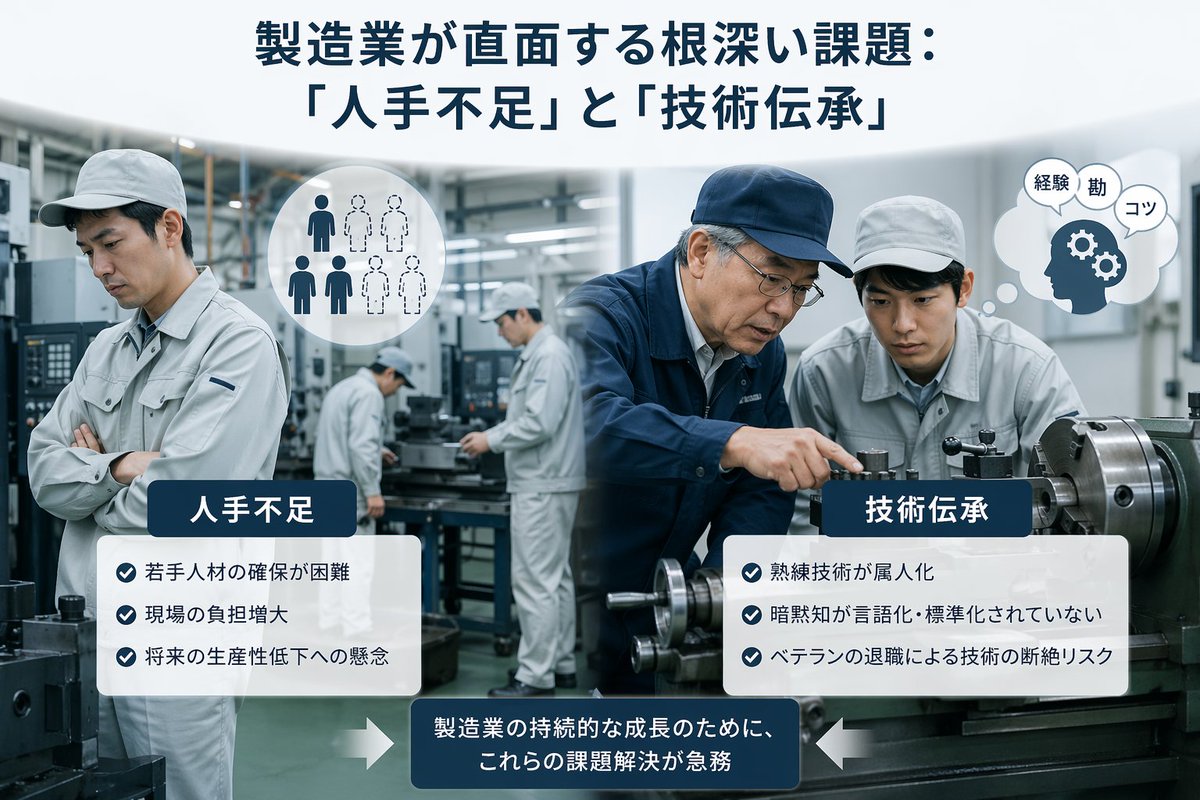
일본 제조업의 과제 인포그래픽
제조업 분야의 노동력 부족 및 기술 이전 문제를 보여주는 세련된 일본 비즈니스 인포그래픽으로, 기사, 프레젠테이션 및 기업 보고서에 적합합니다.
이것은 그래픽 및 포스터 에 대한 GPT Image 2 프롬프트 사례입니다. 아래의 복사 가능한 프롬프트를 사용하여 유사한 시각 자료를 생성하고, 재사용하기 전에 Awesome GPT Image 2 Prompts 의 저작자 표시 및 상업적 사용 권한을 검토하십시오.
전체 프롬프트 세트가 필요하신가요? 다음을 사용하세요. 그래픽 및 포스터 더 많은 관련 예시를 보려면 주제 허브를 열거나 다음을 열어보세요. GPT Image 2 프롬프트 카탈로그 전체 예제 색인, 재사용 가능한 구조 및 출처 표기는 다음을 참조하십시오.
Free 1K preview
Generate one preview image instantly, no sign-up required.
2324/4000
프롬프트
복사 준비 프롬프트
A clean corporate editorial infographic illustration for a Japanese business article about manufacturing industry challenges, set inside a realistic modern factory with metalworking machines and a cool gray-blue color palette. The composition is split into two thematic halves over a blurred industrial workshop background. At the top center, place a large bold Japanese headline in dark navy text: {argument name="headline text" default="製造業が直面する根深い課題: 「人手不足」と「技術伝承」"}. In the left foreground, show 1 factory worker in a light gray uniform and cap standing with arms crossed, looking concerned; nearby add a circular white icon showing exactly 6 human silhouettes, with 3 filled dark figures and 3 dotted outline figures to symbolize labor shortage. In the right foreground, show exactly 2 factory workers beside a large lathe machine: 1 veteran worker in a navy work jacket and navy cap pointing and demonstrating machine operation, and 1 younger worker in a light gray uniform and cap observing closely. Near them, add a white thought bubble icon containing a navy head silhouette with 2 gear symbols and exactly 3 small Japanese word bubbles reading "経験", "勘", and "コツ". In the center background, include exactly 2 additional workers in light gray uniforms operating machinery, slightly out of focus, for a total of 5 workers visible in the factory scene. Overlay two rounded white information panels with dark navy title tabs. The left panel title is "人手不足" and contains exactly 3 bullet points with blue circular check icons: "若手人材の確保が困難", "現場の負担増大", and "将来の生産性低下への懸念". The right panel title is "技術伝承" and contains exactly 3 bullet points with blue circular check icons: "熟練技術が属人化", "暗黙知が言語化・標準化されていない", and "ベテランの退職による技術の断絶リスク". At the bottom center, place a dark navy rounded rectangular callout box with white Japanese text: {argument name="callout text" default="製造業の持続的な成長のために、これらの課題解決が急務"}. Add exactly 2 large white arrows pointing inward toward this bottom callout, one from the left and one from the right. Style the whole image like a polished consulting-firm presentation visual or business magazine insert: photorealistic workers and machinery, subtle depth of field, high clarity, balanced layout, soft lighting, crisp typography, and a professional Japanese manufacturing-industry infographic aesthetic.프롬프트 변수
프롬프트에 있는 편집 가능한 인수 자리 표시자와 해당 기본값입니다.
변하기 쉬운
headline text
기본
製造業が直面する根深い課題: 「人手不足」と「技術伝承」
변하기 쉬운
callout text
기본
製造業の持続的な成長のために、これらの課題解決が急務
Best for
- - 그래픽 및 포스터 visual exploration
- - Image generation and reference-image edits
- - Reusable briefs that keep source attribution visible
Change these parts
- - Subject, product, character, or scene
- - Aspect ratio, camera, lighting, and background
- - Brand, text, color, and output constraints
Recommended model and settings
- - Model: gpt-image-2
- - Input mode: 텍스트 to 이미지
- - Aspect ratio: source
- - Commercial status: review original source
How to use this prompt
- 1. Copy the prompt and preserve its structure for the first test.
- 2. Replace the subject, context, and publishing channel.
- 3. Change one camera, lighting, or style variable per iteration.
- 4. Inspect the output, source, text, and rights before reuse.
Limitations, source, and reuse cautions
- - Generated output is an editable draft, not factual, legal, or rights evidence.
- - Review the linked source, people, brands, logos, text, and third-party media before commercial use.
Awesome GPT Image 2 Prompts 에서 가져왔습니다. 출처 표기가 필요합니다. 상업적 이용 가능 여부는 allowed 입니다. 유료 사용 전에 원저작권 정보를 확인하세요.
이 범주에 속하는 더 많은 사례
범주, 입력 방식 호환성, 품질 및 위험도에 따라 우선순위가 정해집니다.






재사용 및 출처 참고 사항
사례를 미리 확인한 후 이 안내 메시지를 안전하게 사용하십시오.
- 1.프롬프트를 복사하거나 Dovoo의 생성 버튼을 사용하여 직접 엽니다.
- 2.사용 사례에 맞게 변수, 화면 비율 및 참조 이미지를 조정하십시오.
- 3.출판 또는 유료 사용 전에 저작권, 출처 표기 요건 및 브랜드 또는 초상권 관련 위험을 확인하십시오.