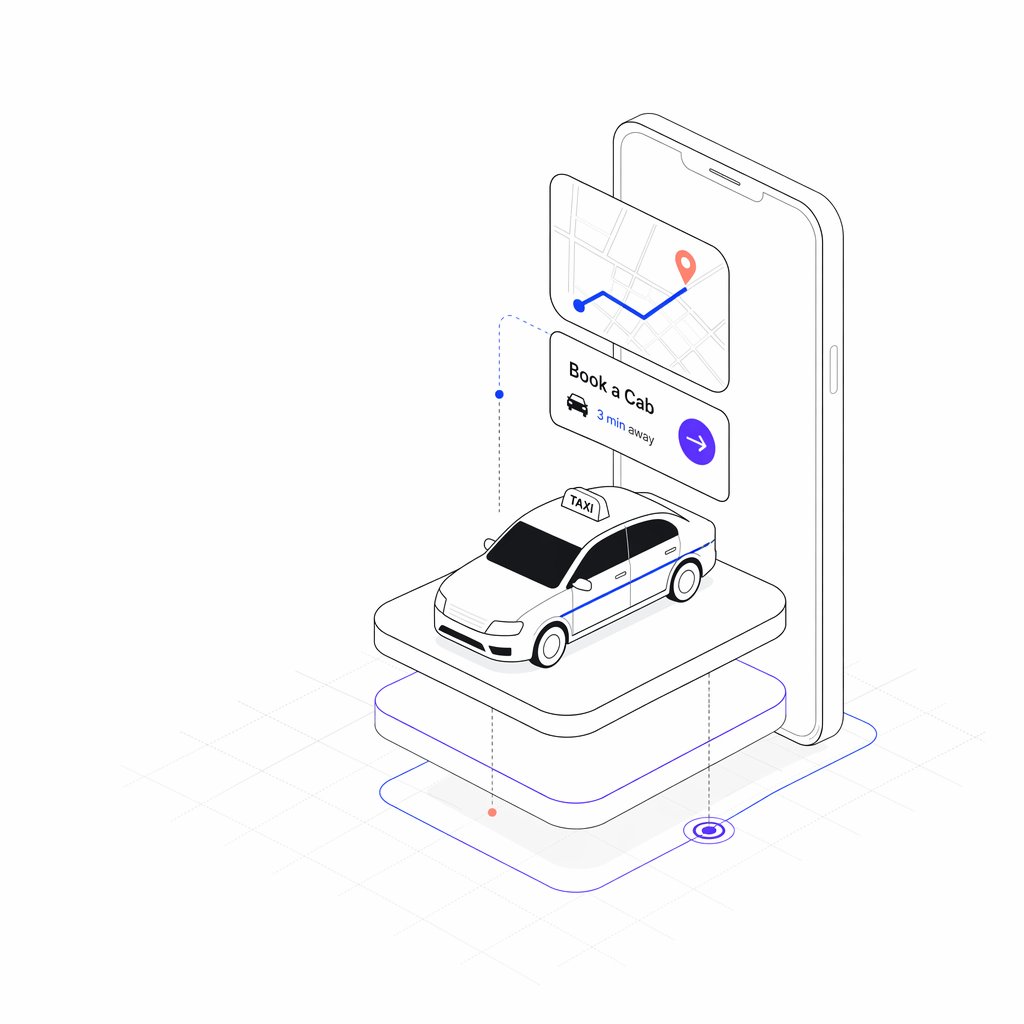
아이소메트릭 택시 예약 앱
휴대폰, 예약 UI 카드, 그리고 떠 있는 플랫폼 위의 택시가 있는 깔끔한 입체 투영 방식의 차량 호출 앱 메인 일러스트를 생성합니다.
이것은 일러스트레이션 및 미술 에 대한 GPT Image 2 프롬프트 사례입니다. 아래의 복사 가능한 프롬프트를 사용하여 유사한 시각 자료를 생성하고, 재사용하기 전에 Awesome GPT Image 2 Prompts 의 저작자 표시 및 상업적 사용 권한을 검토하십시오.
전체 프롬프트 세트가 필요하신가요? 다음을 사용하세요. 일러스트레이션 및 미술 더 많은 관련 예시를 보려면 주제 허브를 열거나 다음을 열어보세요. GPT Image 2 프롬프트 카탈로그 전체 예제 색인, 재사용 가능한 구조 및 출처 표기는 다음을 참조하십시오.
Free 1K preview
Generate one preview image instantly, no sign-up required.
2845/4000
프롬프트
복사 준비 프롬프트
{
  "type": "minimal isometric mobile app illustration",
  "subject": "taxi booking service concept rendered as clean black line art with sparse color accents on a white background",
  "style": {
    "perspective": "3/4 isometric view",
    "linework": "thin precise gray and black outline, rounded corners, technical vector illustration",
    "color_palette": "mostly white and light gray with {argument name=\"accent color\" default=\"electric blue and violet\"} accents plus small coral map pin dots",
    "shading": "very soft pale gray shadows, subtle platform shadow, no heavy gradients",
    "background": "white with faint isometric grid lines near the floor"
  },
  "layout": {
    "count_discrete_elements": 7,
    "elements": [
      {
        "id": 1,
        "description": "large upright smartphone in the back, rounded rectangular body, thin outline, speaker slot and side button visible, screen mostly blank white"
      },
      {
        "id": 2,
        "description": "floating rounded map card in front of the phone near the upper left, showing pale street grid lines, one blue route line with two turns, a blue start dot, and a coral destination pin"
      },
      {
        "id": 3,
        "description": "floating booking card below the map card with visible text {argument name=\"booking title\" default=\"Book a Cab\"}, a small black taxi icon, visible distance text {argument name=\"distance text\" default=\"3 min away\"}, and a violet circular arrow button on the right"
      },
      {
        "id": 4,
        "description": "white taxi car model centered on the platform, compact sedan with black windows, blue side stripe, outlined headlights and grille, white roof sign labeled {argument name=\"taxi sign text\" default=\"TAXI\"}"
      },
      {
        "id": 5,
        "description": "top rounded rectangular pedestal platform supporting the taxi, white surface with thin gray outline"
      },
      {
        "id": 6,
        "description": "lower larger rounded rectangular base beneath the platform, white with thin violet outline accent"
      },
      {
        "id": 7,
        "description": "floor navigation path lines around the base: thin blue outline route, dotted vertical guide lines with small blue and coral nodes, and a violet target ring at the lower right"
      }
    ]
  },
  "composition": "center the phone vertically behind the taxi, overlap the floating UI cards in front of the phone, place the taxi on the raised platform in the lower center, leave generous white space around the entire object",
  "rendering_instructions": "create a crisp SaaS landing-page hero illustration for a ride-hailing app; keep proportions balanced, avoid photorealism, avoid clutter, use clean scalable vector-like geometry, preserve the exact visible English UI text in the cards and taxi sign"
}
프롬프트 변수
프롬프트에 있는 편집 가능한 인수 자리 표시자와 해당 기본값입니다.
변하기 쉬운
accent color
기본
electric blue and violet
변하기 쉬운
booking title
기본
Book a Cab
변하기 쉬운
distance text
기본
3 min away
변하기 쉬운
taxi sign text
기본
TAXI
Best for
- - 일러스트레이션 및 미술 visual exploration
- - Image generation and reference-image edits
- - Reusable briefs that keep source attribution visible
Change these parts
- - Subject, product, character, or scene
- - Aspect ratio, camera, lighting, and background
- - Brand, text, color, and output constraints
Recommended model and settings
- - Model: gpt-image-2
- - Input mode: 텍스트 to 이미지
- - Aspect ratio: source
- - Commercial status: review original source
How to use this prompt
- 1. Copy the prompt and preserve its structure for the first test.
- 2. Replace the subject, context, and publishing channel.
- 3. Change one camera, lighting, or style variable per iteration.
- 4. Inspect the output, source, text, and rights before reuse.
Limitations, source, and reuse cautions
- - Generated output is an editable draft, not factual, legal, or rights evidence.
- - Review the linked source, people, brands, logos, text, and third-party media before commercial use.
Awesome GPT Image 2 Prompts 에서 가져왔습니다. 출처 표기가 필요합니다. 상업적 이용 가능 여부는 allowed 입니다. 유료 사용 전에 원저작권 정보를 확인하세요.
이 범주에 속하는 더 많은 사례
범주, 입력 방식 호환성, 품질 및 위험도에 따라 우선순위가 정해집니다.






재사용 및 출처 참고 사항
사례를 미리 확인한 후 이 안내 메시지를 안전하게 사용하십시오.
- 1.프롬프트를 복사하거나 Dovoo의 생성 버튼을 사용하여 직접 엽니다.
- 2.사용 사례에 맞게 변수, 화면 비율 및 참조 이미지를 조정하십시오.
- 3.출판 또는 유료 사용 전에 저작권, 출처 표기 요건 및 브랜드 또는 초상권 관련 위험을 확인하십시오.