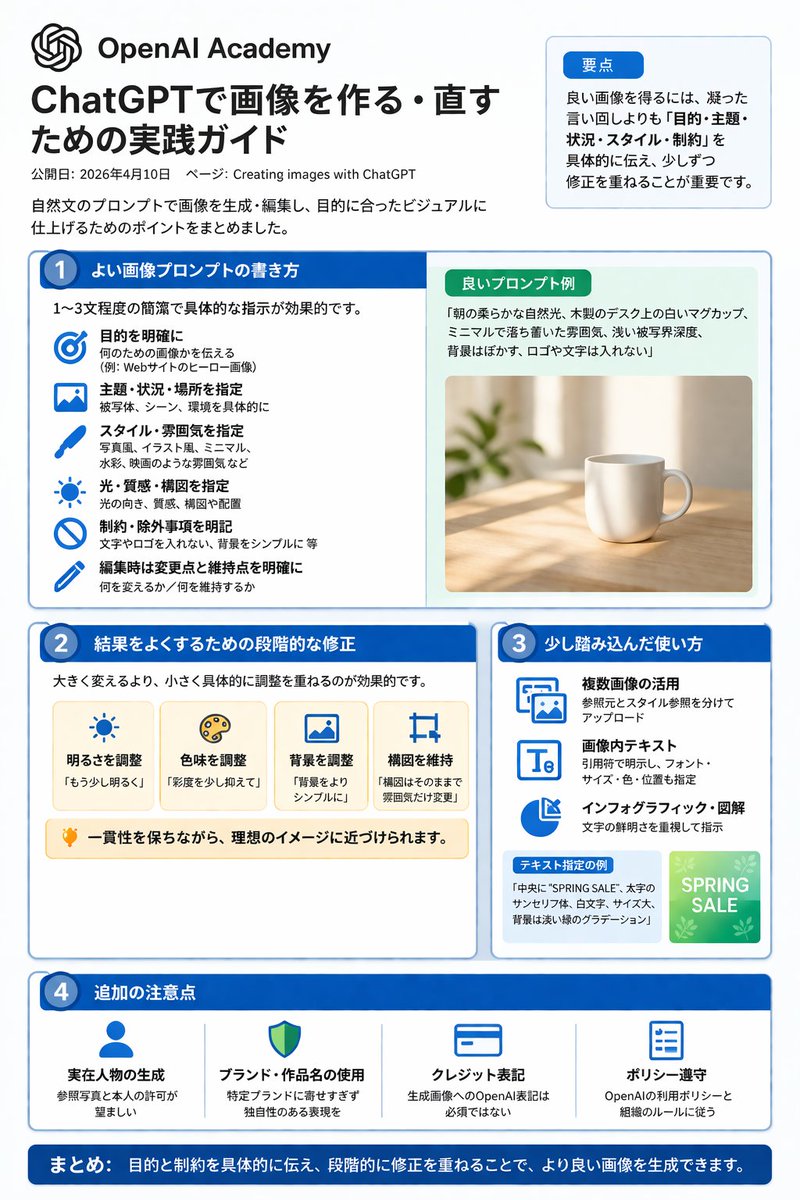
ChatGPT Image Generation Guide Infographic
A structured, multi-section infographic outlining best practices for generating and editing images, featuring icons, example graphics, and step-by-step tips.
이것은 平面海报 에 대한 gpt-image-2 프롬프트 사례입니다. 아래의 복사 가능한 프롬프트를 사용하여 유사한 시각 자료를 생성하고, 재사용하기 전에 Awesome Nano Banana Pro Prompts 의 저작자 표시 및 상업적 사용 권한을 검토하십시오.
전체 프롬프트 세트가 필요하신가요? 다음을 사용하세요. 平面海报 더 많은 관련 예시를 보려면 주제 허브를 열거나 다음을 열어보세요. GPT 이미지 2 프롬프트 라이브러리 전체 예제 색인, 재사용 가능한 구조 및 출처 표기는 다음을 참조하십시오.
이 프롬프트는 여러 개의 참조 이미지를 사용하도록 설계되었습니다. Dovoo를 열고 프롬프트와 미리보기 이미지를 표시한 다음, Dovoo에서 나머지 참조 이미지를 추가한 후 생성하겠습니다.
프롬프트
복사 준비 프롬프트
{"type":"infographic","style":"Simple, corporate style, flat design, soft color accents, dark blue main color","header":{"logo":"swirl icon","academy_name":"}}{argument name="academy name" default="OpenAI Academy"} ","main_title":"{argument name="main title" default="ChatGPT Image Generation and Editing Practice Guide"} ","metadata":"Date and page information","summary_box":{"title":"Key points","content":"Paragraphs about key points"}},"layout":{"sections":[{"number":1,"title":"{argument name="section 1 title" default="How to write high-quality image prompts"} ","layout":"Double Columns","left_column":{"count":6,"items":[{"icon":"target","label":"Specific Target"},{"icon":"landscape","label":"Specify Theme, Scene, and Location"},{"icon":"brush","label":"Specify Style and Atmosphere"},{"icon":"sun","label":"Specify Lighting, Texture, and Composition"},{"icon":"prohibition","label":"Specific Constraints and Exclusions"},{"icon":"pencil","label":"Specify Changes and Retention Points During Editing"}]},"right_column":{"box_title":"Example of High-Quality Hints","image":"{argument name="example image subject" default="White mug on the wooden table"} {"number":2,"title":"Step-by-step correction method for optimization results","cards":{"count":4,"items":[{"icon":"sun","label":"Adjust brightness"},{"icon":"palette","label":"Adjust hue"},{"icon":"landscape","label":"Adjust background"},{"icon":"crop","label":"Maintain composition"}]},"bottom_banner":"Light bulb icon and text"},{"number":3,"title":"Advanced usage tips","list":{"count":3,"items":[{"icon":"multiple images","label":"Utilizing multiple images"},{"icon":"text 'Te'","label":"Text within image"},{"icon":"pie chart","label":"Infographic and diagrams"}]},"example_box":{"title":"Example with specified text","graphic":"With 'SPRING SALE' The green box"}},{"number":4,"title":"Other Notes","items":{"count":4,"items":[{"icon":"person","label":"Generate Real Person"},{"icon":"shield","label":"Usage of Brand and Work Names"},{"icon":"id card","label":"Copyright Label"},{"icon":"checklist","label":"Policy Compliance"}]}}],"footer":{"style":"Dark Blue Banner","text":"{argument name="footer summary" default="In summary, by clearly communicating the objectives and constraints and making step-by-step corrections, higher quality images can be generated."} "}}프롬프트 변수
프롬프트에 있는 편집 가능한 인수 자리 표시자와 해당 기본값입니다.
변하기 쉬운
academy name
기본
OpenAI Academy
변하기 쉬운
main title
기본
ChatGPT Image Generation and Editing Practice Guide
변하기 쉬운
section 1 title
기본
How to write high-quality image prompts
변하기 쉬운
example image subject
기본
White mug on the wooden table
변하기 쉬운
footer summary
기본
In summary, by clearly communicating the objectives and constraints and making step-by-step corrections, higher quality images can be generated.
이 범주에 속하는 더 많은 사례
범주, 입력 방식 호환성, 품질 및 위험도에 따라 우선순위가 정해집니다.
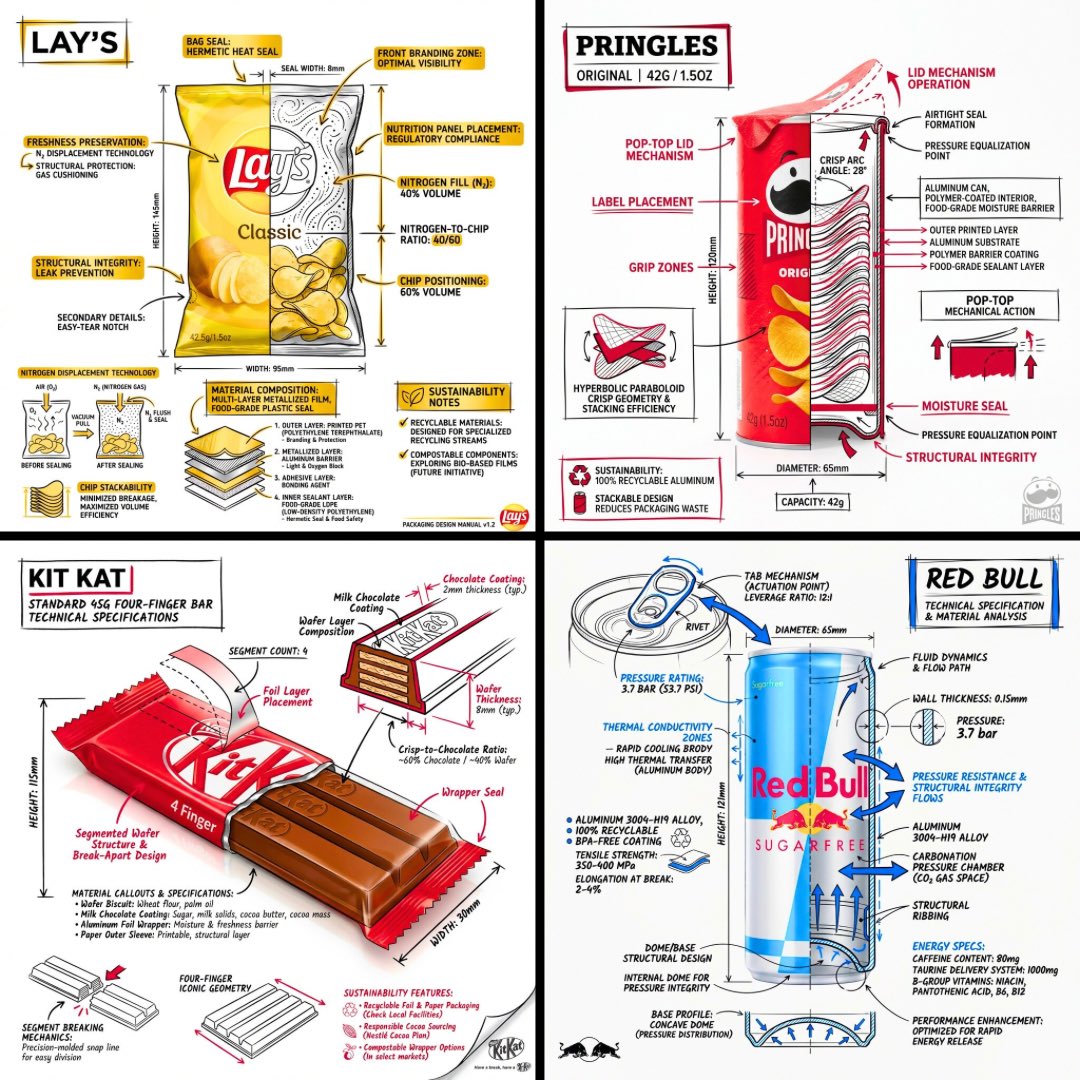
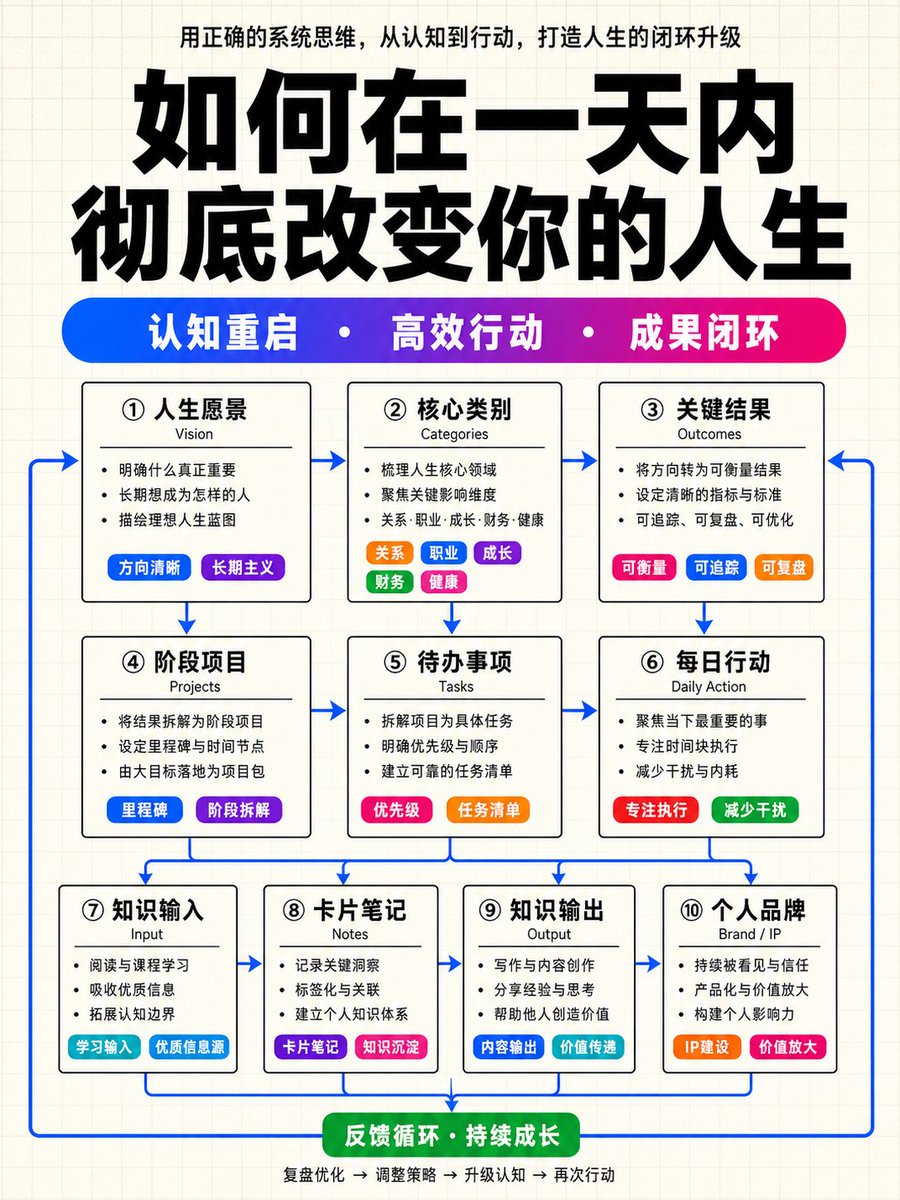
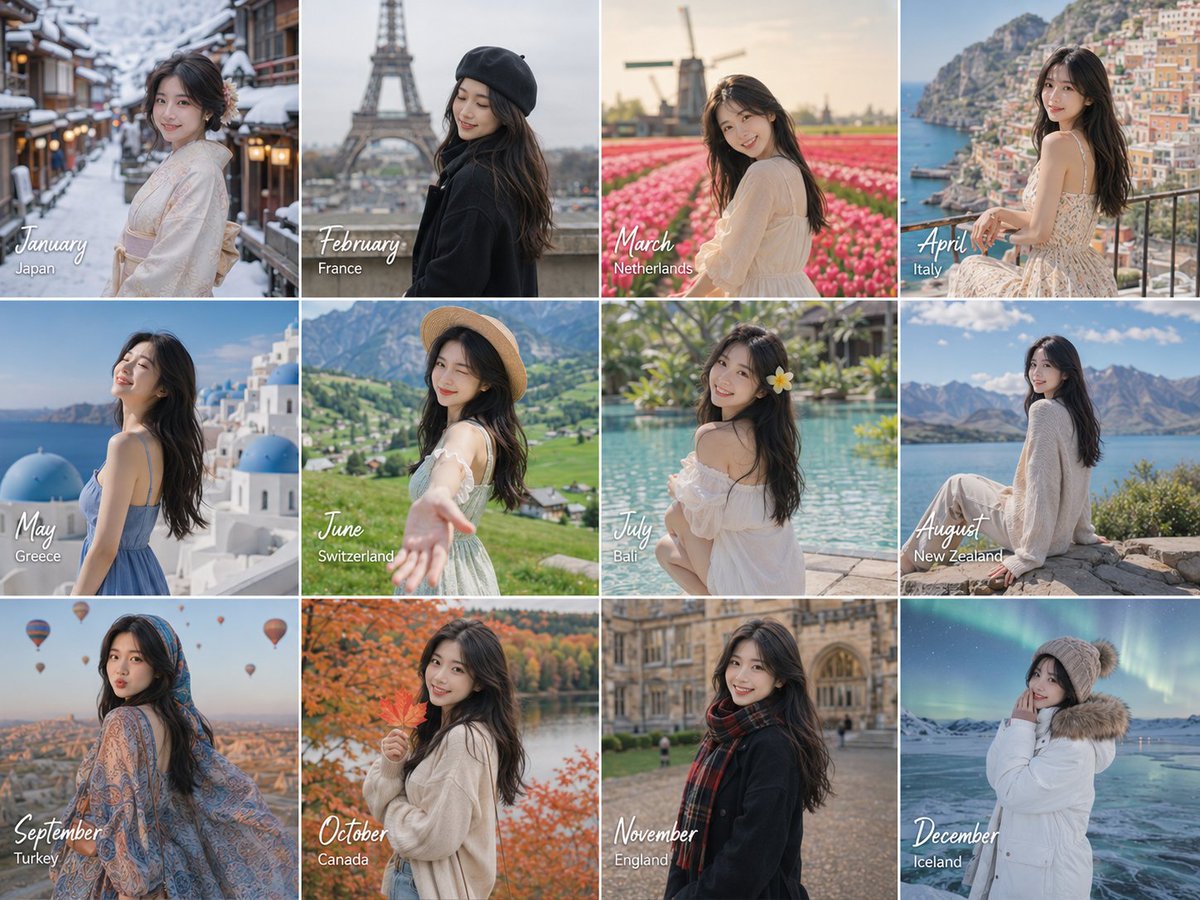



재사용 및 출처 참고 사항
사례를 미리 확인한 후 이 안내 메시지를 안전하게 사용하십시오.
- 1.프롬프트를 복사하거나 Dovoo의 생성 버튼을 사용하여 직접 엽니다.
- 2.사용 사례에 맞게 변수, 화면 비율 및 참조 이미지를 조정하십시오.
- 3.출판 또는 유료 사용 전에 저작권, 출처 표기 요건 및 브랜드 또는 초상권 관련 위험을 확인하십시오.