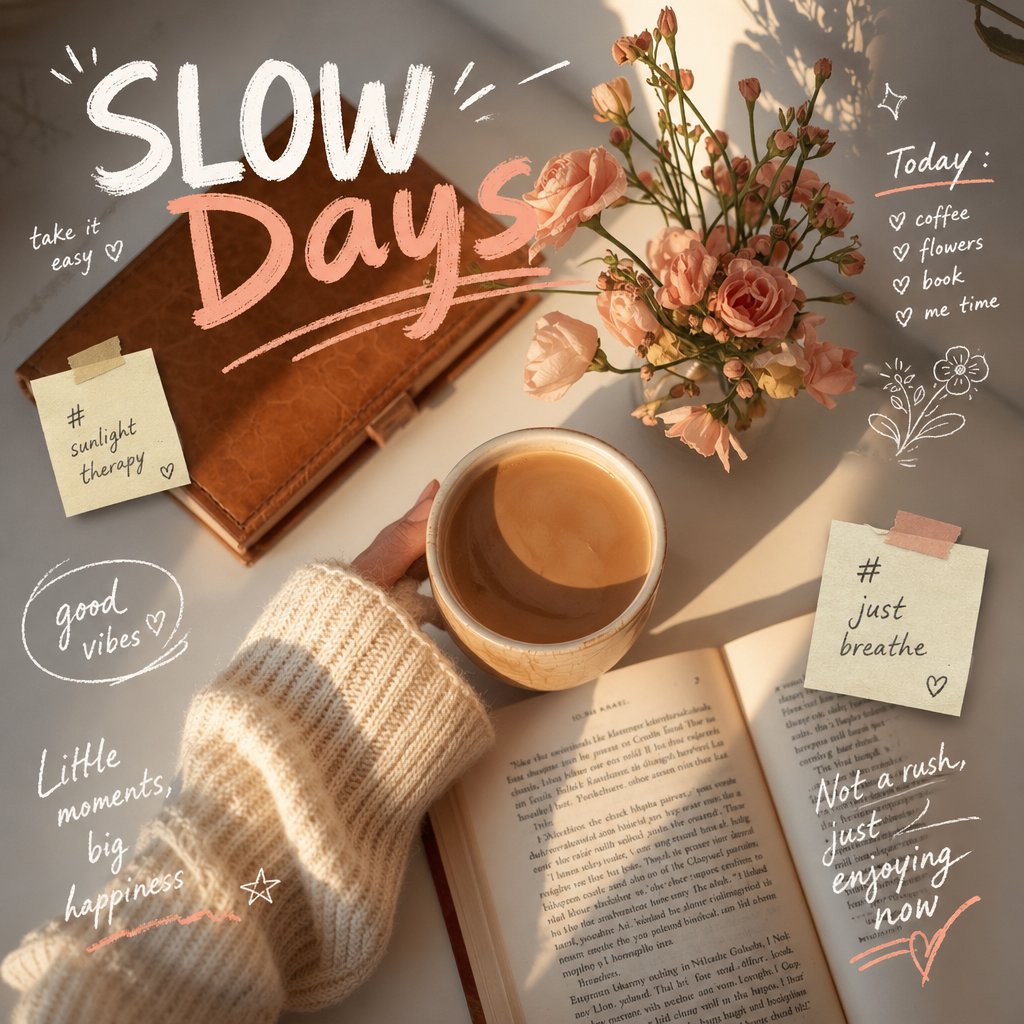
장난기 넘치는 손으로 그린 낙서 오버레이
원본 사진의 신원을 유지하면서 기존 사진에 상호작용적인 스케치와 재치 있는 텍스트를 추가하는 방법에 대한 설명서입니다.
이것은 일러스트레이션 및 미술 에 대한 GPT Image 2 프롬프트 사례입니다. 아래의 복사 가능한 프롬프트를 사용하여 유사한 시각 자료를 생성하고, 재사용하기 전에 Awesome GPT Image 2 Prompts 의 저작자 표시 및 상업적 사용 권한을 검토하십시오.
전체 프롬프트 세트가 필요하신가요? 다음을 사용하세요. 일러스트레이션 및 미술 더 많은 관련 예시를 보려면 주제 허브를 열거나 다음을 열어보세요. GPT Image 2 프롬프트 카탈로그 전체 예제 색인, 재사용 가능한 구조 및 출처 표기는 다음을 참조하십시오.
Free 1K preview
Generate one preview image instantly, no sign-up required.
Free text preview doesn’t preserve reference-image consistency.
1352/4000
프롬프트
복사 준비 프롬프트
Analyze the uploaded image, preserving the original subject, composition, and lighting. Do not alter the subject's identity or structure. Add {argument name="doodle style" default="playful, hand-drawn doodles"} to create direct interaction with the subject in the image. The doodle should mimic, follow, or exaggerate the shapes, poses, or movements presented in the image, such as outlining the pose, extending limbs, adding motion lines, or creating creative elements that “interact” with the subject.

Ensure the doodle blends naturally into the scene, as if intentionally drawn on the photo.

Adopt a sketch-like, imperfect hand-drawn style with organic lines, slightly uneven strokes, and a casual illustration feel.

Incorporate dynamic handwritten text elements around the image. The text should align with the atmosphere or implied context of the scene, with a tone set to {argument name="text tone" default="playful and spontaneous"}.

Avoid using fixed phrases; instead, generate contextual, creative, and humorous text for each unique image. Maintain compositional balance so that the doodle enhances the image's expressiveness without overshadowing it. The overall aesthetic style should be fun, expressive, and suitable for social media sharing. High resolution, clear overlay effects, and vibrant, natural color coordination are required.
프롬프트 변수
프롬프트에 있는 편집 가능한 인수 자리 표시자와 해당 기본값입니다.
변하기 쉬운
doodle style
기본
playful, hand-drawn doodles
변하기 쉬운
text tone
기본
playful and spontaneous
Best for
- - 일러스트레이션 및 미술 visual exploration
- - Image generation and reference-image edits
- - Reusable briefs that keep source attribution visible
Change these parts
- - Subject, product, character, or scene
- - Aspect ratio, camera, lighting, and background
- - Brand, text, color, and output constraints
Recommended model and settings
- - Model: gpt-image-2
- - Input mode: 이미지 to 이미지
- - Aspect ratio: source
- - Commercial status: review original source
How to use this prompt
- 1. Copy the prompt and preserve its structure for the first test.
- 2. Replace the subject, context, and publishing channel.
- 3. Change one camera, lighting, or style variable per iteration.
- 4. Inspect the output, source, text, and rights before reuse.
Limitations, source, and reuse cautions
- - Generated output is an editable draft, not factual, legal, or rights evidence.
- - Review the linked source, people, brands, logos, text, and third-party media before commercial use.
Awesome GPT Image 2 Prompts 에서 가져왔습니다. 출처 표기가 필요합니다. 상업적 이용 가능 여부는 allowed 입니다. 유료 사용 전에 원저작권 정보를 확인하세요.
이 범주에 속하는 더 많은 사례
범주, 입력 방식 호환성, 품질 및 위험도에 따라 우선순위가 정해집니다.






재사용 및 출처 참고 사항
사례를 미리 확인한 후 이 안내 메시지를 안전하게 사용하십시오.
- 1.프롬프트를 복사하거나 Dovoo의 생성 버튼을 사용하여 직접 엽니다.
- 2.사용 사례에 맞게 변수, 화면 비율 및 참조 이미지를 조정하십시오.
- 3.출판 또는 유료 사용 전에 저작권, 출처 표기 요건 및 브랜드 또는 초상권 관련 위험을 확인하십시오.