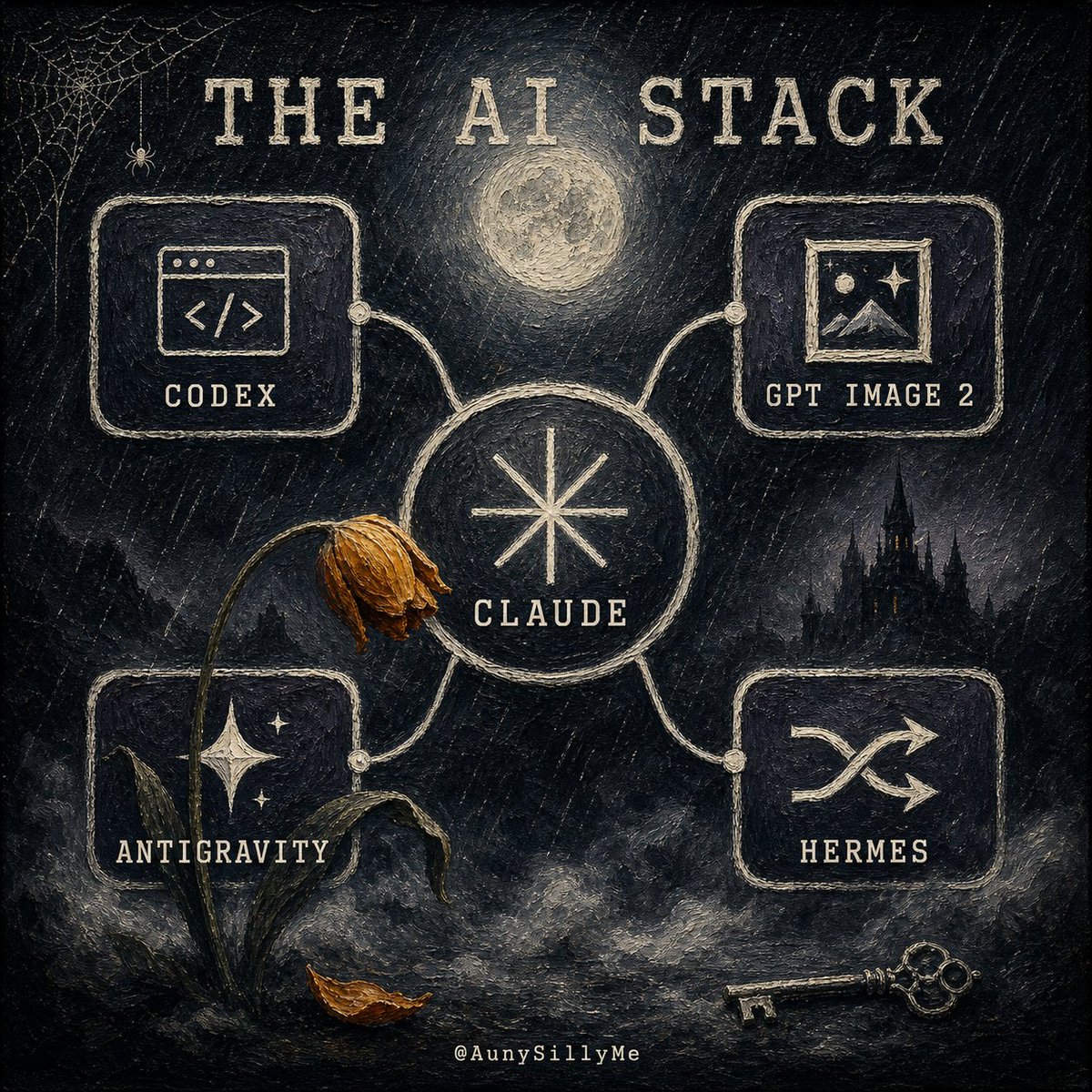
Gothic AI Stack Diagram
Creates a dark gothic illustrated AI-tool stack diagram for social posts, tech commentary, or personal workflow branding.
이것은 그래픽 및 포스터 에 대한 GPT Image 2 프롬프트 사례입니다. 아래의 복사 가능한 프롬프트를 사용하여 유사한 시각 자료를 생성하고, 재사용하기 전에 Awesome GPT Image 2 Prompts 의 저작자 표시 및 상업적 사용 권한을 검토하십시오.
전체 프롬프트 세트가 필요하신가요? 다음을 사용하세요. 그래픽 및 포스터 더 많은 관련 예시를 보려면 주제 허브를 열거나 다음을 열어보세요. GPT Image 2 프롬프트 카탈로그 전체 예제 색인, 재사용 가능한 구조 및 출처 표기는 다음을 참조하십시오.
Free 1K preview
Generate one preview image instantly, no sign-up required.
2332/4000
프롬프트
복사 준비 프롬프트
Goal: Create a dark gothic hand-painted infographic poster titled {argument name="headline text" default="THE AI STACK"}, showing an interconnected personal AI-tool stack as a mysterious occult network.

Canvas: Square 1:1 composition, black and charcoal textured canvas with visible rough brush strokes, scratched chalk marks, muted cream ink, and subtle sepia highlights. The mood is eerie, nocturnal, vintage, and slightly haunted.

Layout: Place a large central circular node labeled {argument name="main tool" default="CLAUDE"} with a simple eight-point starburst symbol inside it. Four rounded rectangular tool cards connect to the central node with pale hand-drawn cables and small circular connector dots. Use exactly 4 outer cards: top-left card labeled {argument name="tool 1" default="CODEX"} with a browser-window code icon, top-right card labeled {argument name="tool 2" default="GPT IMAGE 2"} with a framed landscape/image icon, bottom-left card labeled {argument name="tool 3" default="ANTIGRAVITY"} with a starry mountain or sparkling night icon, and bottom-right card labeled {argument name="tool 4" default="HERMES"} with a crossed-arrows or janitor-like routing symbol. Keep all text in uppercase, widely spaced, distressed serif/typewriter lettering.

Scene details: Add a glowing full moon centered above the main node, a small spiderweb and tiny spider in the upper-left corner, a dark gothic castle silhouette in the right background, fog and smoky clouds along the bottom, a wilted flower with a bent stem leaning across the left side of the central node, one fallen brown leaf near the base of the flower, and an antique skeleton key lying at the bottom right. Include a tiny creator handle centered at the bottom: @AunySillyMe.

Visual style: Painterly gothic chalkboard illustration, rough impasto texture, off-white linework on black, muted gold-brown accents on the dead flower and leaf, softly glowing moon, handmade imperfect borders, no clean vector polish.

Constraints: Use exactly 1 central circle, exactly 4 connected outer cards, exactly 4 outer tool labels, exactly 1 moon, exactly 1 spiderweb, exactly 1 spider, exactly 1 wilted flower, exactly 1 fallen leaf, exactly 1 castle silhouette, and exactly 1 key. Do not add extra cards, extra tools, bright colors, modern UI gloss, or photorealism.
프롬프트 변수
프롬프트에 있는 편집 가능한 인수 자리 표시자와 해당 기본값입니다.
변하기 쉬운
headline text
기본
THE AI STACK
변하기 쉬운
main tool
기본
CLAUDE
변하기 쉬운
tool 1
기본
CODEX
변하기 쉬운
tool 2
기본
GPT IMAGE 2
변하기 쉬운
tool 3
기본
ANTIGRAVITY
변하기 쉬운
tool 4
기본
HERMES
Best for
- - 그래픽 및 포스터 visual exploration
- - Image generation and reference-image edits
- - Reusable briefs that keep source attribution visible
Change these parts
- - Subject, product, character, or scene
- - Aspect ratio, camera, lighting, and background
- - Brand, text, color, and output constraints
Recommended model and settings
- - Model: gpt-image-2
- - Input mode: 텍스트 to 이미지
- - Aspect ratio: source
- - Commercial status: review original source
How to use this prompt
- 1. Copy the prompt and preserve its structure for the first test.
- 2. Replace the subject, context, and publishing channel.
- 3. Change one camera, lighting, or style variable per iteration.
- 4. Inspect the output, source, text, and rights before reuse.
Limitations, source, and reuse cautions
- - Generated output is an editable draft, not factual, legal, or rights evidence.
- - Review the linked source, people, brands, logos, text, and third-party media before commercial use.
Awesome GPT Image 2 Prompts 에서 가져왔습니다. 출처 표기가 필요합니다. 상업적 이용 가능 여부는 allowed 입니다. 유료 사용 전에 원저작권 정보를 확인하세요.
이 범주에 속하는 더 많은 사례
범주, 입력 방식 호환성, 품질 및 위험도에 따라 우선순위가 정해집니다.






재사용 및 출처 참고 사항
사례를 미리 확인한 후 이 안내 메시지를 안전하게 사용하십시오.
- 1.프롬프트를 복사하거나 Dovoo의 생성 버튼을 사용하여 직접 엽니다.
- 2.사용 사례에 맞게 변수, 화면 비율 및 참조 이미지를 조정하십시오.
- 3.출판 또는 유료 사용 전에 저작권, 출처 표기 요건 및 브랜드 또는 초상권 관련 위험을 확인하십시오.