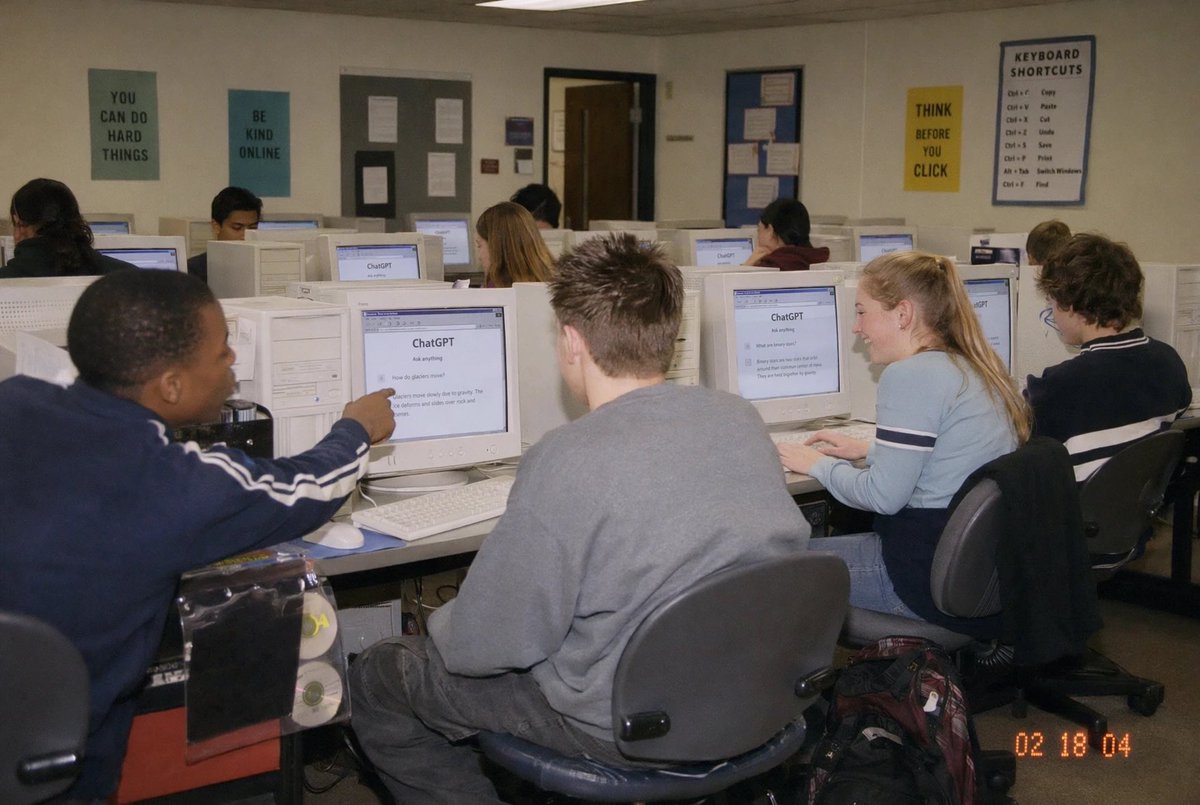
2000년대 초반 ChatGPT를 사용한 컴퓨터 실습실
이 프롬프트는 CRT 컴퓨터에서 ChatGPT를 사용하는 학생들의 향수를 불러일으키는 자연스러운 교실 사진을 생성하며, 이는 일상 교육에서의 AI에 대한 기사나 소셜 미디어용 시각 자료로 이상적입니다.
이것은 인테리어 및 건축 에 대한 GPT Image 2 프롬프트 사례입니다. 아래의 복사 가능한 프롬프트를 사용하여 유사한 시각 자료를 생성하고, 재사용하기 전에 Awesome GPT Image 2 Prompts 의 저작자 표시 및 상업적 사용 권한을 검토하십시오.
전체 프롬프트 세트가 필요하신가요? 다음을 사용하세요. 인테리어 및 건축 더 많은 관련 예시를 보려면 주제 허브를 열거나 다음을 열어보세요. GPT Image 2 프롬프트 카탈로그 전체 예제 색인, 재사용 가능한 구조 및 출처 표기는 다음을 참조하십시오.
Free 1K preview
Generate one preview image instantly, no sign-up required.
1920/4000
프롬프트
복사 준비 프롬프트
A candid documentary-style photo of a {argument name="setting" default="high school computer lab classroom"} filled with exactly 10 students seated at rows of bulky off-white CRT desktop computers, viewed from the back-left corner of the room at a slight wide angle. The scene should feel like an early-2000s snapshot taken on a consumer digital camera with direct flash, soft grain, slightly warm indoor fluorescent lighting, and a timestamp in the bottom-right corner reading {argument name="timestamp" default="02 18 04"}. In the foreground left, a student in a navy track jacket with white sleeve stripes points at a CRT monitor; in the center foreground, another student with short spiky hair wears an oversized gray sweatshirt and sits facing away from the camera; on the right foreground, a blonde student with a ponytail wears a light blue long-sleeve top with dark horizontal arm stripes and types at a keyboard; far right, another student with curly dark hair sits at a workstation. Several other students occupy the middle and back rows, all facing their screens. The monitors prominently display the ChatGPT interface, with the visible heading reading {argument name="screen title" default="ChatGPT"} and simple prompt text beneath it. The room has beige walls, drop ceiling tiles, and multiple motivational classroom posters: exactly 4 readable posters on the back wall saying {argument name="poster one" default="YOU CAN DO HARD THINGS"}, "BE KIND ONLINE", "THINK BEFORE YOU CLICK", and a larger poster titled "KEYBOARD SHORTCUTS" with a list beneath it. Include bulletin boards, a classroom door at the back, rolling office chairs, white keyboards and mice, and a backpack on the floor near the right foreground desk. Show every face clearly with natural, detailed facial features, preserving the look of a real classroom photo while keeping the focus on the students using ChatGPT in an old computer lab.프롬프트 변수
프롬프트에 있는 편집 가능한 인수 자리 표시자와 해당 기본값입니다.
변하기 쉬운
setting
기본
high school computer lab classroom
변하기 쉬운
timestamp
기본
02 18 04
변하기 쉬운
screen title
기본
ChatGPT
변하기 쉬운
poster one
기본
YOU CAN DO HARD THINGS
Best for
- - 인테리어 및 건축 visual exploration
- - Image generation and reference-image edits
- - Reusable briefs that keep source attribution visible
Change these parts
- - Subject, product, character, or scene
- - Aspect ratio, camera, lighting, and background
- - Brand, text, color, and output constraints
Recommended model and settings
- - Model: gpt-image-2
- - Input mode: 텍스트 to 이미지
- - Aspect ratio: source
- - Commercial status: review original source
How to use this prompt
- 1. Copy the prompt and preserve its structure for the first test.
- 2. Replace the subject, context, and publishing channel.
- 3. Change one camera, lighting, or style variable per iteration.
- 4. Inspect the output, source, text, and rights before reuse.
Limitations, source, and reuse cautions
- - Generated output is an editable draft, not factual, legal, or rights evidence.
- - Review the linked source, people, brands, logos, text, and third-party media before commercial use.
Awesome GPT Image 2 Prompts 에서 가져왔습니다. 출처 표기가 필요합니다. 상업적 이용 가능 여부는 allowed 입니다. 유료 사용 전에 원저작권 정보를 확인하세요.
이 범주에 속하는 더 많은 사례
범주, 입력 방식 호환성, 품질 및 위험도에 따라 우선순위가 정해집니다.






재사용 및 출처 참고 사항
사례를 미리 확인한 후 이 안내 메시지를 안전하게 사용하십시오.
- 1.프롬프트를 복사하거나 Dovoo의 생성 버튼을 사용하여 직접 엽니다.
- 2.사용 사례에 맞게 변수, 화면 비율 및 참조 이미지를 조정하십시오.
- 3.출판 또는 유료 사용 전에 저작권, 출처 표기 요건 및 브랜드 또는 초상권 관련 위험을 확인하십시오.