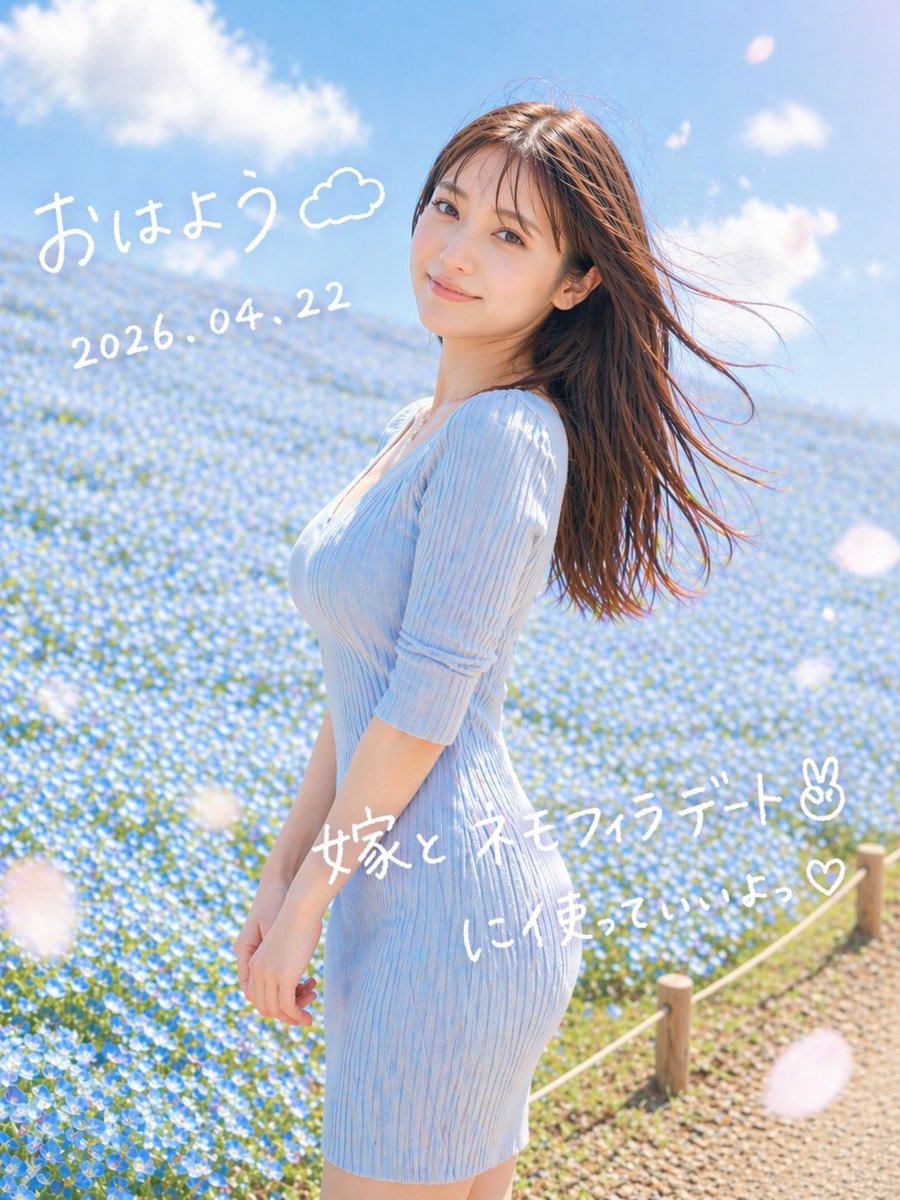
몽환적인 네모필라 데이트 초상화
이 기능은 푸른 꽃밭에 서 있는 여인의 부드럽고 낭만적인 세로형 인물 사진과 손으로 쓴 일본 아침 우편물 텍스트를 생성하며, 소셜 미디어 이미지에 이상적입니다.
이것은 인물과 캐릭터 에 대한 GPT Image 2 프롬프트 사례입니다. 아래의 복사 가능한 프롬프트를 사용하여 유사한 시각 자료를 생성하고, 재사용하기 전에 Awesome GPT Image 2 Prompts 의 저작자 표시 및 상업적 사용 권한을 검토하십시오.
전체 프롬프트 세트가 필요하신가요? 다음을 사용하세요. 인물과 캐릭터 더 많은 관련 예시를 보려면 주제 허브를 열거나 다음을 열어보세요. GPT Image 2 프롬프트 카탈로그 전체 예제 색인, 재사용 가능한 구조 및 출처 표기는 다음을 참조하십시오.
Free 1K preview
Generate one preview image instantly, no sign-up required.
1335/4000
프롬프트
복사 준비 프롬프트
A dreamy vertical spring portrait photo of a young woman standing in profile in a vast field of tiny blue nemophila flowers under a bright blue sky with soft white clouds. She wears a fitted ribbed knit dress in {argument name="dress color" default="pale sky blue"} with elbow-length sleeves, and her long straight brown hair is blowing dramatically to the right in the wind. Frame her from about mid-thigh upward, slightly off-center to the right, with the flower field filling the background and a small rope fence with wooden posts visible along the lower right edge beside a gravel path. Use soft natural morning sunlight, airy high-key exposure, gentle pastel tones, shallow depth of field, subtle lens bloom, and a romantic social-media snapshot aesthetic. Add a few large out-of-focus white flower petals drifting across the foreground. Overlay handwritten white Japanese text directly on the image: at the upper left, "{argument name="greeting text" default="おはよう"}" with a small doodled cloud beside it; below that, the date "{argument name="date text" default="2026.04.22"}"; across the lower middle-right, "{argument name="main note text" default="嫁と ネモフィラデート✌︎"}"; and beneath it, "{argument name="sub note text" default="に使っていいよっ♡"}". Keep the handwriting casual, playful, and slightly uneven like a marker pen on a photo.프롬프트 변수
프롬프트에 있는 편집 가능한 인수 자리 표시자와 해당 기본값입니다.
변하기 쉬운
dress color
기본
pale sky blue
변하기 쉬운
greeting text
기본
おはよう
변하기 쉬운
date text
기본
2026.04.22
변하기 쉬운
main note text
기본
嫁と ネモフィラデート✌︎
변하기 쉬운
sub note text
기본
に使っていいよっ♡
Best for
- - 인물과 캐릭터 visual exploration
- - Image generation and reference-image edits
- - Reusable briefs that keep source attribution visible
Change these parts
- - Subject, product, character, or scene
- - Aspect ratio, camera, lighting, and background
- - Brand, text, color, and output constraints
Recommended model and settings
- - Model: gpt-image-2
- - Input mode: 텍스트 to 이미지
- - Aspect ratio: source
- - Commercial status: review original source
How to use this prompt
- 1. Copy the prompt and preserve its structure for the first test.
- 2. Replace the subject, context, and publishing channel.
- 3. Change one camera, lighting, or style variable per iteration.
- 4. Inspect the output, source, text, and rights before reuse.
Limitations, source, and reuse cautions
- - Generated output is an editable draft, not factual, legal, or rights evidence.
- - Review the linked source, people, brands, logos, text, and third-party media before commercial use.
Awesome GPT Image 2 Prompts 에서 가져왔습니다. 출처 표기가 필요합니다. 상업적 이용 가능 여부는 allowed 입니다. 유료 사용 전에 원저작권 정보를 확인하세요.
이 범주에 속하는 더 많은 사례
범주, 입력 방식 호환성, 품질 및 위험도에 따라 우선순위가 정해집니다.






재사용 및 출처 참고 사항
사례를 미리 확인한 후 이 안내 메시지를 안전하게 사용하십시오.
- 1.프롬프트를 복사하거나 Dovoo의 생성 버튼을 사용하여 직접 엽니다.
- 2.사용 사례에 맞게 변수, 화면 비율 및 참조 이미지를 조정하십시오.
- 3.출판 또는 유료 사용 전에 저작권, 출처 표기 요건 및 브랜드 또는 초상권 관련 위험을 확인하십시오.