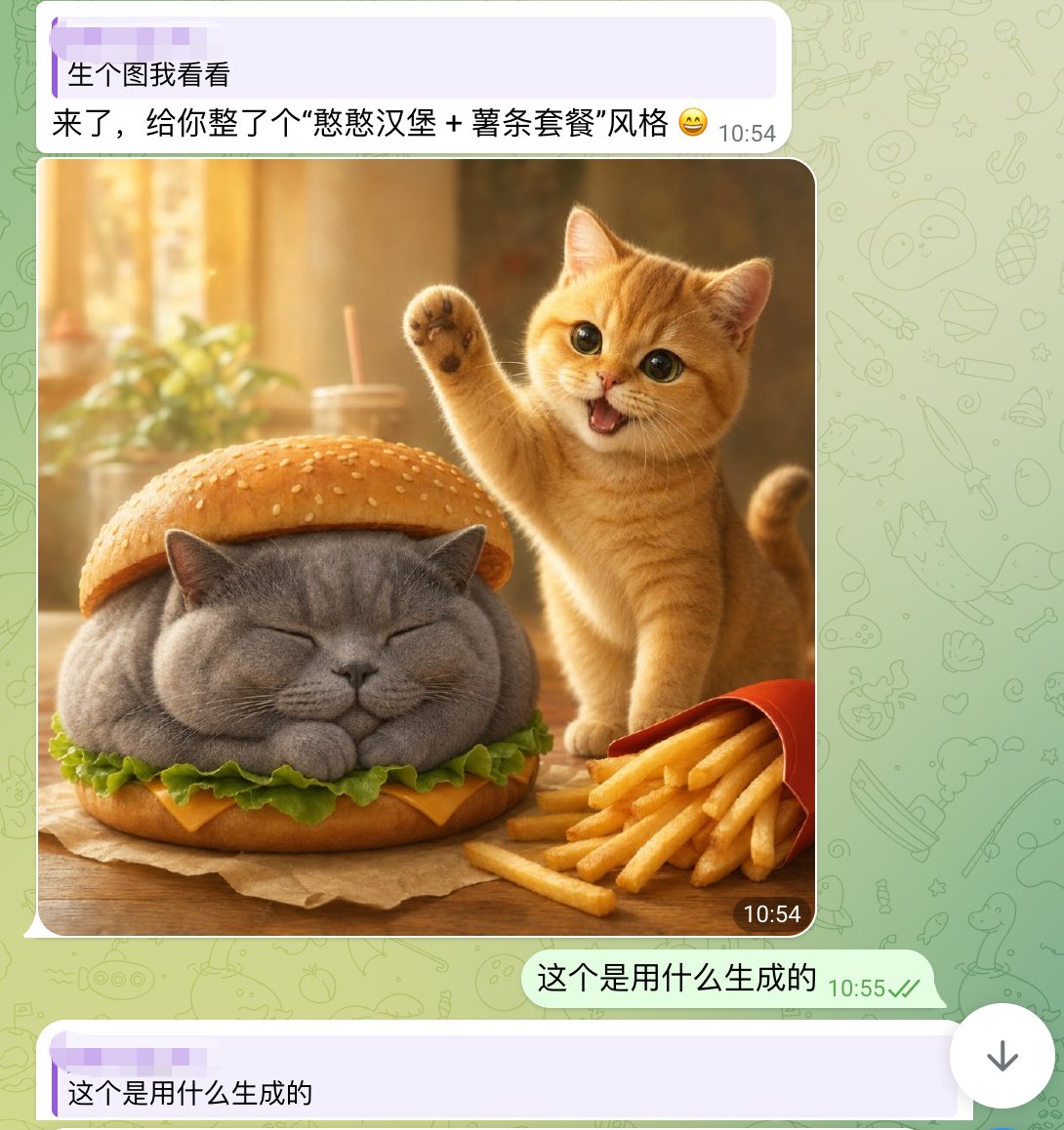
귀여운 고양이 버거 채팅 스크린샷
WhatsApp 스타일의 스마트폰 채팅 스크린샷으로, 실사처럼 구현된 귀여운 고양이 햄버거 이미지가 특징입니다. 소셜 미디어에서 유행하는 AI 이미지 공유 게시물을 재현하는 데 유용합니다.
이것은 인물과 캐릭터 에 대한 GPT Image 2 프롬프트 사례입니다. 아래의 복사 가능한 프롬프트를 사용하여 유사한 시각 자료를 생성하고, 재사용하기 전에 Awesome GPT Image 2 Prompts 의 저작자 표시 및 상업적 사용 권한을 검토하십시오.
전체 프롬프트 세트가 필요하신가요? 다음을 사용하세요. 인물과 캐릭터 더 많은 관련 예시를 보려면 주제 허브를 열거나 다음을 열어보세요. GPT Image 2 프롬프트 카탈로그 전체 예제 색인, 재사용 가능한 구조 및 출처 표기는 다음을 참조하십시오.
Free 1K preview
Generate one preview image instantly, no sign-up required.
1903/4000
프롬프트
복사 준비 프롬프트
A realistic and fun mobile chat screenshot displayed in full screen, with an interface similar to WhatsApp. The background is a light green with faint doodle icons. At the top is a light purple receive message bubble containing two lines of Chinese text, with a timestamp on the right. The first line reads: “生个图我看看” (Show me a generated image), and the second line reads: “来了,给你整了个“憨憨汉堡 + 薯条套餐”风格 😄” (Here, I've created a “Silly Burger + Fries Combo” style for you 😄). Below is a large, rounded image in the chat. The generated image depicts a warm and inviting desktop food scene: a chubby gray British Shorthair cat is designed as a burger, with its eyes closed and paws tucked in, sandwiched between the top and bottom sesame seed bun layers. Green lettuce and a slice of yellow cheese are visible around the cat's body. To the right of the burger cat is a small orange cat, lively and cute, standing upright with one paw raised in a waving gesture, its mouth open in a happy smile, and large, bright eyes looking at the camera. In the lower right foreground is a slightly tilted red fries box, with golden fries spilling out. The table is wooden, and a brown baking paper is placed under the burger cat. The photo background is softly blurred, presenting a golden sunlight effect with out-of-focus images of cups, straws, and plants. Add a dark rounded timestamp label “10:54” in the lower right corner of the image. Below the image, add a right-aligned light green send message bubble with the Chinese text “这个是用什么生成的” (What was this generated with?), accompanied by a gray-green timestamp “10:55” and two checkmarks. At the very bottom, display another light purple receive bubble, starting with “这个是用什么生成的” (What was this generated with?). The overall composition should fully simulate a mobile chat screenshot, combining lovely, photo-realistic animal food art with a simple social software UI.
Best for
- - 인물과 캐릭터 visual exploration
- - Image generation and reference-image edits
- - Reusable briefs that keep source attribution visible
Change these parts
- - Subject, product, character, or scene
- - Aspect ratio, camera, lighting, and background
- - Brand, text, color, and output constraints
Recommended model and settings
- - Model: gpt-image-2
- - Input mode: 텍스트 to 이미지
- - Aspect ratio: source
- - Commercial status: review original source
How to use this prompt
- 1. Copy the prompt and preserve its structure for the first test.
- 2. Replace the subject, context, and publishing channel.
- 3. Change one camera, lighting, or style variable per iteration.
- 4. Inspect the output, source, text, and rights before reuse.
Limitations, source, and reuse cautions
- - Generated output is an editable draft, not factual, legal, or rights evidence.
- - Review the linked source, people, brands, logos, text, and third-party media before commercial use.
Awesome GPT Image 2 Prompts 에서 가져왔습니다. 출처 표기가 필요합니다. 상업적 이용 가능 여부는 allowed 입니다. 유료 사용 전에 원저작권 정보를 확인하세요.
이 범주에 속하는 더 많은 사례
범주, 입력 방식 호환성, 품질 및 위험도에 따라 우선순위가 정해집니다.






재사용 및 출처 참고 사항
사례를 미리 확인한 후 이 안내 메시지를 안전하게 사용하십시오.
- 1.프롬프트를 복사하거나 Dovoo의 생성 버튼을 사용하여 직접 엽니다.
- 2.사용 사례에 맞게 변수, 화면 비율 및 참조 이미지를 조정하십시오.
- 3.출판 또는 유료 사용 전에 저작권, 출처 표기 요건 및 브랜드 또는 초상권 관련 위험을 확인하십시오.