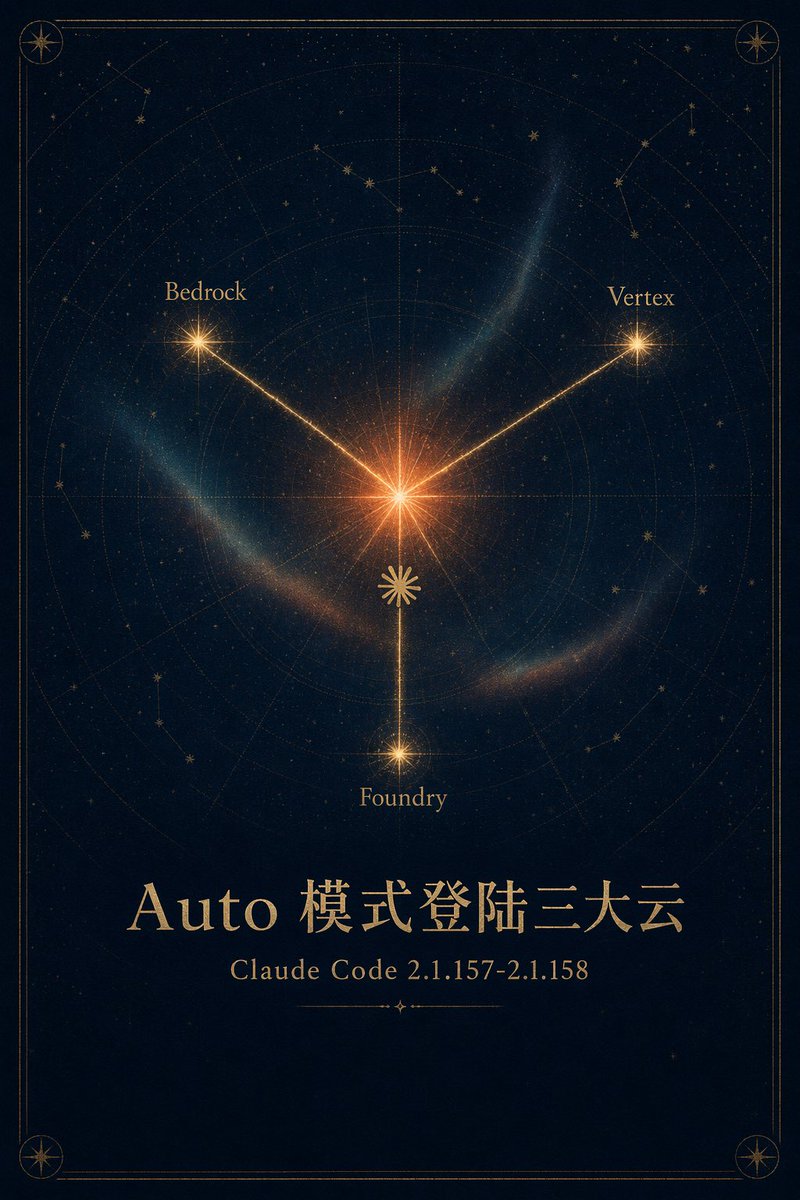
Celestial Cloud Launch Poster
Generates a premium gold-and-navy astrolabe-style announcement poster for a Claude Code Auto mode cloud launch.
이것은 그래픽 및 포스터 에 대한 GPT Image 2 프롬프트 사례입니다. 아래의 복사 가능한 프롬프트를 사용하여 유사한 시각 자료를 생성하고, 재사용하기 전에 Awesome GPT Image 2 Prompts 의 저작자 표시 및 상업적 사용 권한을 검토하십시오.
전체 프롬프트 세트가 필요하신가요? 다음을 사용하세요. 그래픽 및 포스터 더 많은 관련 예시를 보려면 주제 허브를 열거나 다음을 열어보세요. GPT Image 2 프롬프트 카탈로그 전체 예제 색인, 재사용 가능한 구조 및 출처 표기는 다음을 참조하십시오.
Free 1K preview
Generate one preview image instantly, no sign-up required.
2236/4000
프롬프트
복사 준비 프롬프트
Goal: Create an elegant mystical astronomy poster announcing {argument name="headline text" default="Auto mode login to the three major clouds"} with a celestial map motif and premium gold-on-navy styling.

Canvas: Vertical poster, 2:3 aspect ratio, deep midnight navy background with subtle paper grain, faint stars, and a thin double-line antique gold border with rounded corners. Add small compass-star medallions in all 4 corners.

Main illustration: Center the composition around one bright glowing orange-gold starburst slightly above the middle. From this center, draw exactly 3 luminous gold rays to 3 labeled satellite stars: upper left labeled {argument name="left cloud label" default="Bedrock"}, upper right labeled {argument name="right cloud label" default="Vertex"}, and bottom center labeled {argument name="bottom cloud label" default="Foundry"}. Each satellite point is a smaller radiant star, with the bottom star connected by a vertical ray. Place a small decorative gold rosette/sun symbol on the lower vertical ray between the center and bottom star.

Celestial chart details: Behind the rays, include faint concentric astrolabe rings, radial guide lines, dotted orbital arcs, subtle constellation line drawings, scattered tiny stars, and translucent blue-green nebula wisps curving around the center. The look should feel like an antique star atlas mixed with modern cinematic glow.

Text content: In the lower third, set a large refined serif title in metallic gold: {argument name="headline text" default="Auto mode login to the three major clouds"}. Below it, centered in smaller gold serif type, write {argument name="subtitle text" default="Claude Code 2.1.157-2.1.158"}. Under the subtitle, add a short thin ornamental divider line with a tiny diamond/star at its center.

Visual style: Sophisticated, high-end, poetic, celestial, dark academia, occult astronomical chart, luminous gold typography, subtle volumetric glow, balanced symmetry, crisp fine-line ornamentation.

Constraints: Use exactly 3 connected cloud labels and exactly 4 corner medallions. Keep the background dark and uncluttered, preserve the Chinese headline text exactly, avoid logos, people, watermarks, UI elements, or extra captions.
프롬프트 변수
프롬프트에 있는 편집 가능한 인수 자리 표시자와 해당 기본값입니다.
변하기 쉬운
headline text
기본
Auto mode login to the three major clouds
변하기 쉬운
left cloud label
기본
Bedrock
변하기 쉬운
right cloud label
기본
Vertex
변하기 쉬운
bottom cloud label
기본
Foundry
변하기 쉬운
subtitle text
기본
Claude Code 2.1.157-2.1.158
Best for
- - 그래픽 및 포스터 visual exploration
- - Image generation and reference-image edits
- - Reusable briefs that keep source attribution visible
Change these parts
- - Subject, product, character, or scene
- - Aspect ratio, camera, lighting, and background
- - Brand, text, color, and output constraints
Recommended model and settings
- - Model: gpt-image-2
- - Input mode: 텍스트 to 이미지
- - Aspect ratio: source
- - Commercial status: review original source
How to use this prompt
- 1. Copy the prompt and preserve its structure for the first test.
- 2. Replace the subject, context, and publishing channel.
- 3. Change one camera, lighting, or style variable per iteration.
- 4. Inspect the output, source, text, and rights before reuse.
Limitations, source, and reuse cautions
- - Generated output is an editable draft, not factual, legal, or rights evidence.
- - Review the linked source, people, brands, logos, text, and third-party media before commercial use.
Awesome GPT Image 2 Prompts 에서 가져왔습니다. 출처 표기가 필요합니다. 상업적 이용 가능 여부는 allowed 입니다. 유료 사용 전에 원저작권 정보를 확인하세요.
이 범주에 속하는 더 많은 사례
범주, 입력 방식 호환성, 품질 및 위험도에 따라 우선순위가 정해집니다.






재사용 및 출처 참고 사항
사례를 미리 확인한 후 이 안내 메시지를 안전하게 사용하십시오.
- 1.프롬프트를 복사하거나 Dovoo의 생성 버튼을 사용하여 직접 엽니다.
- 2.사용 사례에 맞게 변수, 화면 비율 및 참조 이미지를 조정하십시오.
- 3.출판 또는 유료 사용 전에 저작권, 출처 표기 요건 및 브랜드 또는 초상권 관련 위험을 확인하십시오.