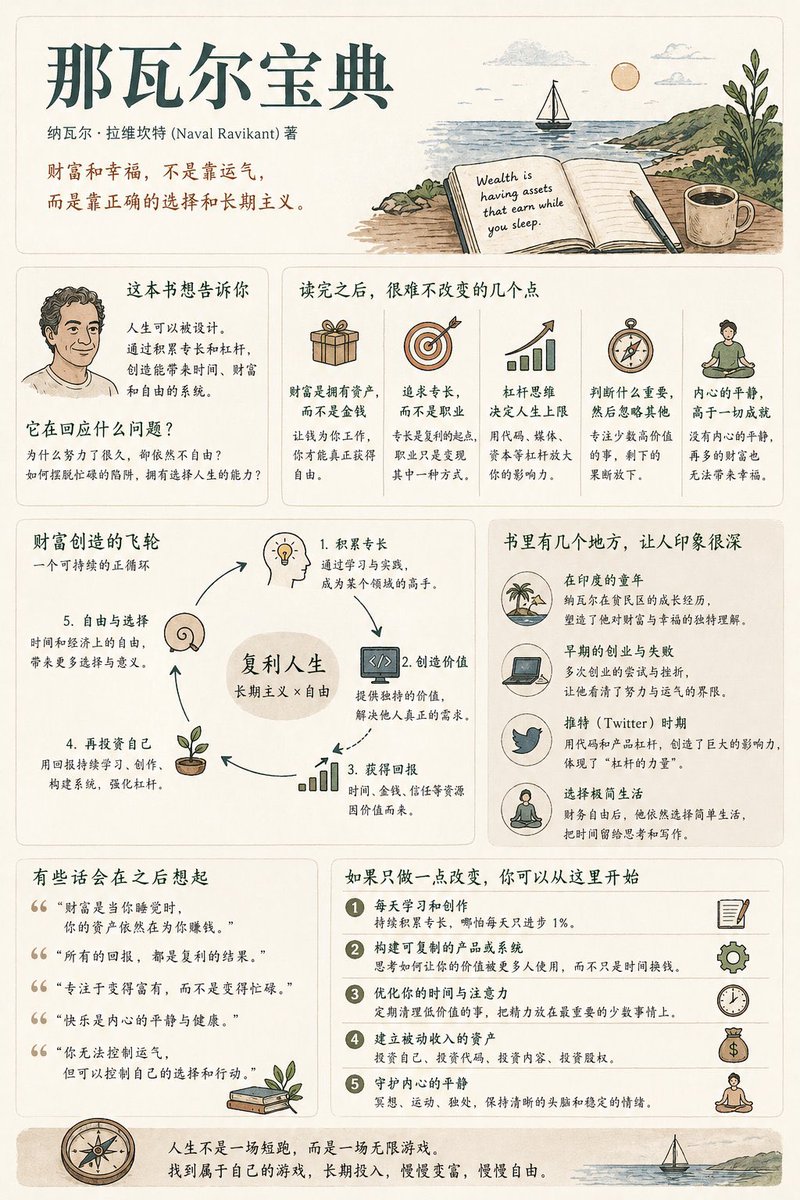
책 요약 인포그래픽 포스터
현대적인 사용자 인터페이스와 빈티지 일러스트 스타일을 활용하여 중간 정도의 정보 밀도를 가진 책 요약 포스터를 제작하기 위한 포괄적이고 체계적인 가이드라인입니다.
이것은 그래픽 및 포스터 에 대한 GPT Image 2 프롬프트 사례입니다. 아래의 복사 가능한 프롬프트를 사용하여 유사한 시각 자료를 생성하고, 재사용하기 전에 Awesome GPT Image 2 Prompts 의 저작자 표시 및 상업적 사용 권한을 검토하십시오.
전체 프롬프트 세트가 필요하신가요? 다음을 사용하세요. 그래픽 및 포스터 더 많은 관련 예시를 보려면 주제 허브를 열거나 다음을 열어보세요. GPT Image 2 프롬프트 카탈로그 전체 예제 색인, 재사용 가능한 구조 및 출처 표기는 다음을 참조하십시오.
Free 1K preview
Generate one preview image instantly, no sign-up required.
1544/4000
프롬프트
복사 준비 프롬프트
Generate a [medium information density] book summary infographic poster with the theme "{argument name="book title" default="Book Title"}".

---

Step 0 (Critical Pre-assessment)

Before starting generation, determine which category this book belongs to (multiple choice possible):
* Cognitive Growth (Thinking / Self-improvement)
* Business / Wealth (Earning / Career / Investment)
* Psychology / Emotion (Relationships / Inner Self / Human Nature)
* Novel / Story (Narrative / Character / Metaphor)

Adjust content logic based on category.

[Overall Style]
Modern Minimalist UI + Light Vintage Illustration style. Soft light backgrounds (Cream / Beige / Light Gray). Low saturation palette (Deep Green / Deep Blue / Brown).
Keywords: Quiet, Substantial, Readable.

[Core Principles]
Do not use fixed module titles. Do not force structural completeness. Organize information naturally based on book type.

[Content Modules]
1. Opening: Book Title, Author, One-sentence insight.
2. Core Understanding: "What this book is really saying is..."
3. Highlights: Key takeaways adjusted by category.
4. Visual Structure: Decision paths, leverage systems, or character maps.
5. Examples/Fragments: Memorable scenes or cases.
6. Quotes: Meaningful sentences.
7. Actions: Practical steps to take after reading.

[Design Details]
Adaptive grid layout, card-based info, 6:4 image-to-text ratio, unified illustration style, clear hierarchy.

[Tone of Voice]
Should sound like a human explaining the book with insight and realization, not like a dry summary.
프롬프트 변수
프롬프트에 있는 편집 가능한 인수 자리 표시자와 해당 기본값입니다.
변하기 쉬운
book title
기본
Book Title
Best for
- - 그래픽 및 포스터 visual exploration
- - Image generation and reference-image edits
- - Reusable briefs that keep source attribution visible
Change these parts
- - Subject, product, character, or scene
- - Aspect ratio, camera, lighting, and background
- - Brand, text, color, and output constraints
Recommended model and settings
- - Model: gpt-image-2
- - Input mode: 텍스트 to 이미지
- - Aspect ratio: source
- - Commercial status: review original source
How to use this prompt
- 1. Copy the prompt and preserve its structure for the first test.
- 2. Replace the subject, context, and publishing channel.
- 3. Change one camera, lighting, or style variable per iteration.
- 4. Inspect the output, source, text, and rights before reuse.
Limitations, source, and reuse cautions
- - Generated output is an editable draft, not factual, legal, or rights evidence.
- - Review the linked source, people, brands, logos, text, and third-party media before commercial use.
Awesome GPT Image 2 Prompts 에서 가져왔습니다. 출처 표기가 필요합니다. 상업적 이용 가능 여부는 allowed 입니다. 유료 사용 전에 원저작권 정보를 확인하세요.
이 범주에 속하는 더 많은 사례
범주, 입력 방식 호환성, 품질 및 위험도에 따라 우선순위가 정해집니다.






재사용 및 출처 참고 사항
사례를 미리 확인한 후 이 안내 메시지를 안전하게 사용하십시오.
- 1.프롬프트를 복사하거나 Dovoo의 생성 버튼을 사용하여 직접 엽니다.
- 2.사용 사례에 맞게 변수, 화면 비율 및 참조 이미지를 조정하십시오.
- 3.출판 또는 유료 사용 전에 저작권, 출처 표기 요건 및 브랜드 또는 초상권 관련 위험을 확인하십시오.