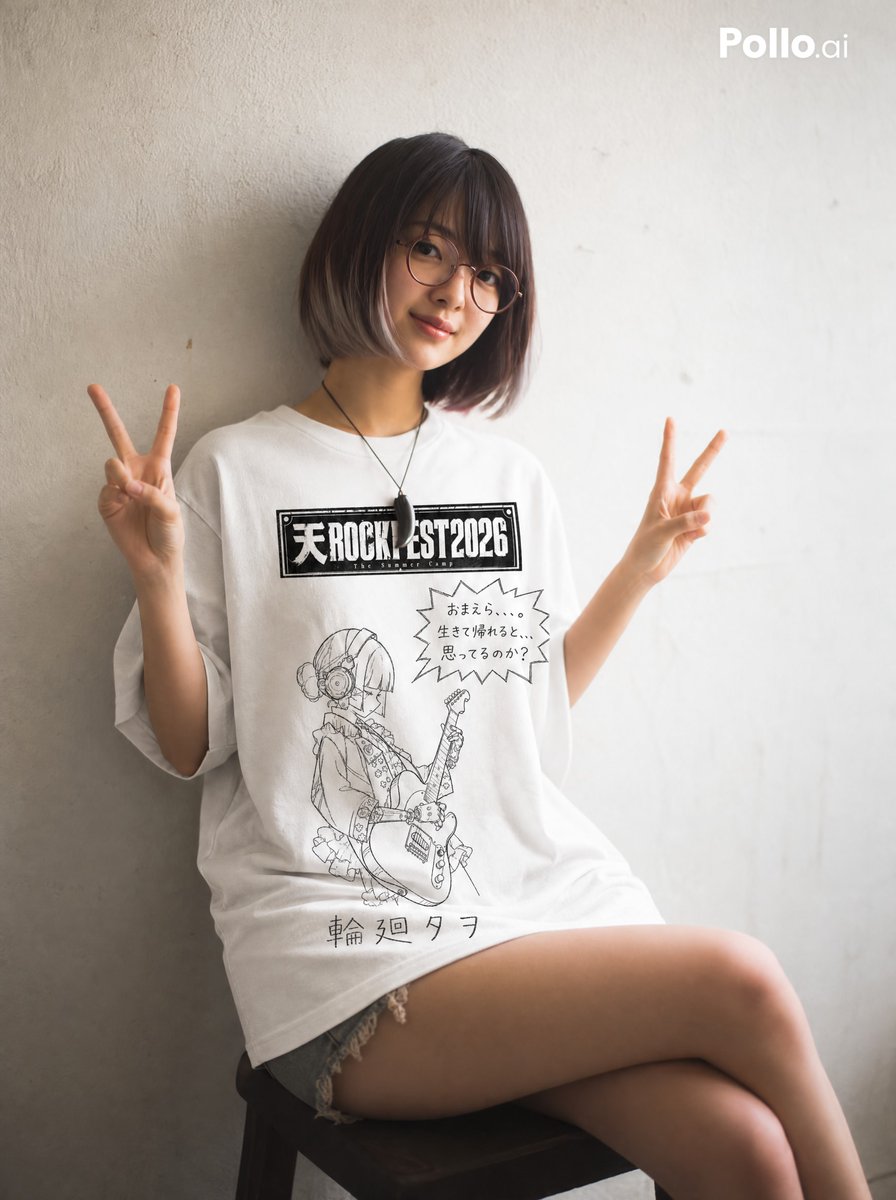
手描きゆるキャラTシャツモックアップ
手描きの、ゆらゆらとした鉛筆画風のTシャツ製品モックアップを作成するための、非常に詳細な指示書です。ロゴの配置、吹き出し、ゆるキャラ風のキャラクターの簡略化に関する指示が含まれています。
これは製品および商業向けのGPT Image 2プロンプトケースです。以下のコピー可能なプロンプトを使用して同様のビジュアルを生成し、再利用する前にAwesome GPT Image 2 Prompts帰属表示と商用利用権を確認してください。
プロンプトセット全体が必要ですか? 製品および商業 関連する例をもっと見るにはトピックハブを開くか、 GPT Image 2 プロンプトカタログ 完全な例の索引、再利用可能な構造、および出典の明記については、こちらをご覧ください。
Free 1K preview
Generate one preview image instantly, no sign-up required.
1950/4000
プロンプト
コピー準備完了プロンプト
Create a white t-shirt product mockup (flat lay, front view, plain white background).

The t-shirt design uses black line art only. No color fill. No shading. White shirt throughout.

Illustration style: hand-drawn with a soft pencil or crayon. Lines are slightly wobbly and uneven, with inconsistent pressure — some strokes faint, some darker. Outlines do not always close perfectly. The overall impression is a casual, childlike sketch — imperfect but charming. Minimal detail. No clean vector lines. No digital precision.

The t-shirt has four printed zones:

TOP CENTER: Reproduce the festival logo from the first attached image exactly as-is — do not alter the font, layout, or graphic style in any way. Place it prominently at the top center of the shirt. Make it large enough to read clearly. Do NOT apply the hand-drawn or yuru-kyara style to this logo.

TOP RIGHT: A hand-drawn jagged speech bubble (spiky, explosive edges — like a shouting manga effect), slightly smaller than the character illustration. Inside the bubble, write "{argument name="dialogue" default="[Insert dialogue here]"}" in clumsy, uneven hand-lettered characters. The bubble and text should feel comic and energetic.

MIDDLE: Redraw the character from the attached image in a loose, casual, yuru-kyara style — simplified, childlike, charmingly imperfect. Use the attached image as the sole reference for pose, expression, and content. Draw the character smaller — occupying no more than 40% of the shirt's height. Leave generous white space around the figure. The speech bubble may overlap with the top portion of the character illustration. Do not shrink the character to avoid overlap.

BOTTOM: The artist name "{argument name="artist name" default="[Insert artist name here]"}" hand-lettered in uneven, shaky characters — as if written slowly and clumsily by hand with a pencil.

Keep all elements well-spaced and balanced. Clean, minimal, no background decoration.
プロンプト変数
プロンプトに表示される編集可能な引数プレースホルダーと、それらのデフォルト値。
変数
dialogue
デフォルト
[Insert dialogue here]
変数
artist name
デフォルト
[Insert artist name here]
Best for
- - 製品および商業 visual exploration
- - Image generation and reference-image edits
- - Reusable briefs that keep source attribution visible
Change these parts
- - Subject, product, character, or scene
- - Aspect ratio, camera, lighting, and background
- - Brand, text, color, and output constraints
Recommended model and settings
- - Model: gpt-image-2
- - Input mode: テキストから画像
- - Aspect ratio: source
- - Commercial status: review original source
How to use this prompt
- 1. Copy the prompt and preserve its structure for the first test.
- 2. Replace the subject, context, and publishing channel.
- 3. Change one camera, lighting, or style variable per iteration.
- 4. Inspect the output, source, text, and rights before reuse.
Limitations, source, and reuse cautions
- - Generated output is an editable draft, not factual, legal, or rights evidence.
- - Review the linked source, people, brands, logos, text, and third-party media before commercial use.
Awesome GPT Image 2 Promptsからインポートされました。出典の明記が必要です。商用利用の可否はallowedです。有料利用の前に、出典元の権利をご確認ください。
このカテゴリーのその他の事例
カテゴリー、入力モードの互換性、品質、およびリスクの低さに基づいて優先順位付けされています。






再利用と出典に関する注記
ケースを事前に確認してから、このプロンプトを安全に使用してください。
- 1.プロンプトをコピーするか、生成ボタンを使ってDovooで直接開いてください。
- 2.ご自身の用途に合わせて、変数、アスペクト比、および参照画像を調整してください。
- 3.公開または有料利用の前に、情報源の権利、帰属表示の要件、およびブランドまたは肖像権に関するリスクを確認してください。