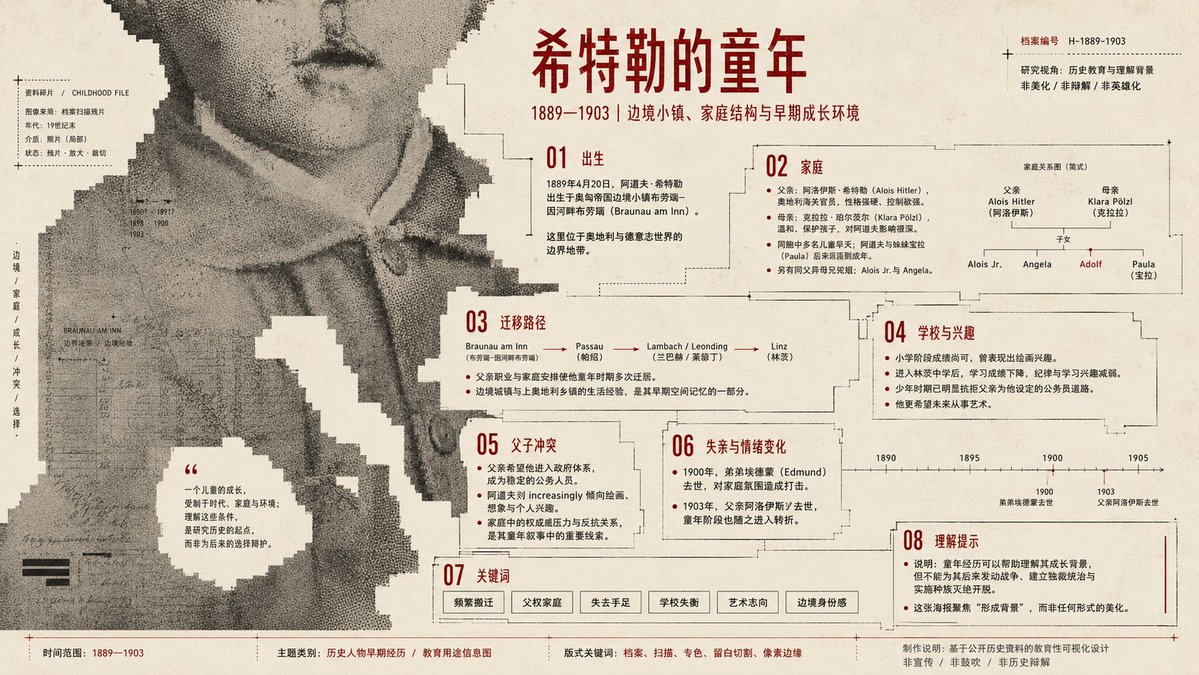
Pixel Glitch Structural Infographic Poster
A highly technical prompt for creating abstract structural posters with pixel glitches, halftone noise, and precise typography layouts.
これはグラフィック&ポスター向けのGPT Image 2プロンプトケースです。以下のコピー可能なプロンプトを使用して同様のビジュアルを生成し、再利用する前にAwesome GPT Image 2 Prompts帰属表示と商用利用権を確認してください。
プロンプトセット全体が必要ですか? グラフィック&ポスター 関連する例をもっと見るにはトピックハブを開くか、 GPT Image 2 プロンプトカタログ 完全な例の索引、再利用可能な構造、および出典の明記については、こちらをご覧ください。
Free 1K preview
Generate one preview image instantly, no sign-up required.
1070/4000
プロンプト
コピー準備完了プロンプト
Generate a structural graphic work around a specific theme. The subject is compressed into a large-scale monochromatic image field rather than a realistic object. Core shapes enter from the edges, crossing boundaries like fragments of a larger medium. The interior retains low-contrast image fragments, scan grain, halftone noise, and archival textures, with outer edges showing low-resolution mosaic steps and blocky fractures. The background uses high-brightness light-colored paper as a full field, cutting into the subject to create holes, paths, and negative space for reading pauses. Color maintains a three-layer functional relationship: large light background for breathing/cutting, large structural color for subject/pressure, and small high-contrast info color for titles/notes. The composition uses scale contrast between giant image fragments and tiny info points. Fonts are narrow modern sans-serif. Subject: {argument name="subject" default="Childhood of Hitler"}. Use: Infographic poster, ensuring all knowledge points are displayed. Ratio 16:9 landscape.プロンプト変数
プロンプトに表示される編集可能な引数プレースホルダーと、それらのデフォルト値。
変数
subject
デフォルト
Childhood of Hitler
Best for
- - グラフィック&ポスター visual exploration
- - Image generation and reference-image edits
- - Reusable briefs that keep source attribution visible
Change these parts
- - Subject, product, character, or scene
- - Aspect ratio, camera, lighting, and background
- - Brand, text, color, and output constraints
Recommended model and settings
- - Model: gpt-image-2
- - Input mode: テキストから画像
- - Aspect ratio: source
- - Commercial status: review original source
How to use this prompt
- 1. Copy the prompt and preserve its structure for the first test.
- 2. Replace the subject, context, and publishing channel.
- 3. Change one camera, lighting, or style variable per iteration.
- 4. Inspect the output, source, text, and rights before reuse.
Limitations, source, and reuse cautions
- - Generated output is an editable draft, not factual, legal, or rights evidence.
- - Review the linked source, people, brands, logos, text, and third-party media before commercial use.
Awesome GPT Image 2 Promptsからインポートされました。出典の明記が必要です。商用利用の可否はallowedです。有料利用の前に、出典元の権利をご確認ください。
このカテゴリーのその他の事例
カテゴリー、入力モードの互換性、品質、およびリスクの低さに基づいて優先順位付けされています。






再利用と出典に関する注記
ケースを事前に確認してから、このプロンプトを安全に使用してください。
- 1.プロンプトをコピーするか、生成ボタンを使ってDovooで直接開いてください。
- 2.ご自身の用途に合わせて、変数、アスペクト比、および参照画像を調整してください。
- 3.公開または有料利用の前に、情報源の権利、帰属表示の要件、およびブランドまたは肖像権に関するリスクを確認してください。