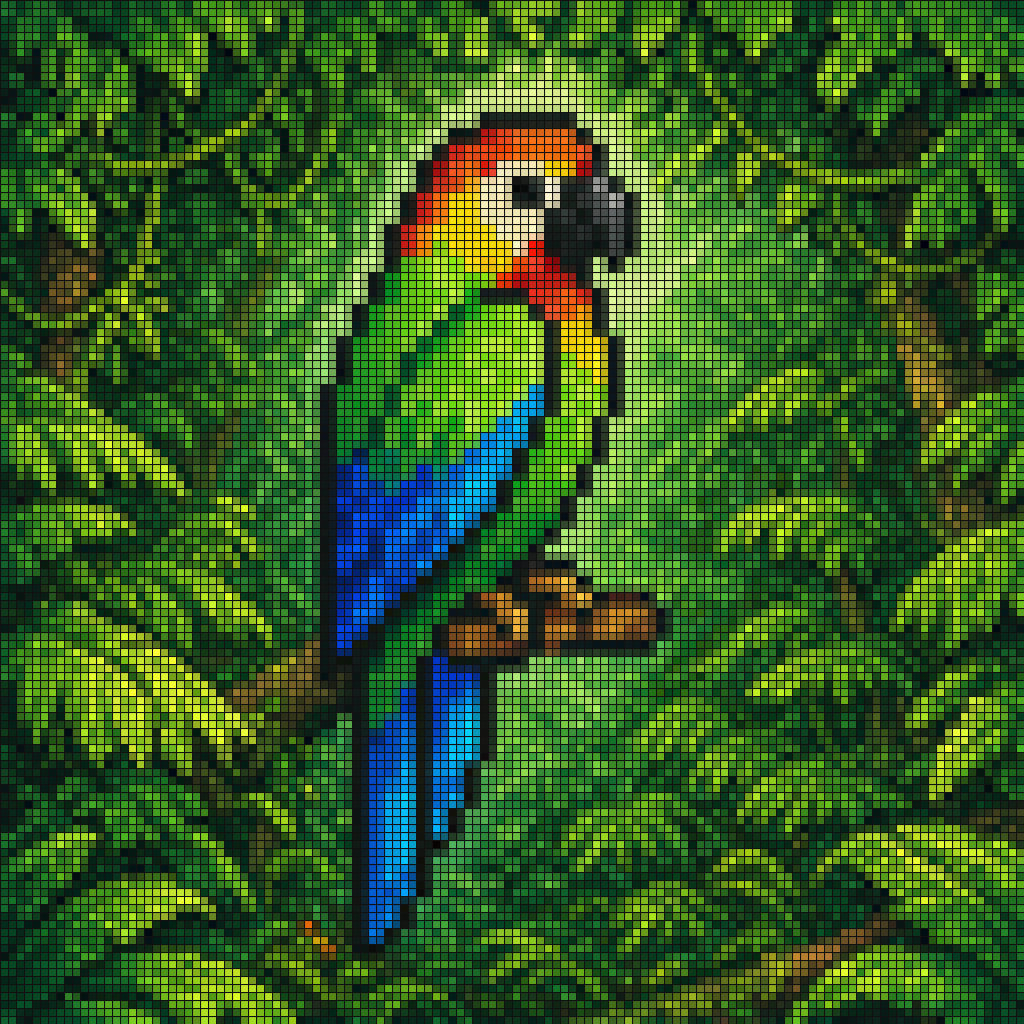
ピクセルモザイクジャングルオウム
このプロンプトは、緑豊かな葉の中にいる熱帯のオウムを描いた、カラフルな正方形のピクセルアートモザイクを生成します。レトロスタイルのポスター、壁紙、または装飾的なデジタルアートに最適です。
これは肖像画とキャラクター向けのGPT Image 2プロンプトケースです。以下のコピー可能なプロンプトを使用して同様のビジュアルを生成し、再利用する前にAwesome GPT Image 2 Prompts帰属表示と商用利用権を確認してください。
プロンプトセット全体が必要ですか? 肖像画とキャラクター 関連する例をもっと見るにはトピックハブを開くか、 GPT Image 2 プロンプトカタログ 完全な例の索引、再利用可能な構造、および出典の明記については、こちらをご覧ください。
Free 1K preview
Generate one preview image instantly, no sign-up required.
1062/4000
プロンプト
コピー準備完了プロンプト
A pixel-art style mosaic illustration of a tropical parrot perched on a short brown branch in the middle of dense jungle foliage, created as if assembled from a tight uniform square grid of tiny colored tiles with thin dark outlines around every square. The single bird is shown in side profile facing right, with a large curved black beak, a pale cream face, a bright red-orange forehead and throat, a vivid yellow neck, a bright green body, and long wings and tail feathers in saturated blue and cyan. The parrot is centered vertically and slightly left of center, standing upright on the branch, with the tail extending downward. Surround the bird with lush layered leaves in many shades of green, from deep forest green to lime, filling the entire frame with no sky visible. Use strong contrast, crisp black contouring, and a glowing light green area behind the parrot to separate it from the darker foliage. The overall image should look like retro pixel art or stained-glass mosaic, highly detailed, colorful, square format, and edge-to-edge tiled texture.
Best for
- - 肖像画とキャラクター visual exploration
- - Image generation and reference-image edits
- - Reusable briefs that keep source attribution visible
Change these parts
- - Subject, product, character, or scene
- - Aspect ratio, camera, lighting, and background
- - Brand, text, color, and output constraints
Recommended model and settings
- - Model: gpt-image-2
- - Input mode: テキストから画像
- - Aspect ratio: source
- - Commercial status: review original source
How to use this prompt
- 1. Copy the prompt and preserve its structure for the first test.
- 2. Replace the subject, context, and publishing channel.
- 3. Change one camera, lighting, or style variable per iteration.
- 4. Inspect the output, source, text, and rights before reuse.
Limitations, source, and reuse cautions
- - Generated output is an editable draft, not factual, legal, or rights evidence.
- - Review the linked source, people, brands, logos, text, and third-party media before commercial use.
Awesome GPT Image 2 Promptsからインポートされました。出典の明記が必要です。商用利用の可否はallowedです。有料利用の前に、出典元の権利をご確認ください。
このカテゴリーのその他の事例
カテゴリー、入力モードの互換性、品質、およびリスクの低さに基づいて優先順位付けされています。






再利用と出典に関する注記
ケースを事前に確認してから、このプロンプトを安全に使用してください。
- 1.プロンプトをコピーするか、生成ボタンを使ってDovooで直接開いてください。
- 2.ご自身の用途に合わせて、変数、アスペクト比、および参照画像を調整してください。
- 3.公開または有料利用の前に、情報源の権利、帰属表示の要件、およびブランドまたは肖像権に関するリスクを確認してください。