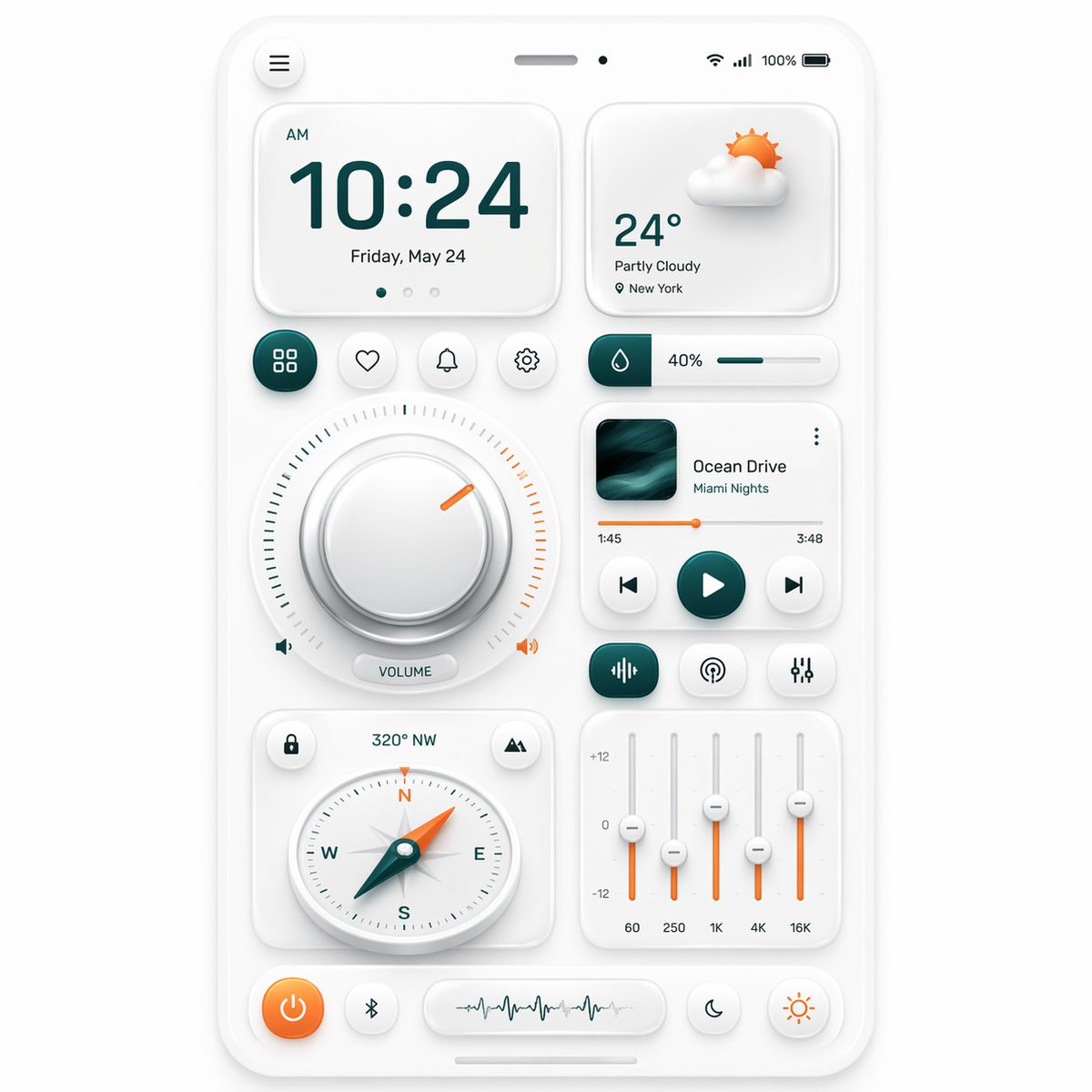
ニューモルフィック・スマートダッシュボードUI
このプロンプトは、アプリデザインのショーケース、UIコンセプトアート、およびプレミアムインターフェースプレゼンテーション向けに、洗練されたニューモルフィックなスマートフォンコントロールダッシュボードのモックアップを生成します。
これはグラフィック&ポスター向けのGPT Image 2プロンプトケースです。以下のコピー可能なプロンプトを使用して同様のビジュアルを生成し、再利用する前にAwesome GPT Image 2 Prompts帰属表示と商用利用権を確認してください。
プロンプトセット全体が必要ですか? グラフィック&ポスター 関連する例をもっと見るにはトピックハブを開くか、 GPT Image 2 プロンプトカタログ 完全な例の索引、再利用可能な構造、および出典の明記については、こちらをご覧ください。
Free 1K preview
Generate one preview image instantly, no sign-up required.
2629/4000
プロンプト
コピー準備完了プロンプト
A clean neumorphic mobile dashboard UI mockup shown straight-on, centered on a soft light gray background, inside a white rounded smartphone frame with subtle embossed shadows and glossy soft highlights. The interface uses a minimalist white-on-white design with teal green and warm orange accent colors. At the very top of the phone, include a small circular menu button on the left, a centered speaker slit and front camera dot, and status icons on the right showing Wi‑Fi, signal, 100%, and battery. The main layout contains 12 distinct UI modules: 1 large time card at upper left showing “AM”, “10:24”, and “Friday, May 24” with three tiny pagination dots beneath; 1 weather card at upper right showing a soft 3D partly cloudy sun icon, “24°”, “Partly Cloudy”, and “New York”; 4 small circular action buttons in one row under the time card, showing a grid icon, heart, bell, and gear, with the grid button filled in dark teal; 1 slim horizontal slider card to the right of those buttons with a droplet icon, “40%”, and a teal progress bar; 1 large circular volume control occupying the left middle area, with a thick beveled silver knob, a surrounding tick-mark ring split into teal on the left and orange on the right, a short orange indicator line near the upper right, tiny speaker icons on both sides, and a pill label reading “VOLUME”; 1 music player card on the right middle with square album art in dark teal waves, the title “Ocean Drive”, subtitle “Miami Nights”, a thin orange playback progress line with times “1:45” and “3:48”, and three circular transport controls for previous, play, and next, with the play button filled teal; 3 small rounded buttons in a row beneath the music player, showing an equalizer icon filled teal, a broadcast icon, and sliders icon; 1 compass card at lower left with small circular buttons in the top corners, heading text “320° NW” above, and a detailed analog compass with N, E, S, W letters and a teal-and-orange needle pointing northwest; 1 equalizer card at lower right with four vertical sliders, scale markings “+12”, “0”, “-12”, and bottom frequency labels “60”, “250”, “1K”, “4K”, “16K”, using orange slider stems and white knobs; and 5 bottom dock controls: an orange circular power button, a small Bluetooth button, a central pill waveform panel, a crescent moon button, and a sun brightness button. Use soft ambient shadows, gentle inner embossing, rounded corners, precise spacing, and a premium futuristic smart-home or control-center aesthetic inspired by high-end dribbble neumorphism, ultra-detailed, crisp vector UI, realistic depth, polished product presentation.
Best for
- - グラフィック&ポスター visual exploration
- - Image generation and reference-image edits
- - Reusable briefs that keep source attribution visible
Change these parts
- - Subject, product, character, or scene
- - Aspect ratio, camera, lighting, and background
- - Brand, text, color, and output constraints
Recommended model and settings
- - Model: gpt-image-2
- - Input mode: テキストから画像
- - Aspect ratio: source
- - Commercial status: review original source
How to use this prompt
- 1. Copy the prompt and preserve its structure for the first test.
- 2. Replace the subject, context, and publishing channel.
- 3. Change one camera, lighting, or style variable per iteration.
- 4. Inspect the output, source, text, and rights before reuse.
Limitations, source, and reuse cautions
- - Generated output is an editable draft, not factual, legal, or rights evidence.
- - Review the linked source, people, brands, logos, text, and third-party media before commercial use.
Awesome GPT Image 2 Promptsからインポートされました。出典の明記が必要です。商用利用の可否はallowedです。有料利用の前に、出典元の権利をご確認ください。
このカテゴリーのその他の事例
カテゴリー、入力モードの互換性、品質、およびリスクの低さに基づいて優先順位付けされています。






再利用と出典に関する注記
ケースを事前に確認してから、このプロンプトを安全に使用してください。
- 1.プロンプトをコピーするか、生成ボタンを使ってDovooで直接開いてください。
- 2.ご自身の用途に合わせて、変数、アスペクト比、および参照画像を調整してください。
- 3.公開または有料利用の前に、情報源の権利、帰属表示の要件、およびブランドまたは肖像権に関するリスクを確認してください。