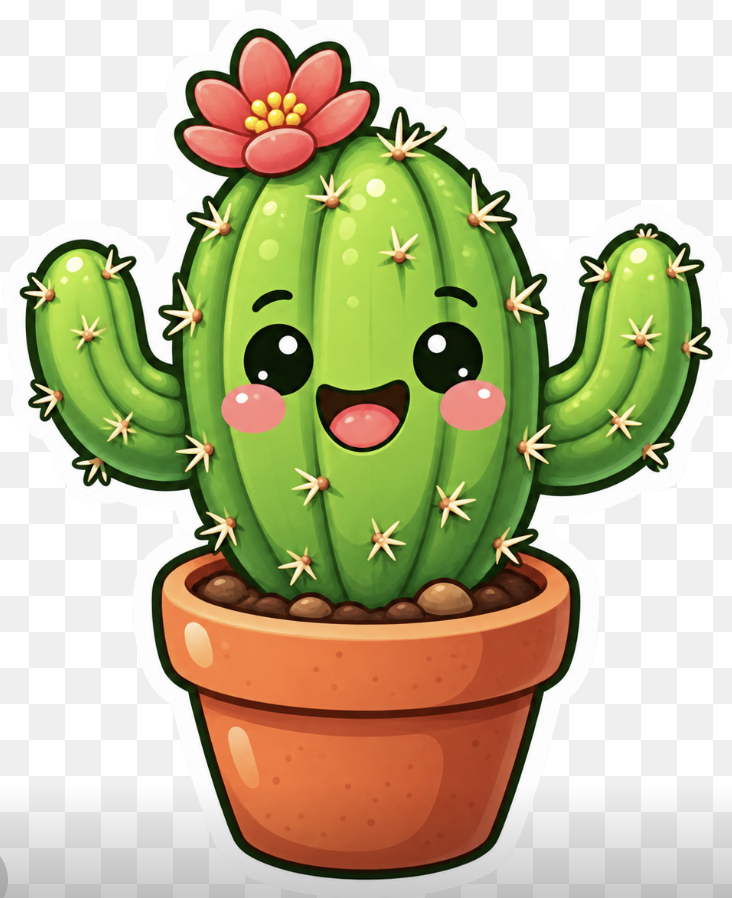
Kawaii Cactus Sticker
A cheerful sticker-style potted cactus mascot illustration for cute icons, decals, posters, or pet-themed graphic workflows.
これは肖像画とキャラクター向けのGPT Image 2プロンプトケースです。以下のコピー可能なプロンプトを使用して同様のビジュアルを生成し、再利用する前にAwesome GPT Image 2 Prompts帰属表示と商用利用権を確認してください。
プロンプトセット全体が必要ですか? 肖像画とキャラクター 関連する例をもっと見るにはトピックハブを開くか、 GPT Image 2 プロンプトカタログ 完全な例の索引、再利用可能な構造、および出典の明記については、こちらをご覧ください。
Free 1K preview
Generate one preview image instantly, no sign-up required.
1295/4000
プロンプト
コピー準備完了プロンプト
Create a cute kawaii sticker-style illustration of a smiling green cactus in a terracotta flower pot on a transparent checkerboard background. The cactus should have one large rounded central barrel body with vertical ribbing and two raised curved arms, one on each side. Give it a happy face with two glossy black oval eyes with white highlights, pink circular blush cheeks, and an open smiling mouth with a dark interior and pink tongue. Add many small pale yellow star-shaped spines with orange bases across the cactus: 28 visible spine clusters total, including 11 on the central cactus body, 9 on the left arm/left side, and 8 on the right arm/right side. Place a large red-pink flower on the upper left of the cactus crown with 7 rounded petals and a cluster of 8 yellow pollen dots in the center. The pot should be warm orange terracotta with a thick rounded rim, darker orange shading, glossy white highlight spots, tiny speckles, and visible brown pebbles/soil at the top. Use bright saturated colors, soft gradients, shiny highlights, thick dark green/black cartoon outlines, and a clean white sticker border around the whole cactus and pot. Center the subject, crop close but keep the entire pot and arms visible, square composition, cheerful mascot icon style, no text, no watermark.
Best for
- - 肖像画とキャラクター visual exploration
- - Image generation and reference-image edits
- - Reusable briefs that keep source attribution visible
Change these parts
- - Subject, product, character, or scene
- - Aspect ratio, camera, lighting, and background
- - Brand, text, color, and output constraints
Recommended model and settings
- - Model: gpt-image-2
- - Input mode: テキストから画像
- - Aspect ratio: source
- - Commercial status: review original source
How to use this prompt
- 1. Copy the prompt and preserve its structure for the first test.
- 2. Replace the subject, context, and publishing channel.
- 3. Change one camera, lighting, or style variable per iteration.
- 4. Inspect the output, source, text, and rights before reuse.
Limitations, source, and reuse cautions
- - Generated output is an editable draft, not factual, legal, or rights evidence.
- - Review the linked source, people, brands, logos, text, and third-party media before commercial use.
Awesome GPT Image 2 Promptsからインポートされました。出典の明記が必要です。商用利用の可否はallowedです。有料利用の前に、出典元の権利をご確認ください。
このカテゴリーのその他の事例
カテゴリー、入力モードの互換性、品質、およびリスクの低さに基づいて優先順位付けされています。






再利用と出典に関する注記
ケースを事前に確認してから、このプロンプトを安全に使用してください。
- 1.プロンプトをコピーするか、生成ボタンを使ってDovooで直接開いてください。
- 2.ご自身の用途に合わせて、変数、アスペクト比、および参照画像を調整してください。
- 3.公開または有料利用の前に、情報源の権利、帰属表示の要件、およびブランドまたは肖像権に関するリスクを確認してください。