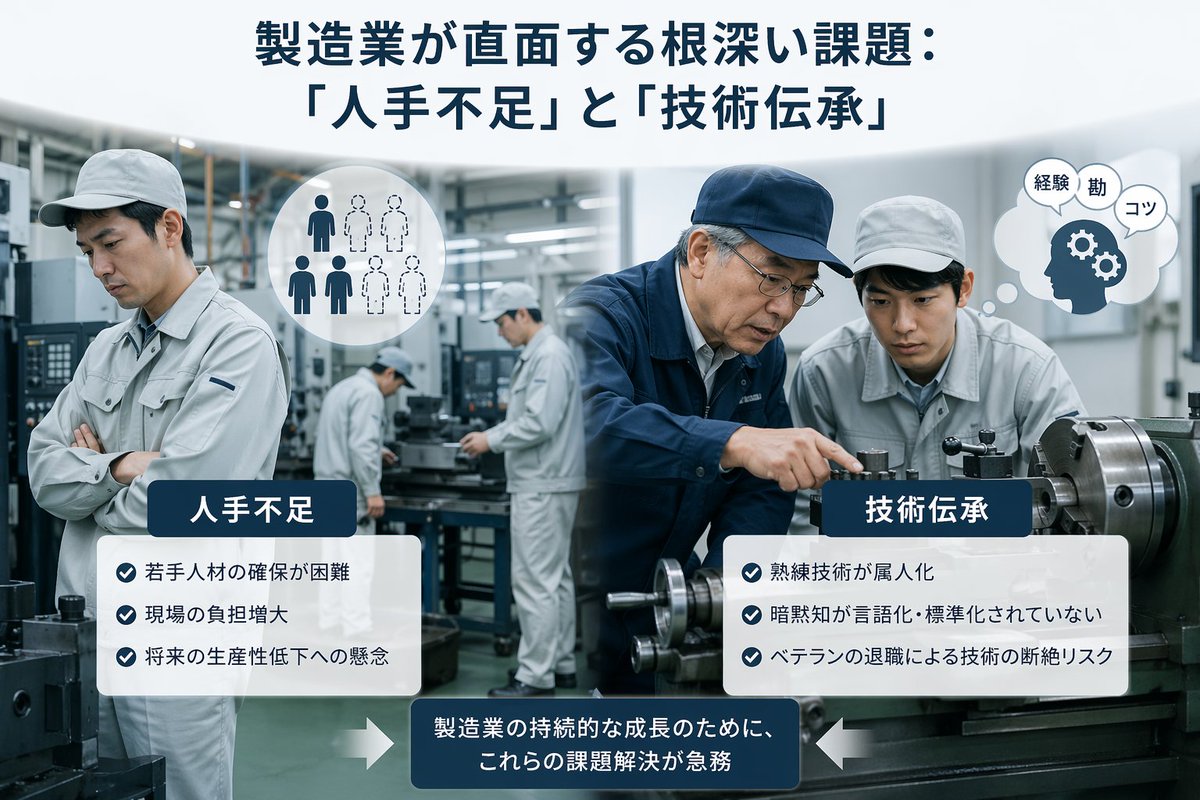
日本の製造業が直面する課題に関するインフォグラフィック
製造業における労働力不足と技能移転の問題を分かりやすく解説した、洗練された日本のビジネスインフォグラフィック。記事、プレゼンテーション、企業報告書などに最適です。
これはグラフィック&ポスター向けのGPT Image 2プロンプトケースです。以下のコピー可能なプロンプトを使用して同様のビジュアルを生成し、再利用する前にAwesome GPT Image 2 Prompts帰属表示と商用利用権を確認してください。
プロンプトセット全体が必要ですか? グラフィック&ポスター 関連する例をもっと見るにはトピックハブを開くか、 GPT Image 2 プロンプトカタログ 完全な例の索引、再利用可能な構造、および出典の明記については、こちらをご覧ください。
Free 1K preview
Generate one preview image instantly, no sign-up required.
2324/4000
プロンプト
コピー準備完了プロンプト
A clean corporate editorial infographic illustration for a Japanese business article about manufacturing industry challenges, set inside a realistic modern factory with metalworking machines and a cool gray-blue color palette. The composition is split into two thematic halves over a blurred industrial workshop background. At the top center, place a large bold Japanese headline in dark navy text: {argument name="headline text" default="製造業が直面する根深い課題: 「人手不足」と「技術伝承」"}. In the left foreground, show 1 factory worker in a light gray uniform and cap standing with arms crossed, looking concerned; nearby add a circular white icon showing exactly 6 human silhouettes, with 3 filled dark figures and 3 dotted outline figures to symbolize labor shortage. In the right foreground, show exactly 2 factory workers beside a large lathe machine: 1 veteran worker in a navy work jacket and navy cap pointing and demonstrating machine operation, and 1 younger worker in a light gray uniform and cap observing closely. Near them, add a white thought bubble icon containing a navy head silhouette with 2 gear symbols and exactly 3 small Japanese word bubbles reading "経験", "勘", and "コツ". In the center background, include exactly 2 additional workers in light gray uniforms operating machinery, slightly out of focus, for a total of 5 workers visible in the factory scene. Overlay two rounded white information panels with dark navy title tabs. The left panel title is "人手不足" and contains exactly 3 bullet points with blue circular check icons: "若手人材の確保が困難", "現場の負担増大", and "将来の生産性低下への懸念". The right panel title is "技術伝承" and contains exactly 3 bullet points with blue circular check icons: "熟練技術が属人化", "暗黙知が言語化・標準化されていない", and "ベテランの退職による技術の断絶リスク". At the bottom center, place a dark navy rounded rectangular callout box with white Japanese text: {argument name="callout text" default="製造業の持続的な成長のために、これらの課題解決が急務"}. Add exactly 2 large white arrows pointing inward toward this bottom callout, one from the left and one from the right. Style the whole image like a polished consulting-firm presentation visual or business magazine insert: photorealistic workers and machinery, subtle depth of field, high clarity, balanced layout, soft lighting, crisp typography, and a professional Japanese manufacturing-industry infographic aesthetic.プロンプト変数
プロンプトに表示される編集可能な引数プレースホルダーと、それらのデフォルト値。
変数
headline text
デフォルト
製造業が直面する根深い課題: 「人手不足」と「技術伝承」
変数
callout text
デフォルト
製造業の持続的な成長のために、これらの課題解決が急務
Best for
- - グラフィック&ポスター visual exploration
- - Image generation and reference-image edits
- - Reusable briefs that keep source attribution visible
Change these parts
- - Subject, product, character, or scene
- - Aspect ratio, camera, lighting, and background
- - Brand, text, color, and output constraints
Recommended model and settings
- - Model: gpt-image-2
- - Input mode: テキストから画像
- - Aspect ratio: source
- - Commercial status: review original source
How to use this prompt
- 1. Copy the prompt and preserve its structure for the first test.
- 2. Replace the subject, context, and publishing channel.
- 3. Change one camera, lighting, or style variable per iteration.
- 4. Inspect the output, source, text, and rights before reuse.
Limitations, source, and reuse cautions
- - Generated output is an editable draft, not factual, legal, or rights evidence.
- - Review the linked source, people, brands, logos, text, and third-party media before commercial use.
Awesome GPT Image 2 Promptsからインポートされました。出典の明記が必要です。商用利用の可否はallowedです。有料利用の前に、出典元の権利をご確認ください。
このカテゴリーのその他の事例
カテゴリー、入力モードの互換性、品質、およびリスクの低さに基づいて優先順位付けされています。






再利用と出典に関する注記
ケースを事前に確認してから、このプロンプトを安全に使用してください。
- 1.プロンプトをコピーするか、生成ボタンを使ってDovooで直接開いてください。
- 2.ご自身の用途に合わせて、変数、アスペクト比、および参照画像を調整してください。
- 3.公開または有料利用の前に、情報源の権利、帰属表示の要件、およびブランドまたは肖像権に関するリスクを確認してください。