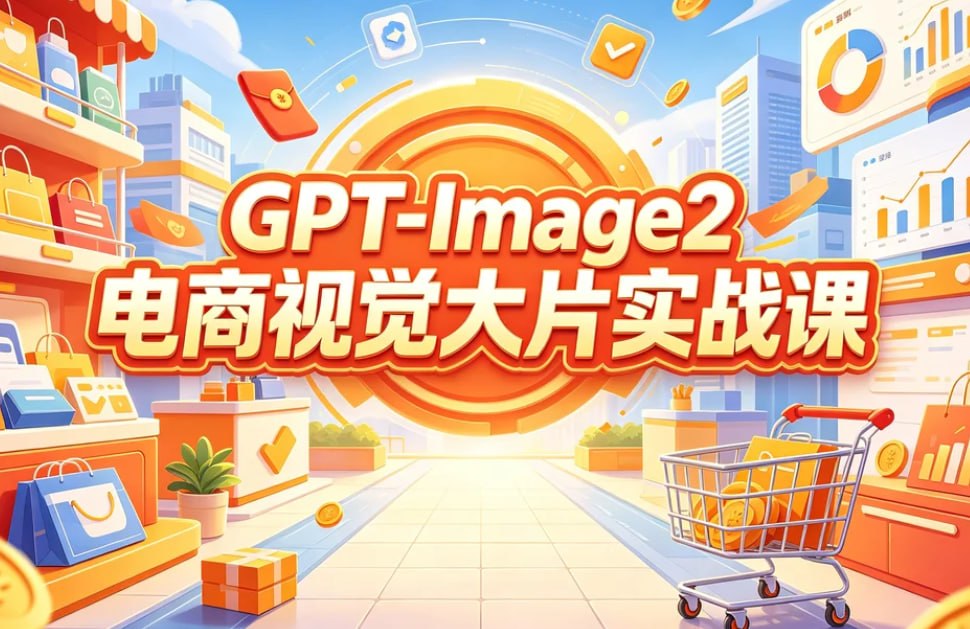
GPT-Image2 E-Commerce Course Banner
A bright cartoon-style Chinese promotional banner for a GPT-Image2 e-commerce visual design course, suitable for social media course marketing.
これはグラフィック&ポスター向けのGPT Image 2プロンプトケースです。以下のコピー可能なプロンプトを使用して同様のビジュアルを生成し、再利用する前にAwesome GPT Image 2 Prompts帰属表示と商用利用権を確認してください。
プロンプトセット全体が必要ですか? グラフィック&ポスター 関連する例をもっと見るにはトピックハブを開くか、 GPT Image 2 プロンプトカタログ 完全な例の索引、再利用可能な構造、および出典の明記については、こちらをご覧ください。
Free 1K preview
Generate one preview image instantly, no sign-up required.
2918/4000
プロンプト
コピー準備完了プロンプト
Goal: Create a bright horizontal promotional poster for an AI e-commerce visual design course, in a cheerful 3D cartoon commercial illustration style.

Canvas: 970×563 landscape banner, full-bleed, high saturation, warm orange-yellow center glow, clean vector-like 3D rendering, crisp edges, no photo realism.

Layout: Put a huge circular orange target/sunburst badge in the exact center background, radiating rings and light rays. Overlay the main course title in the middle with two stacked lines: top line reads {argument name="English title text" default="GPT-Image2"}, bottom line reads {argument name="Chinese headline text" default="E-commerce Visual Blockbuster Practical Course"}. Use very large bold rounded display lettering, white fill with red-orange shadow, thick orange outline, and a subtle yellow highlight glow so the text dominates the composition.

Scene: Build a stylized e-commerce shopping street or mall corridor receding toward the glowing center. On the left, show a storefront shelf with product bottles and multiple shopping bags. On the right, show analytics dashboards and retail display counters. Include a shopping cart in the lower right foreground filled with orange product boxes and gold coins. Use a tiled walkway leading into the center for depth.

Discrete visible elements to include: exactly 1 central orange circular sunburst badge; exactly 2 main text lines; exactly 1 shopping cart in the lower right; exactly 3 dashboard/report panels on the right side, including one large pie-chart panel at the top right, one large line-and-bar chart panel at mid right, and one orange chart card near the lower right; exactly 7 prominent shopping bags total, including 4 on the left shelves/counters, 1 orange flying bag near upper left-center, 1 small orange flying bag mid-left, and 1 orange bag/card on the lower right counter; exactly 2 visible product bottles on the upper-left shelf; exactly 2 gift boxes on the floor/counters, one orange gift box at the bottom center-left and one small blue-orange gift box on a right display; exactly 1 potted green plant near the lower left-center; exactly 3 floating app icons above the headline, including a blue upload/cloud icon, an orange checkmark icon, and a red wallet/card icon; exactly 5 gold coins scattered through the scene.

Visual style: Use a polished Chinese e-commerce advertising aesthetic, playful isometric perspective, soft shadows, glossy highlights, orange-red-yellow brand palette with sky-blue accents, blue city buildings in the background, fluffy white clouds, confetti streaks, coins, and motion arcs. Make the atmosphere optimistic, efficient, and course-launch oriented.

Constraints: Text must be perfectly legible and centered. Keep the composition balanced, with the shopping objects framing the headline rather than blocking it. Do not add people, faces, watermarks, QR codes, or extra small unreadable text.
プロンプト変数
プロンプトに表示される編集可能な引数プレースホルダーと、それらのデフォルト値。
変数
English title text
デフォルト
GPT-Image2
変数
Chinese headline text
デフォルト
E-commerce Visual Blockbuster Practical Course
Best for
- - グラフィック&ポスター visual exploration
- - Image generation and reference-image edits
- - Reusable briefs that keep source attribution visible
Change these parts
- - Subject, product, character, or scene
- - Aspect ratio, camera, lighting, and background
- - Brand, text, color, and output constraints
Recommended model and settings
- - Model: gpt-image-2
- - Input mode: テキストから画像
- - Aspect ratio: source
- - Commercial status: review original source
How to use this prompt
- 1. Copy the prompt and preserve its structure for the first test.
- 2. Replace the subject, context, and publishing channel.
- 3. Change one camera, lighting, or style variable per iteration.
- 4. Inspect the output, source, text, and rights before reuse.
Limitations, source, and reuse cautions
- - Generated output is an editable draft, not factual, legal, or rights evidence.
- - Review the linked source, people, brands, logos, text, and third-party media before commercial use.
Awesome GPT Image 2 Promptsからインポートされました。出典の明記が必要です。商用利用の可否はallowedです。有料利用の前に、出典元の権利をご確認ください。
このカテゴリーのその他の事例
カテゴリー、入力モードの互換性、品質、およびリスクの低さに基づいて優先順位付けされています。






再利用と出典に関する注記
ケースを事前に確認してから、このプロンプトを安全に使用してください。
- 1.プロンプトをコピーするか、生成ボタンを使ってDovooで直接開いてください。
- 2.ご自身の用途に合わせて、変数、アスペクト比、および参照画像を調整してください。
- 3.公開または有料利用の前に、情報源の権利、帰属表示の要件、およびブランドまたは肖像権に関するリスクを確認してください。