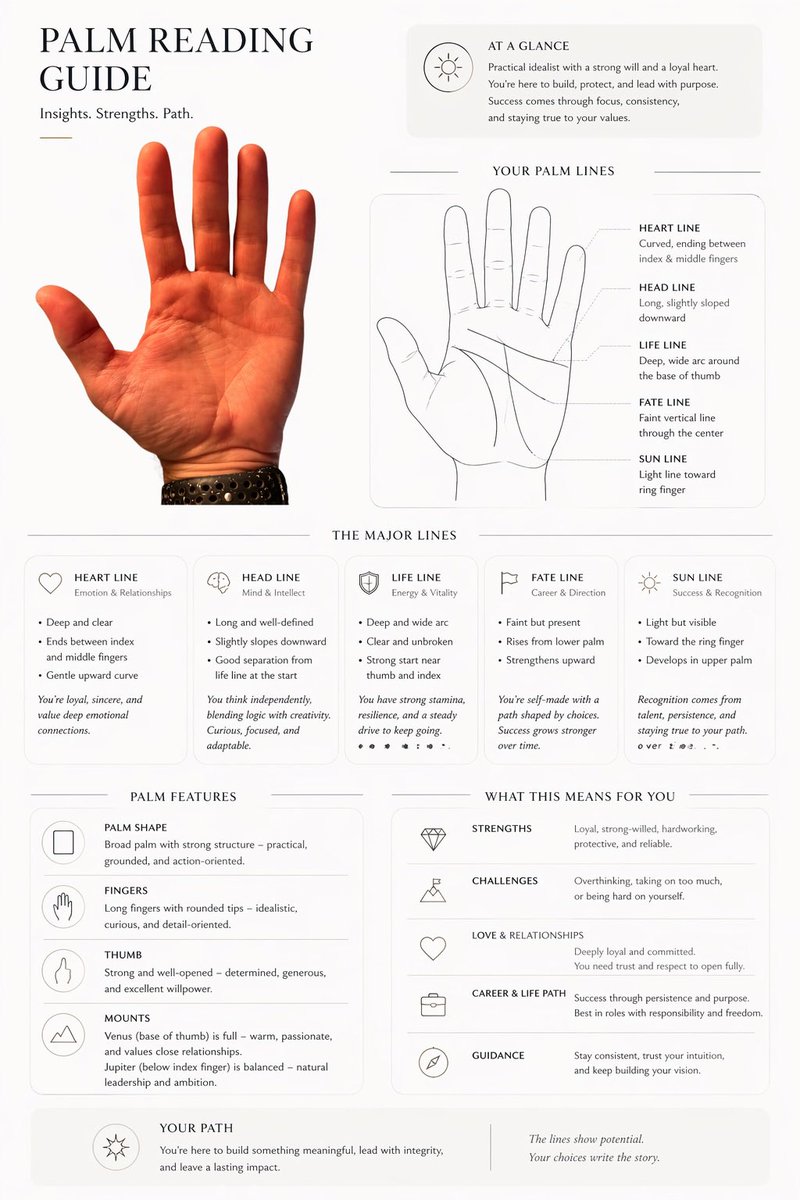
編集部による手相占いインフォグラフィック
このプロンプトを使用すると、手の写真から、AIによる占い、ソーシャルメディアへの投稿、または斬新な個人レポートなどに活用できる、洗練された手相ガイドページを作成できます。
これはグラフィック&ポスター向けのGPT Image 2プロンプトケースです。以下のコピー可能なプロンプトを使用して同様のビジュアルを生成し、再利用する前にAwesome GPT Image 2 Prompts帰属表示と商用利用権を確認してください。
プロンプトセット全体が必要ですか? グラフィック&ポスター 関連する例をもっと見るにはトピックハブを開くか、 GPT Image 2 プロンプトカタログ 完全な例の索引、再利用可能な構造、および出典の明記については、こちらをご覧ください。
Free 1K preview
Generate one preview image instantly, no sign-up required.
Free text preview doesn’t preserve reference-image consistency.
1560/4000
プロンプト
コピー準備完了プロンプト
Using REFERENCE_0, transform the photographed hand into a clean, editorial palmistry infographic on a light off-white background. Keep the same palm, orientation, skin tone, and black perforated watch band, but cut it out cleanly and place it as the main photo on the left. Build a modern magazine-style one-page layout around it with thin divider lines, rounded light-gray info panels, elegant serif headings, and small minimal line icons. Add these 7 titled sections: "PALM READING GUIDE" at top left with the subtitle "Insights. Strengths. Path."; "AT A GLANCE" in a top-right summary card; "YOUR PALM LINES" with 1 simple line-art hand diagram and 5 labeled lines; "THE MAJOR LINES" with 5 separate cards; "PALM FEATURES" with 4 feature rows; "WHAT THIS MEANS FOR YOU" with 5 interpretation rows; and "YOUR PATH" as a bottom summary strip. In "YOUR PALM LINES", include exactly 5 labels with short descriptions: HEART LINE, HEAD LINE, LIFE LINE, FATE LINE, SUN LINE. In "THE MAJOR LINES", include exactly 5 cards titled HEART LINE, HEAD LINE, LIFE LINE, FATE LINE, SUN LINE, each with a small icon and short bullet-point interpretations. In "PALM FEATURES", include exactly 4 rows: PALM SHAPE, FINGERS, THUMB, MOUNTS. In "WHAT THIS MEANS FOR YOU", include exactly 5 rows: STRENGTHS, CHALLENGES, LOVE & RELATIONSHIPS, CAREER & LIFE PATH, GUIDANCE. Fill all body copy with plausible palm-reading text tailored to this hand, written in a polished lifestyle-magazine tone. Make it look like a premium palm reading report generated from the uploaded hand photo.
Best for
- - グラフィック&ポスター visual exploration
- - Image generation and reference-image edits
- - Reusable briefs that keep source attribution visible
Change these parts
- - Subject, product, character, or scene
- - Aspect ratio, camera, lighting, and background
- - Brand, text, color, and output constraints
Recommended model and settings
- - Model: gpt-image-2
- - Input mode: 画像から画像
- - Aspect ratio: source
- - Commercial status: review original source
How to use this prompt
- 1. Copy the prompt and preserve its structure for the first test.
- 2. Replace the subject, context, and publishing channel.
- 3. Change one camera, lighting, or style variable per iteration.
- 4. Inspect the output, source, text, and rights before reuse.
Limitations, source, and reuse cautions
- - Generated output is an editable draft, not factual, legal, or rights evidence.
- - Review the linked source, people, brands, logos, text, and third-party media before commercial use.
Awesome GPT Image 2 Promptsからインポートされました。出典の明記が必要です。商用利用の可否はallowedです。有料利用の前に、出典元の権利をご確認ください。
このカテゴリーのその他の事例
カテゴリー、入力モードの互換性、品質、およびリスクの低さに基づいて優先順位付けされています。






再利用と出典に関する注記
ケースを事前に確認してから、このプロンプトを安全に使用してください。
- 1.プロンプトをコピーするか、生成ボタンを使ってDovooで直接開いてください。
- 2.ご自身の用途に合わせて、変数、アスペクト比、および参照画像を調整してください。
- 3.公開または有料利用の前に、情報源の権利、帰属表示の要件、およびブランドまたは肖像権に関するリスクを確認してください。