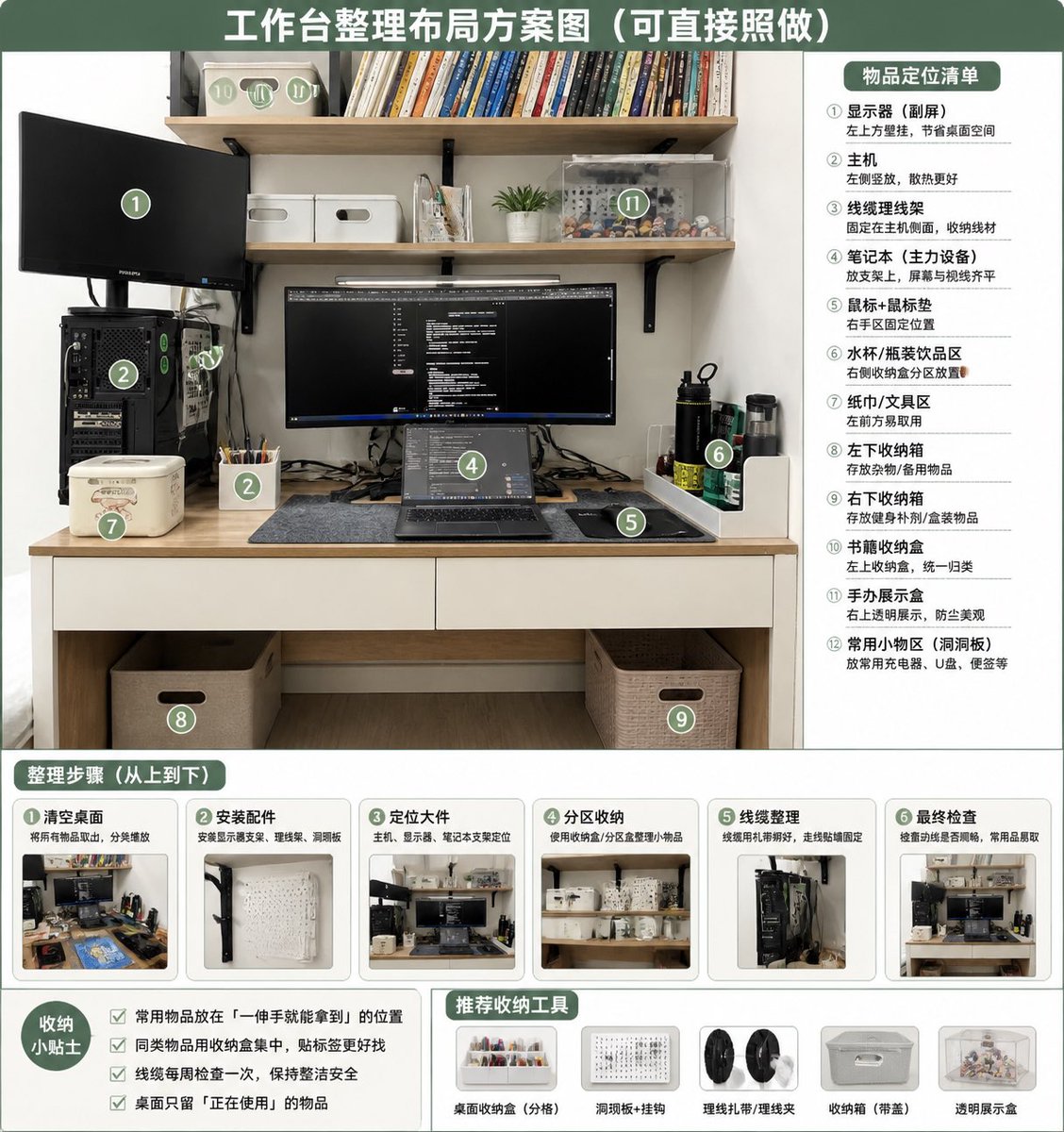
デスク整理レイアウトのインフォグラフィック
散らかった机の写真を、ゾーン分け、手順、ヒント、推奨収納ツールなどを盛り込んだ、整理整頓された番号付き整理プランに変身させます。
これはグラフィック&ポスター向けのGPT Image 2プロンプトケースです。以下のコピー可能なプロンプトを使用して同様のビジュアルを生成し、再利用する前にAwesome GPT Image 2 Prompts帰属表示と商用利用権を確認してください。
プロンプトセット全体が必要ですか? グラフィック&ポスター 関連する例をもっと見るにはトピックハブを開くか、 GPT Image 2 プロンプトカタログ 完全な例の索引、再利用可能な構造、および出典の明記については、こちらをご覧ください。
Free 1K preview
Generate one preview image instantly, no sign-up required.
Free text preview doesn’t preserve reference-image consistency.
2191/4000
プロンプト
コピー準備完了プロンプト
Using REFERENCE_0 as the source photo, create a clean, realistic “after organization” desktop layout plan infographic. Keep the same desk, shelves, monitor/laptop setup, PC tower position, and overall room viewpoint, but tidy the workspace: route cables neatly, clear the desktop, place items into defined storage zones, add matching storage boxes/baskets, a pegboard/accessory area, pen cup, book storage box, transparent display case, and dedicated bottle/tissue/small-tool areas. Use a green-and-white instructional poster style with a large top headline: {argument name="headline text" default="Workstation Organization Layout Plan (Can be directly followed)"}. Overlay 12 green circular numbered markers on the organized photo and include a right-side panel titled {argument name="right panel title" default="Item Placement List"} listing exactly 12 labeled zones: ① monitor / secondary screen, ② main PC tower, ③ cable management, ④ laptop work area, ⑤ mouse pad / mouse area, ⑥ water cup / bottle area, ⑦ tissue / tool area, ⑧ left under-desk storage box, ⑨ right under-desk storage box, ⑩ book storage box, ⑪ figure display area, ⑫ common small-items area / pegboard. Add a bottom section titled {argument name="steps title" default="Organization Steps (From top to bottom)"} with exactly 6 step cards, each containing a small before/after-style thumbnail and short Chinese labels: ① clear desktop, ② install accessories, ③ position large items, ④ partition storage, ⑤ cable management, ⑥ final inspection. Add a bottom-left tips box titled {argument name="tips title" default="Storage Tips"} with exactly 4 checkbox tips about putting frequently used items within one-hand reach, grouping similar items, checking cables weekly, and keeping only currently used items on the desk. Add a bottom-center/right recommendations row titled {argument name="tools title" default="Recommended Storage Tools"} with exactly 5 product icons: desktop organizer tray, pegboard + hooks, cable ties / cable clips, storage box with handle, transparent display box. Make the design neat, practical, bright, and directly actionable, like a home-office organization guide derived from the original photo.プロンプト変数
プロンプトに表示される編集可能な引数プレースホルダーと、それらのデフォルト値。
変数
headline text
デフォルト
Workstation Organization Layout Plan (Can be directly followed)
変数
right panel title
デフォルト
Item Placement List
変数
steps title
デフォルト
Organization Steps (From top to bottom)
変数
tips title
デフォルト
Storage Tips
変数
tools title
デフォルト
Recommended Storage Tools
Best for
- - グラフィック&ポスター visual exploration
- - Image generation and reference-image edits
- - Reusable briefs that keep source attribution visible
Change these parts
- - Subject, product, character, or scene
- - Aspect ratio, camera, lighting, and background
- - Brand, text, color, and output constraints
Recommended model and settings
- - Model: gpt-image-2
- - Input mode: 画像から画像
- - Aspect ratio: source
- - Commercial status: review original source
How to use this prompt
- 1. Copy the prompt and preserve its structure for the first test.
- 2. Replace the subject, context, and publishing channel.
- 3. Change one camera, lighting, or style variable per iteration.
- 4. Inspect the output, source, text, and rights before reuse.
Limitations, source, and reuse cautions
- - Generated output is an editable draft, not factual, legal, or rights evidence.
- - Review the linked source, people, brands, logos, text, and third-party media before commercial use.
Awesome GPT Image 2 Promptsからインポートされました。出典の明記が必要です。商用利用の可否はallowedです。有料利用の前に、出典元の権利をご確認ください。
このカテゴリーのその他の事例
カテゴリー、入力モードの互換性、品質、およびリスクの低さに基づいて優先順位付けされています。






再利用と出典に関する注記
ケースを事前に確認してから、このプロンプトを安全に使用してください。
- 1.プロンプトをコピーするか、生成ボタンを使ってDovooで直接開いてください。
- 2.ご自身の用途に合わせて、変数、アスペクト比、および参照画像を調整してください。
- 3.公開または有料利用の前に、情報源の権利、帰属表示の要件、およびブランドまたは肖像権に関するリスクを確認してください。