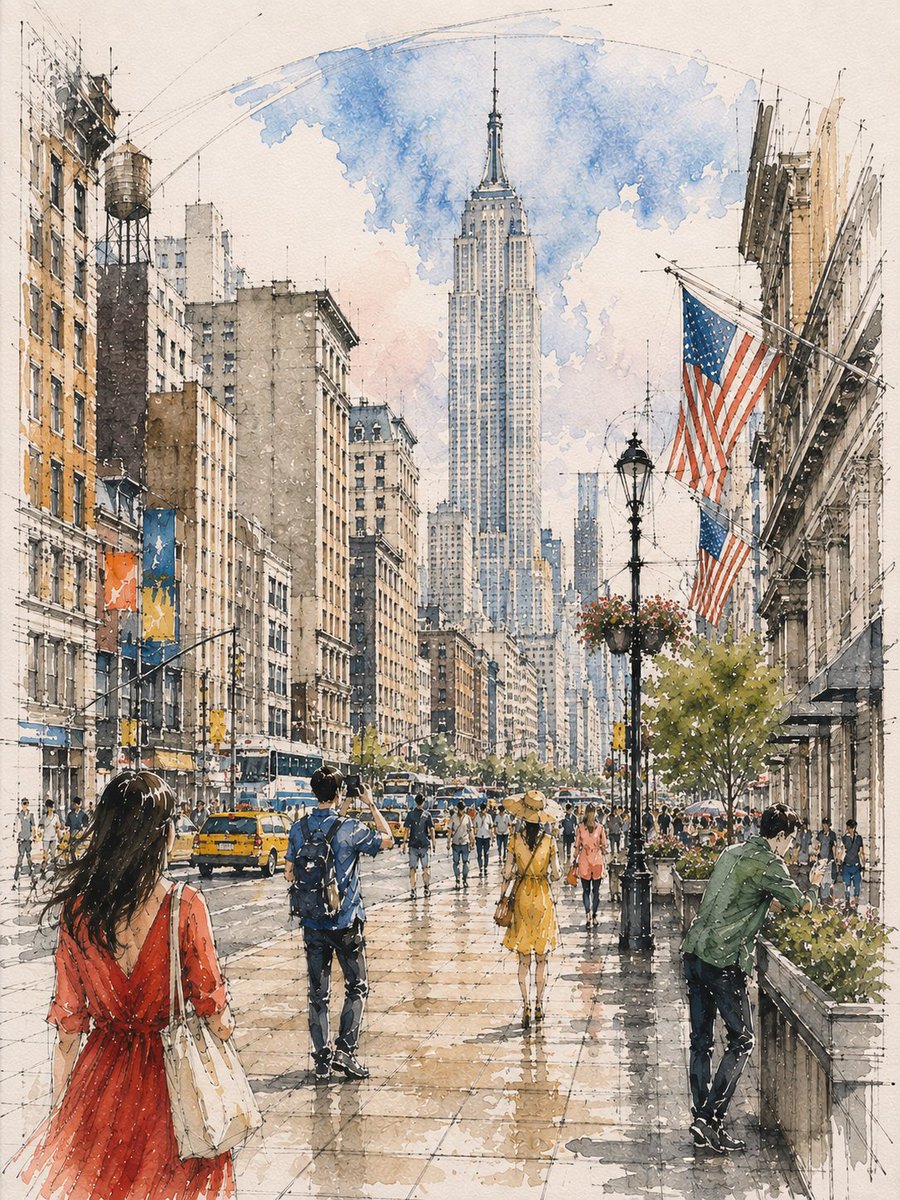
Architectural Watercolor Sketch
A customizable architectural sketching prompt that combines ink linework with loose watercolor washes to create vibrant, atmospheric interiors.
これはイラスト&アート向けのGPT Image 2プロンプトケースです。以下のコピー可能なプロンプトを使用して同様のビジュアルを生成し、再利用する前にAwesome GPT Image 2 Prompts帰属表示と商用利用権を確認してください。
プロンプトセット全体が必要ですか? イラスト&アート 関連する例をもっと見るにはトピックハブを開くか、 GPT Image 2 プロンプトカタログ 完全な例の索引、再利用可能な構造、および出典の明記については、こちらをご覧ください。
Free 1K preview
Generate one preview image instantly, no sign-up required.
1880/4000
プロンプト
コピー準備完了プロンプト
Loose watercolor and pen sketch inside {argument name="location" default="[LOCATION / SUBJECT]"}, seen from {argument name="viewpoint" default="[VIEWPOINT]"} toward {argument name="focal point" default="[ARCHITECTURAL FOCAL POINT]"}, {argument name="central feature" default="[CENTRAL FEATURE]"} at center, {argument name="overhead structure" default="[OVERHEAD ARCHITECTURAL FEATURE]"} overhead. Ink line drawn first and left visible through every wash — {argument name="linework details" default="[ARCHITECTURAL LINEWORK]"} and {argument name="floor grid" default="[GROUND / FLOOR GRID]"} overshooting into blank paper, one long confident arc for {argument name="major curve" default="[MAJOR CURVE]"}. Wash about 65%, warm below and cool above: {argument name="warm palette" default="[WARM ARCHITECTURAL PALETTE]"} on {argument name="lower elements" default="[LOWER ARCHITECTURAL ELEMENTS]"}, {argument name="cool palette" default="[COOL PALETTE]"} over {argument name="upper feature" default="[UPPER ARCHITECTURAL FEATURE]"} thinning to bare line at the crown. Diagonal light shafts left as reserved white paper, the brightest value. Floor in {argument name="floor wash" default="[FLOOR COLOR / WASH]"} with a backrun. Figures in three depth bands, clustered and gapped, never in a row: {argument name="near figures" default="[NEAR FIGURES AND SCALE]"}, one cropped by the bottom edge; {argument name="mid figures" default="[MID FIGURES AND SCALE]"} scattered at different distances, {argument name="midground cluster" default="[MIDGROUND CLUSTER]"} clustered at {argument name="focal point" default="[FOCAL POINT]"}; {argument name="far figures" default="[FAR FIGURES AND SCALE]"} dissolving into strokes. Different actions each — {argument name="action 1" default="[ACTION 1]"}, {argument name="action 2" default="[ACTION 2]"}, {argument name="action 3" default="[ACTION 3]"}プロンプト変数
プロンプトに表示される編集可能な引数プレースホルダーと、それらのデフォルト値。
変数
location
デフォルト
[LOCATION / SUBJECT]
変数
viewpoint
デフォルト
[VIEWPOINT]
変数
focal point
デフォルト
[ARCHITECTURAL FOCAL POINT]
変数
central feature
デフォルト
[CENTRAL FEATURE]
変数
overhead structure
デフォルト
[OVERHEAD ARCHITECTURAL FEATURE]
変数
linework details
デフォルト
[ARCHITECTURAL LINEWORK]
変数
floor grid
デフォルト
[GROUND / FLOOR GRID]
変数
major curve
デフォルト
[MAJOR CURVE]
変数
warm palette
デフォルト
[WARM ARCHITECTURAL PALETTE]
変数
lower elements
デフォルト
[LOWER ARCHITECTURAL ELEMENTS]
変数
cool palette
デフォルト
[COOL PALETTE]
変数
upper feature
デフォルト
[UPPER ARCHITECTURAL FEATURE]
変数
floor wash
デフォルト
[FLOOR COLOR / WASH]
変数
near figures
デフォルト
[NEAR FIGURES AND SCALE]
変数
mid figures
デフォルト
[MID FIGURES AND SCALE]
変数
midground cluster
デフォルト
[MIDGROUND CLUSTER]
変数
far figures
デフォルト
[FAR FIGURES AND SCALE]
変数
action 1
デフォルト
[ACTION 1]
変数
action 2
デフォルト
[ACTION 2]
変数
action 3
デフォルト
[ACTION 3]
Best for
- - イラスト&アート visual exploration
- - Image generation and reference-image edits
- - Reusable briefs that keep source attribution visible
Change these parts
- - Subject, product, character, or scene
- - Aspect ratio, camera, lighting, and background
- - Brand, text, color, and output constraints
Recommended model and settings
- - Model: gpt-image-2
- - Input mode: テキストから画像
- - Aspect ratio: source
- - Commercial status: review original source
How to use this prompt
- 1. Copy the prompt and preserve its structure for the first test.
- 2. Replace the subject, context, and publishing channel.
- 3. Change one camera, lighting, or style variable per iteration.
- 4. Inspect the output, source, text, and rights before reuse.
Limitations, source, and reuse cautions
- - Generated output is an editable draft, not factual, legal, or rights evidence.
- - Review the linked source, people, brands, logos, text, and third-party media before commercial use.
Awesome GPT Image 2 Promptsからインポートされました。出典の明記が必要です。商用利用の可否はallowedです。有料利用の前に、出典元の権利をご確認ください。
このカテゴリーのその他の事例
カテゴリー、入力モードの互換性、品質、およびリスクの低さに基づいて優先順位付けされています。






再利用と出典に関する注記
ケースを事前に確認してから、このプロンプトを安全に使用してください。
- 1.プロンプトをコピーするか、生成ボタンを使ってDovooで直接開いてください。
- 2.ご自身の用途に合わせて、変数、アスペクト比、および参照画像を調整してください。
- 3.公開または有料利用の前に、情報源の権利、帰属表示の要件、およびブランドまたは肖像権に関するリスクを確認してください。