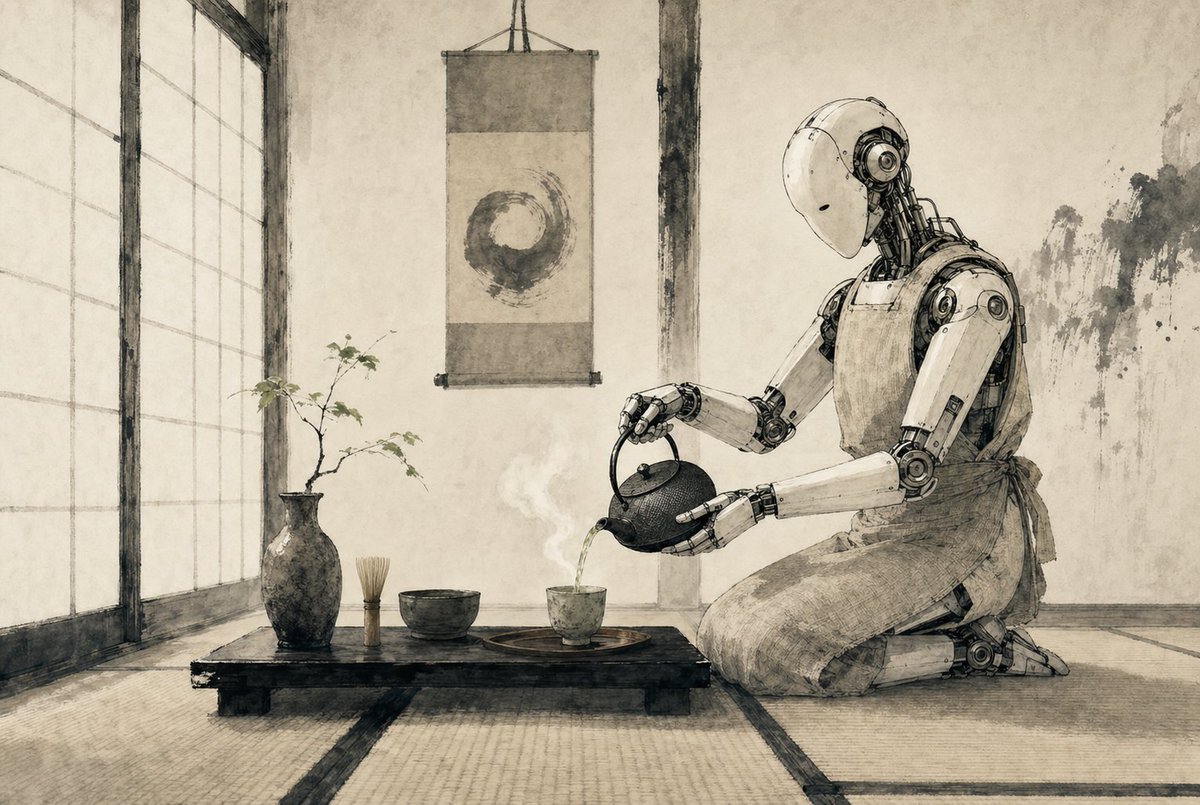
Robot per la cerimonia del tè Zen
Una scena minimalista in stile inchiostro seppia raffigurante un robot umanoide intento a eseguire una cerimonia del tè giapponese, ideale per la creazione di illustrazioni editoriali di fantascienza poetiche o immagini concettuali suggestive.
Questo è un esempio di prompt GPT Image 2 per Illustrazione e arte . Utilizza il prompt pronto per la copia qui sotto per generare immagini simili e verifica l'attribuzione Awesome GPT Image 2 Prompts e i diritti di utilizzo commerciale prima del riutilizzo.
Free 1K preview
Generate one preview image instantly, no sign-up required.
Richiesta
prompt pronto per la copia
A serene Japanese tea room rendered as a refined monochrome ink-and-wash illustration on aged parchment, with soft sepia-gray tones, delicate brush textures, and precise hand-drawn linework. On the right side, a humanoid {argument name="robot type" default="service robot"} kneels in seiza on tatami mats, its smooth white shell and exposed mechanical joints depicted with elegant technical detail, gently bowing its head as it pours hot tea from a cast-iron teapot into a small ceramic cup. The robot wears a simple cloth apron tied at the waist, blending traditional tea ceremony etiquette with futuristic machinery. In the center foreground, a low black wooden tea table holds exactly 5 visible tea objects: 1 dark ceramic vase with a thin branch of sparse leaves, 1 bamboo whisk standing upright, 1 tea bowl, 1 small teacup on a round tray, and 1 cast-iron teapot in the robot’s hands. A faint curl of steam rises from the freshly poured tea. Behind the table, a hanging scroll displays a single enso circle painted in expressive brushwork. On the left, tall shoji screens diffuse soft daylight across the room. The walls are plain plaster with subtle wear and ink-like stains, and the overall composition is calm, balanced, minimalist, and contemplative, combining wabi-sabi Japanese aesthetics with quiet science-fiction. Use a wide cinematic composition, eye-level perspective, lots of negative space, and a meditative mood.Variabili di richiesta
Segnaposto per gli argomenti modificabili presenti nel prompt, con i relativi valori predefiniti.
Best for
- - Illustrazione e arte visual exploration
- - Image generation and reference-image edits
- - Reusable briefs that keep source attribution visible
Change these parts
- - Subject, product, character, or scene
- - Aspect ratio, camera, lighting, and background
- - Brand, text, color, and output constraints
Recommended model and settings
- - Model: gpt-image-2
- - Input mode: Testo in immagine
- - Aspect ratio: source
- - Commercial status: review original source
How to use this prompt
- 1. Copy the prompt and preserve its structure for the first test.
- 2. Replace the subject, context, and publishing channel.
- 3. Change one camera, lighting, or style variable per iteration.
- 4. Inspect the output, source, text, and rights before reuse.
Limitations, source, and reuse cautions
- - Generated output is an editable draft, not factual, legal, or rights evidence.
- - Review the linked source, people, brands, logos, text, and third-party media before commercial use.
Altri casi in questa categoria
Prioritizzazione in base a categoria, compatibilità della modalità di input, qualità e minor rischio.






Note sul riutilizzo e sulla fonte
Utilizza questo prompt in tutta sicurezza dopo aver visualizzato in anteprima il caso.
- 1.Copia il prompt oppure aprilo direttamente in Dovoo tramite il pulsante di generazione.
- 2.Regola le variabili, le proporzioni e le immagini di riferimento in base alle tue esigenze.
- 3.Prima della pubblicazione o dell'utilizzo a pagamento, verificare i diritti di fonte, i requisiti di attribuzione e i rischi relativi al marchio o all'immagine.