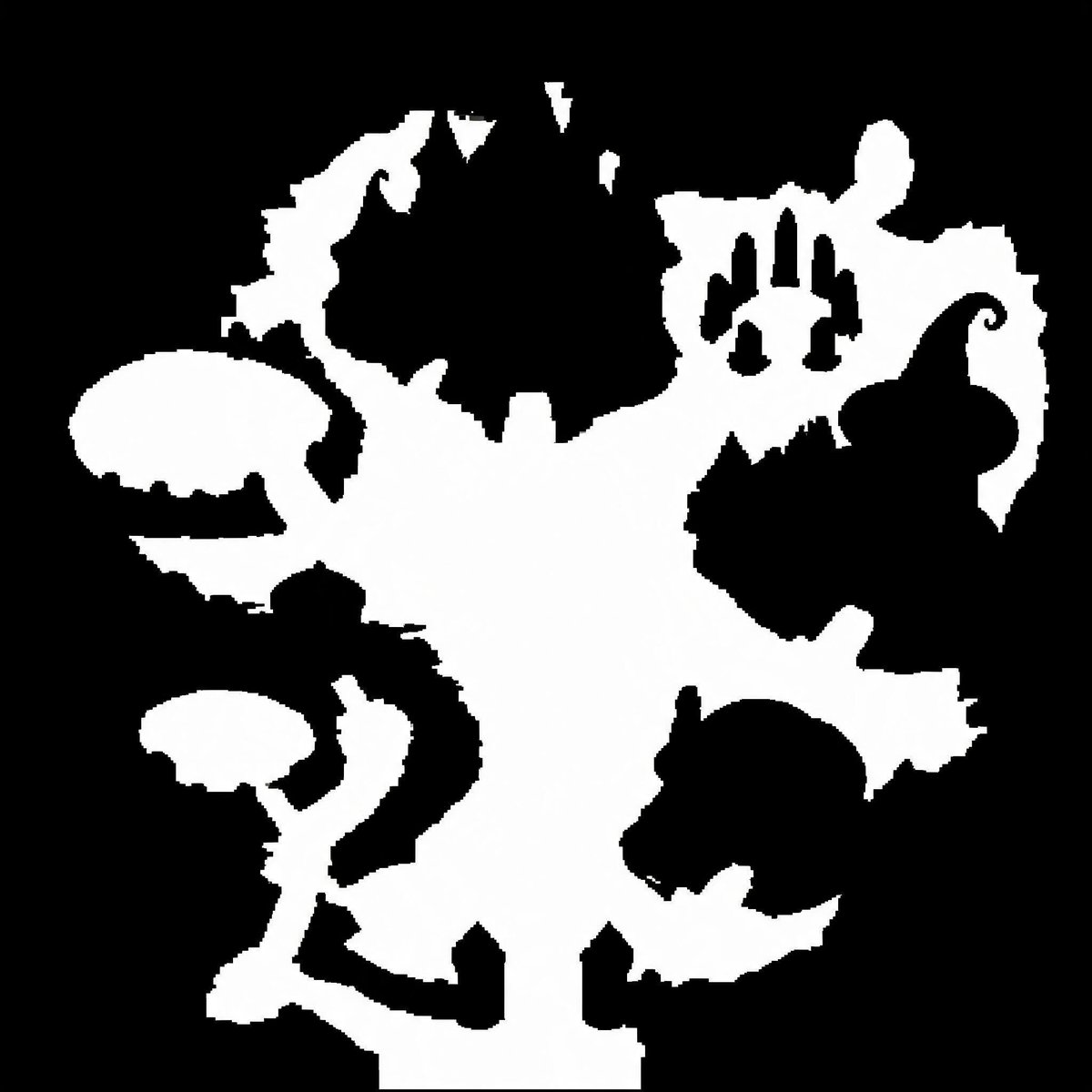
Binary Walkable Area Mask
Generates a stark black-and-white top-down walkable-area mask for game maps, collision layouts, or SDF conversion tests.
Questo è un esempio di prompt GPT Image 2 per Anime e videogiochi . Utilizza il prompt pronto per la copia qui sotto per generare immagini simili e verifica l'attribuzione Awesome GPT Image 2 Prompts e i diritti di utilizzo commerciale prima del riutilizzo.
Hai bisogno del set completo di prompt? Usa il Anime e videogiochi hub tematico per ulteriori esempi correlati oppure apri il GPT Image 2 catalogo rapido per l'indice completo degli esempi, le strutture riutilizzabili e l'attribuzione delle fonti.
Free 1K preview
Generate one preview image instantly, no sign-up required.
1364/4000
Richiesta
prompt pronto per la copia
Create a pure black-and-white binary walkable-area mask for a top-down video game map. Use a square 1:1 canvas, about 768×768 pixels, with a solid black background and a single connected irregular white region representing traversable ground. The white shape should resemble a fantasy dungeon/island silhouette: a broad central vertical open area, jagged organic edges, narrow corridors and protruding rooms branching left and right. Include exactly 6 prominent side features around the central white mass: 1 large rounded oval platform on the upper left connected by a thin neck, 1 smaller mushroom-like platform on the lower left connected by a winding corridor, 1 jagged crescent-shaped protrusion at the upper left edge, 1 irregular upper-right chamber with three narrow black vertical cutouts inside it, 1 large black enclosed blob-like obstacle intruding from the right-center edge with a curled hook tip, and 1 round lower-right room-like protrusion partially separated by black negative space. Add several small triangular notches and pixel-stepped jagged edges, but keep the image strictly two colors only: pure white for walkable space and pure black for non-walkable space. No text, no grayscale, no antialiasing, no shadows, no perspective, no texture; make the edges slightly pixelated and mask-like as if intended for SDF or collision-map conversion.
Best for
- - Anime e videogiochi visual exploration
- - Image generation and reference-image edits
- - Reusable briefs that keep source attribution visible
Change these parts
- - Subject, product, character, or scene
- - Aspect ratio, camera, lighting, and background
- - Brand, text, color, and output constraints
Recommended model and settings
- - Model: gpt-image-2
- - Input mode: Testo in immagine
- - Aspect ratio: source
- - Commercial status: review original source
How to use this prompt
- 1. Copy the prompt and preserve its structure for the first test.
- 2. Replace the subject, context, and publishing channel.
- 3. Change one camera, lighting, or style variable per iteration.
- 4. Inspect the output, source, text, and rights before reuse.
Limitations, source, and reuse cautions
- - Generated output is an editable draft, not factual, legal, or rights evidence.
- - Review the linked source, people, brands, logos, text, and third-party media before commercial use.
Importato da Awesome GPT Image 2 Prompts . È richiesta l'attribuzione. Lo stato di utilizzo commerciale è allowed ; verificare i diritti della fonte prima dell'utilizzo a pagamento.
Altri casi in questa categoria
Prioritizzazione in base a categoria, compatibilità della modalità di input, qualità e minor rischio.

Anime Girl Heterochromia Portrait
Testo in immagine

Hell Hound Character Sheet Infographic
Testo in immagine

Autumn Cozy Casual Outfit Prompt
Testo in immagine

Matte Black B.AI Keyboard Keycap
Testo in immagine

MotoGP POV Cornering Shot
Testo in immagine

Cute Speech Bubble Mascot Profile Icon
Testo in immagine
Note sul riutilizzo e sulla fonte
Utilizza questo prompt in tutta sicurezza dopo aver visualizzato in anteprima il caso.
- 1.Copia il prompt oppure aprilo direttamente in Dovoo tramite il pulsante di generazione.
- 2.Regola le variabili, le proporzioni e le immagini di riferimento in base alle tue esigenze.
- 3.Prima della pubblicazione o dell'utilizzo a pagamento, verificare i diritti di fonte, i requisiti di attribuzione e i rischi relativi al marchio o all'immagine.