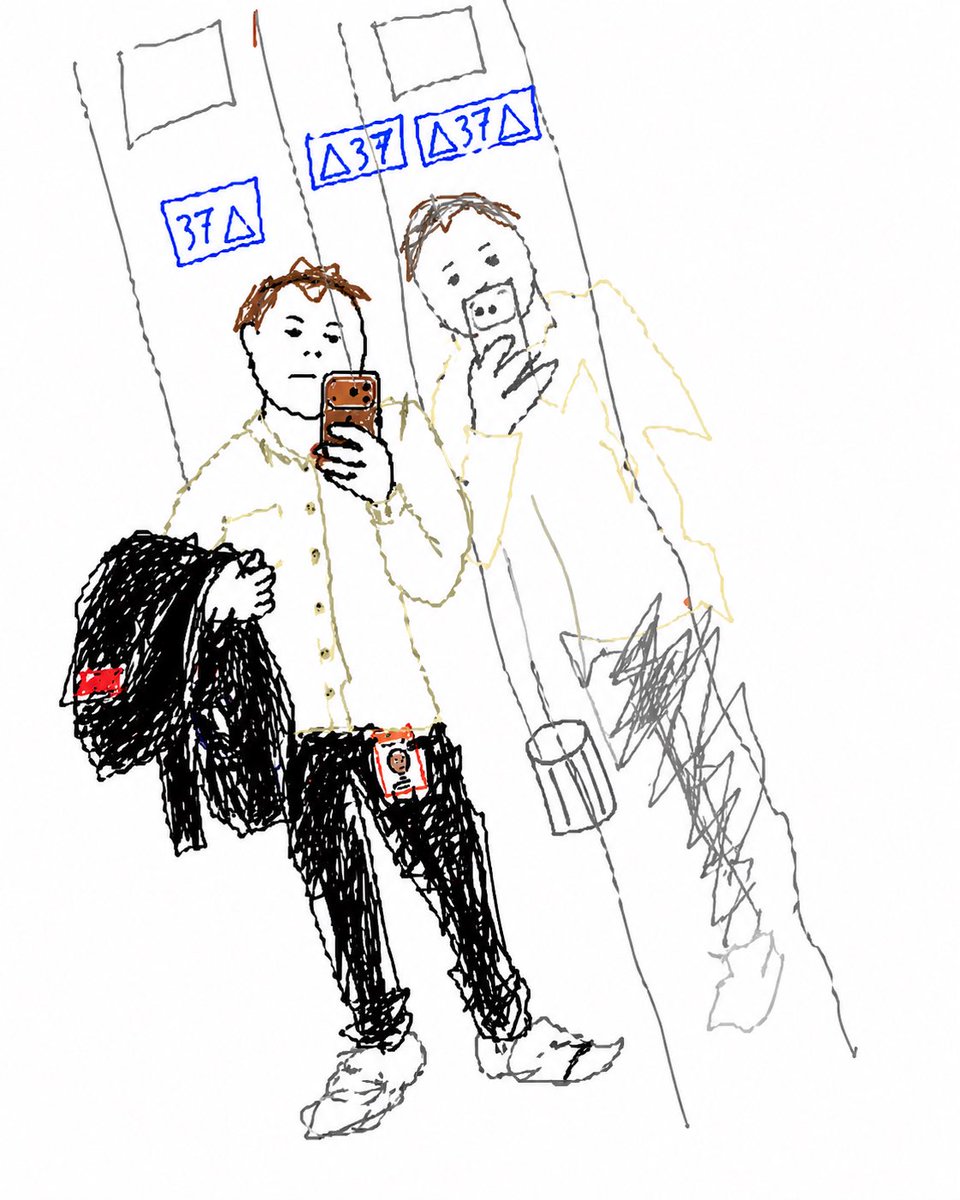
Trasforma il selfie in ascensore in uno scarabocchio
Questo esercizio consiste nel trasformare un selfie scattato allo specchio in uno schizzo disegnato a mano in modo ingenuo, preservando la composizione originale e i dettagli chiave riconoscibili.
Questo è un esempio di prompt GPT Image 2 per Ritratto e personaggio . Utilizza il prompt pronto per la copia qui sotto per generare immagini simili e verifica l'attribuzione Awesome GPT Image 2 Prompts e i diritti di utilizzo commerciale prima del riutilizzo.
Hai bisogno del set completo di prompt? Usa il Ritratto e personaggio hub tematico per ulteriori esempi correlati oppure apri il GPT Image 2 catalogo rapido per l'indice completo degli esempi, le strutture riutilizzabili e l'attribuzione delle fonti.
Free 1K preview
Generate one preview image instantly, no sign-up required.
Free text preview doesn’t preserve reference-image consistency.
779/4000
Richiesta
prompt pronto per la copia
Using the provided reference image, recreate the same mirror selfie composition as a very rough childlike doodle/sketch on a plain white background. Keep the subject’s pose, outfit, phone, jacket over one arm, ID badge, elevator mirrors, floor, and reflected figure in the same positions, but redraw everything with thin uneven hand-drawn lines, messy scribbles, and minimal detail, like a quick MS Paint or notebook sketch. Preserve the 3 blue elevator floor displays and simplify them into hand-drawn blue signs. Keep the face area obscured as a soft blurred block. Use sparse color accents only where they stand out in the reference: blue elevator numbers, brown hair/phone, black jacket and pants, white shirt and shoes, and the small red details on the jacket tag and badge.
Best for
- - Ritratto e personaggio visual exploration
- - Image generation and reference-image edits
- - Reusable briefs that keep source attribution visible
Change these parts
- - Subject, product, character, or scene
- - Aspect ratio, camera, lighting, and background
- - Brand, text, color, and output constraints
Recommended model and settings
- - Model: gpt-image-2
- - Input mode: Immagine in immagine
- - Aspect ratio: source
- - Commercial status: review original source
How to use this prompt
- 1. Copy the prompt and preserve its structure for the first test.
- 2. Replace the subject, context, and publishing channel.
- 3. Change one camera, lighting, or style variable per iteration.
- 4. Inspect the output, source, text, and rights before reuse.
Limitations, source, and reuse cautions
- - Generated output is an editable draft, not factual, legal, or rights evidence.
- - Review the linked source, people, brands, logos, text, and third-party media before commercial use.
Importato da Awesome GPT Image 2 Prompts . È richiesta l'attribuzione. Lo stato di utilizzo commerciale è allowed ; verificare i diritti della fonte prima dell'utilizzo a pagamento.
Altri casi in questa categoria
Prioritizzazione in base a categoria, compatibilità della modalità di input, qualità e minor rischio.

Oversized Head Cartoon Caricature Prompt
Immagine in immagineRischio medio

Sci-Fi Cyan Lighting Effect
Immagine in immagine

Stylish Man Street Lamp Portrait
Immagine in immagine

Cute Speech Bubble Mascot Profile Icon
Testo in immagine

Street Selfie with Cat in Matching Cap
Testo in immagine

Playful Morning Selfie Portrait
Testo in immagine
Note sul riutilizzo e sulla fonte
Utilizza questo prompt in tutta sicurezza dopo aver visualizzato in anteprima il caso.
- 1.Copia il prompt oppure aprilo direttamente in Dovoo tramite il pulsante di generazione.
- 2.Regola le variabili, le proporzioni e le immagini di riferimento in base alle tue esigenze.
- 3.Prima della pubblicazione o dell'utilizzo a pagamento, verificare i diritti di fonte, i requisiti di attribuzione e i rischi relativi al marchio o all'immagine.