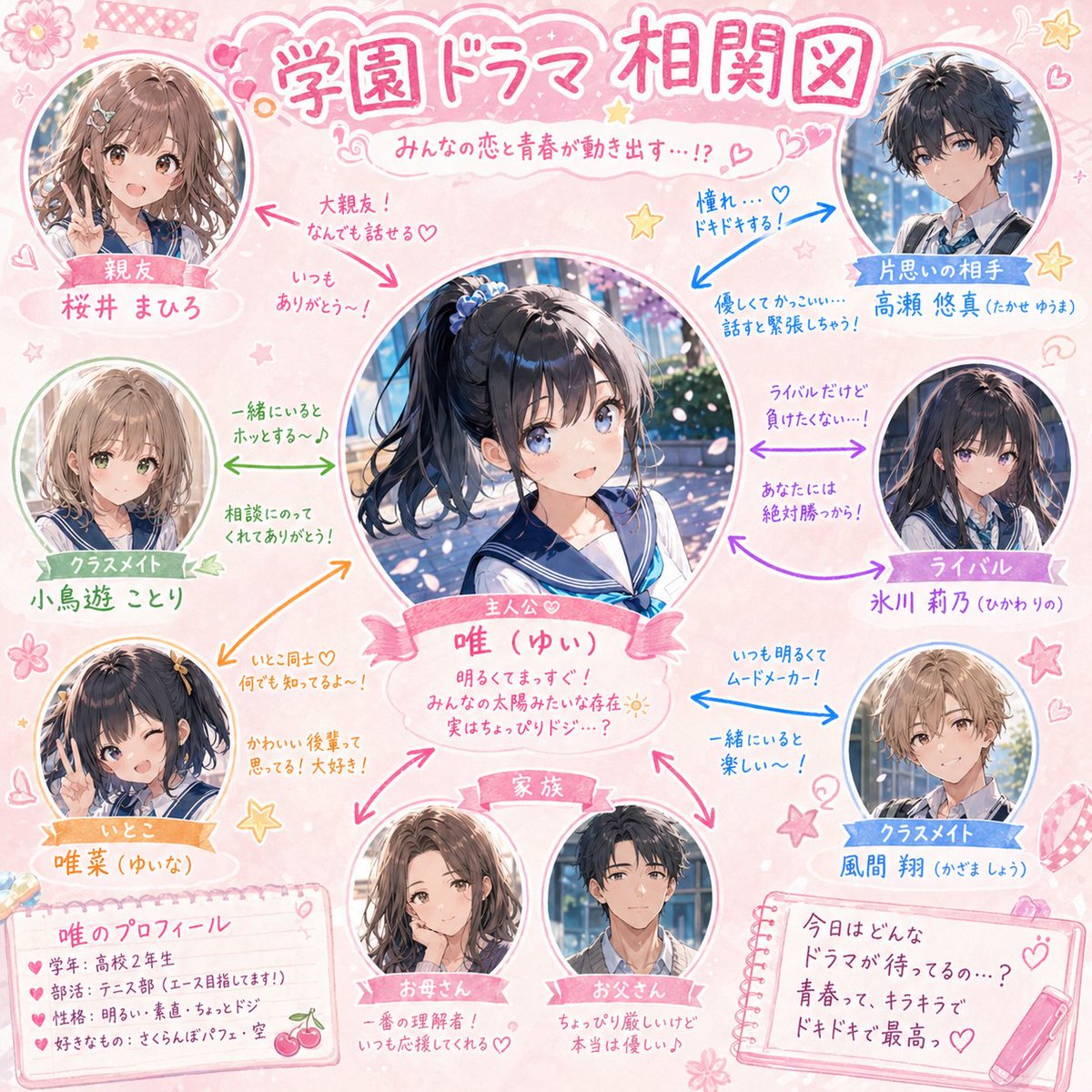
Generatore di diagrammi di relazioni per il teatro scolastico
Una guida dettagliata per la creazione di un diagramma di relazioni (correlazioni) in stile teatro scolastico, incentrato su un personaggio principale specifico, con un'estetica dai toni pastello e note scritte a mano.
Questo è un esempio di prompt GPT Image 2 per Grafica e poster . Utilizza il prompt pronto per la copia qui sotto per generare immagini simili e verifica l'attribuzione Awesome GPT Image 2 Prompts e i diritti di utilizzo commerciale prima del riutilizzo.
Free 1K preview
Generate one preview image instantly, no sign-up required.
Richiesta
prompt pronto per la copia
Please create a school drama-style 'character relationship chart' centered on the character in the attached illustration.

[Conditions]
- Main character name: [{argument name="character name" default="enter name here"}]
- Place the main character prominently in the center.
- Arrange best friends, rivals, unrequited loves, family, classmates, cousins, etc., in a radial layout around them.
- Display each character as a cute cutout illustration of their face or upper body.
- Connect relationships with colored arrows (→).
- Add short, cute handwritten-style comments near the arrows (e.g., 'Best friends!', 'Heart-pounding...', 'Rivals, but...').
- Use a {argument name="color theme" default="pink/pastel"} base for the whole design, scattered with cute decorations like stars, hearts, and flowers.
- The title should be in a 'School Drama Relationship Chart' style.
- Aim for a warm and fun school rom-com atmosphere.
Variabili di richiesta
Segnaposto per gli argomenti modificabili presenti nel prompt, con i relativi valori predefiniti.
Best for
- - Grafica e poster visual exploration
- - Image generation and reference-image edits
- - Reusable briefs that keep source attribution visible
Change these parts
- - Subject, product, character, or scene
- - Aspect ratio, camera, lighting, and background
- - Brand, text, color, and output constraints
Recommended model and settings
- - Model: gpt-image-2
- - Input mode: Testo in immagine
- - Aspect ratio: source
- - Commercial status: review original source
How to use this prompt
- 1. Copy the prompt and preserve its structure for the first test.
- 2. Replace the subject, context, and publishing channel.
- 3. Change one camera, lighting, or style variable per iteration.
- 4. Inspect the output, source, text, and rights before reuse.
Limitations, source, and reuse cautions
- - Generated output is an editable draft, not factual, legal, or rights evidence.
- - Review the linked source, people, brands, logos, text, and third-party media before commercial use.
Altri casi in questa categoria
Prioritizzazione in base a categoria, compatibilità della modalità di input, qualità e minor rischio.






Note sul riutilizzo e sulla fonte
Utilizza questo prompt in tutta sicurezza dopo aver visualizzato in anteprima il caso.
- 1.Copia il prompt oppure aprilo direttamente in Dovoo tramite il pulsante di generazione.
- 2.Regola le variabili, le proporzioni e le immagini di riferimento in base alle tue esigenze.
- 3.Prima della pubblicazione o dell'utilizzo a pagamento, verificare i diritti di fonte, i requisiti di attribuzione e i rischi relativi al marchio o all'immagine.